Menu functions
48
Print
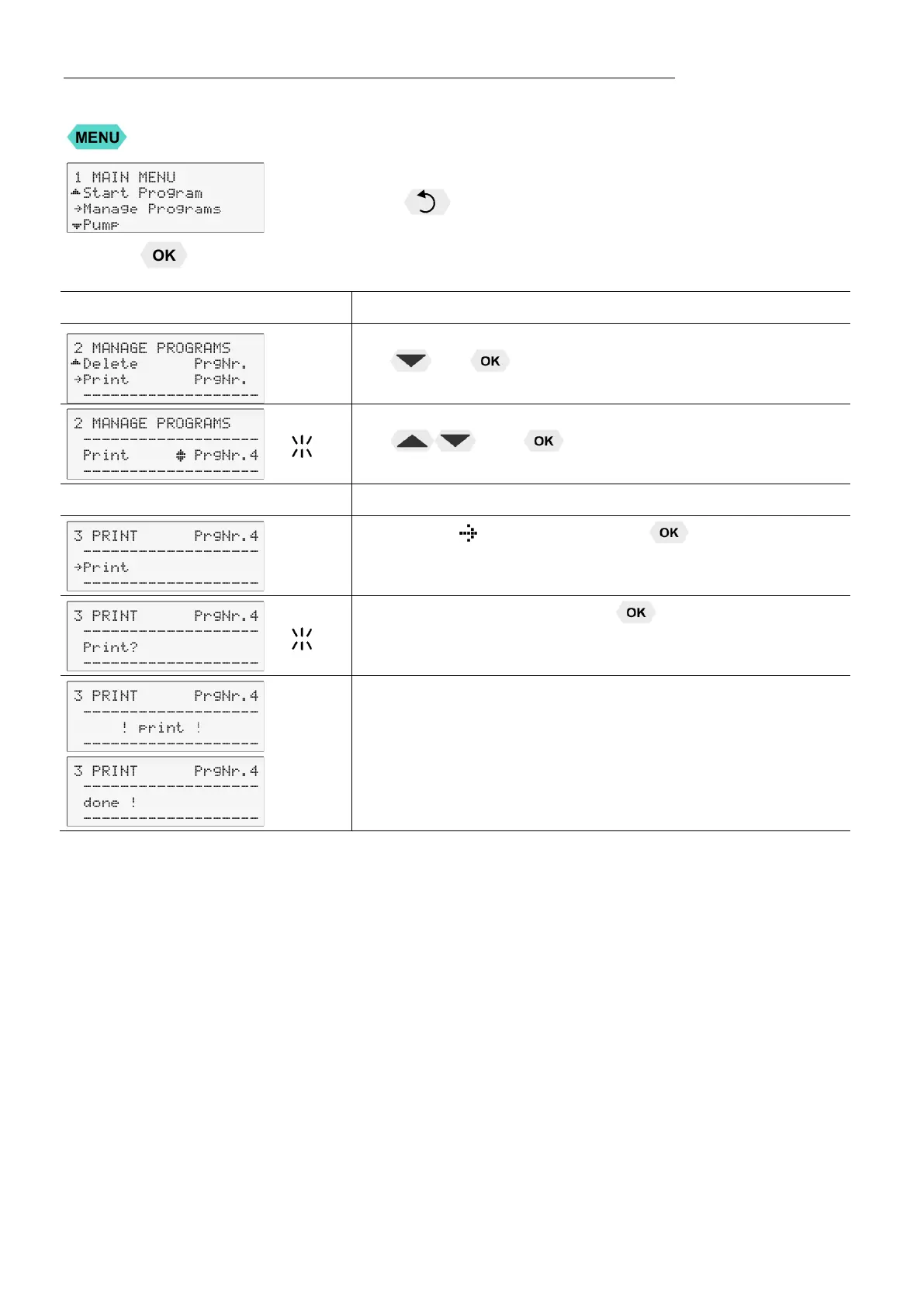
Every program can be printed via the serial interface for control and
documentation purposes.
Press the key if a parameter is to be retained. (prior to OK)
Level 2
Submenu >Print<
• Set menu item >Print PrgNr.< by pressing
and .
• Set desired >PrgNr.< by pressing
and .
Example: 4
Level 3
•
Confirm > Print< by pressing .
• Confirm >Print?< by pressing .
Printing and end of printing are confirmed by successive
messages on the LCD display as shown on the left.


 To Next Page