8 Starting up
84
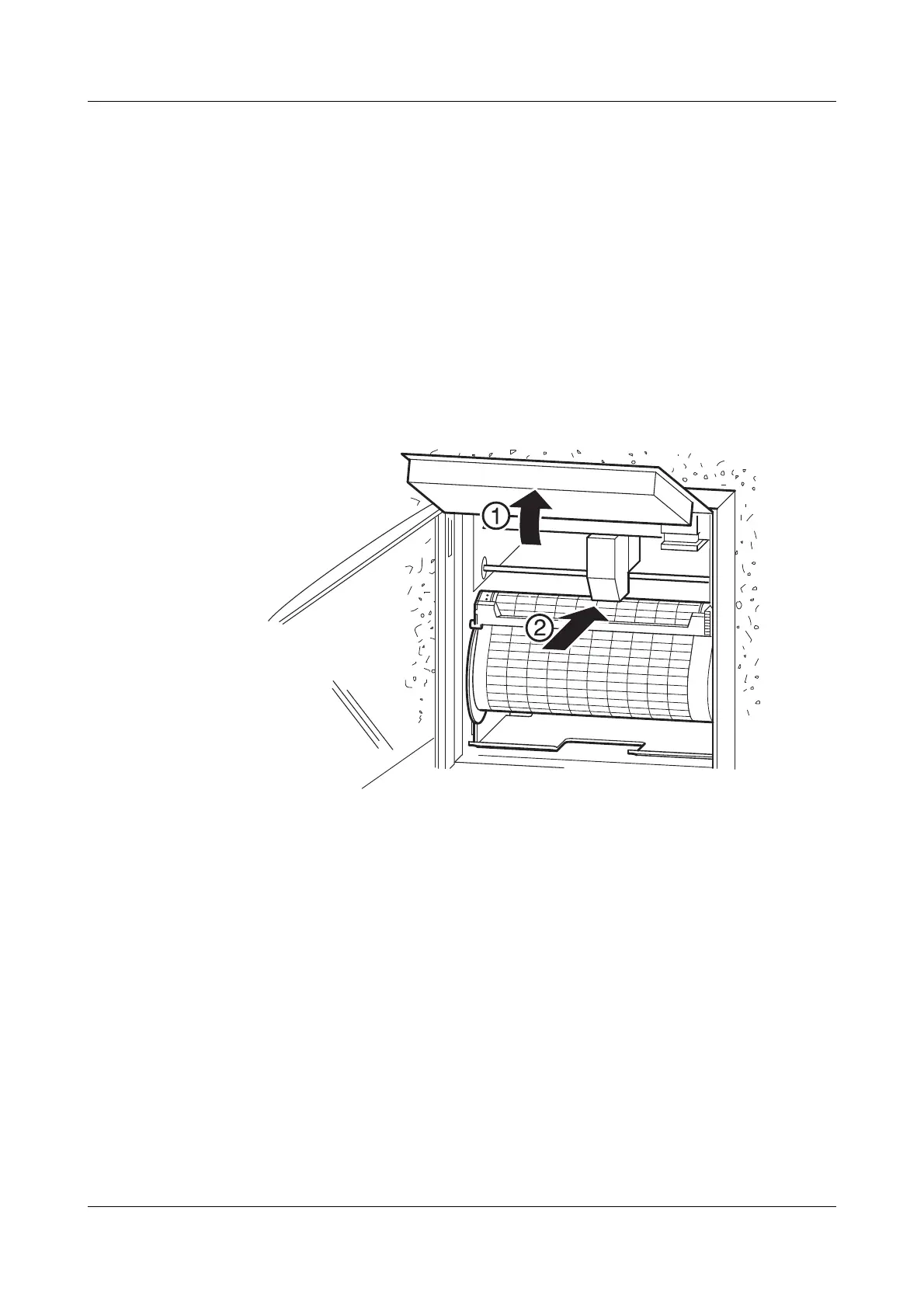
8.3 Fitting the print head
h Open the door
h Stop recording (press the S key)
h Swing the display radially upwards
h Push the print head into the holder, up to the stop
h Swing the display downwards, until it snaps into place
h Start recording again (press the S key)
In the stop state, the print head is always moved to the middle of
the recording band.


 To Next Page