NOTE: We recommend that you use only opcal transceivers and opcal connectors purchased
from Juniper Networks with your Juniper Networks device.
CAUTION: The Juniper Networks Technical Assistance Center (JTAC) provides
complete support for Juniper-supplied opcal modules and cables. However, JTAC does
not provide support for third-party opcal modules and cables that are not qualied or
supplied by Juniper Networks. If you face a problem running a Juniper device that uses
third-party opcal modules or cables, JTAC may help you diagnose host-related issues if
the observed issue is not, in the opinion of JTAC, related to the use of the third-party
opcal modules or cables. Your JTAC engineer will likely request that you check the
third-party opcal module or cable and, if required, replace it with an equivalent
Juniper-qualied component.
Use of third-party opcal modules with high-power consumpon (for example,
coherent ZR or ZR+) can potenally cause thermal damage to or reduce the lifespan of
the host equipment. Any damage to the host equipment due to the use of third-party
opcal modules or cables is the users’ responsibility. Juniper Networks will accept no
liability for any damage caused due to such use.
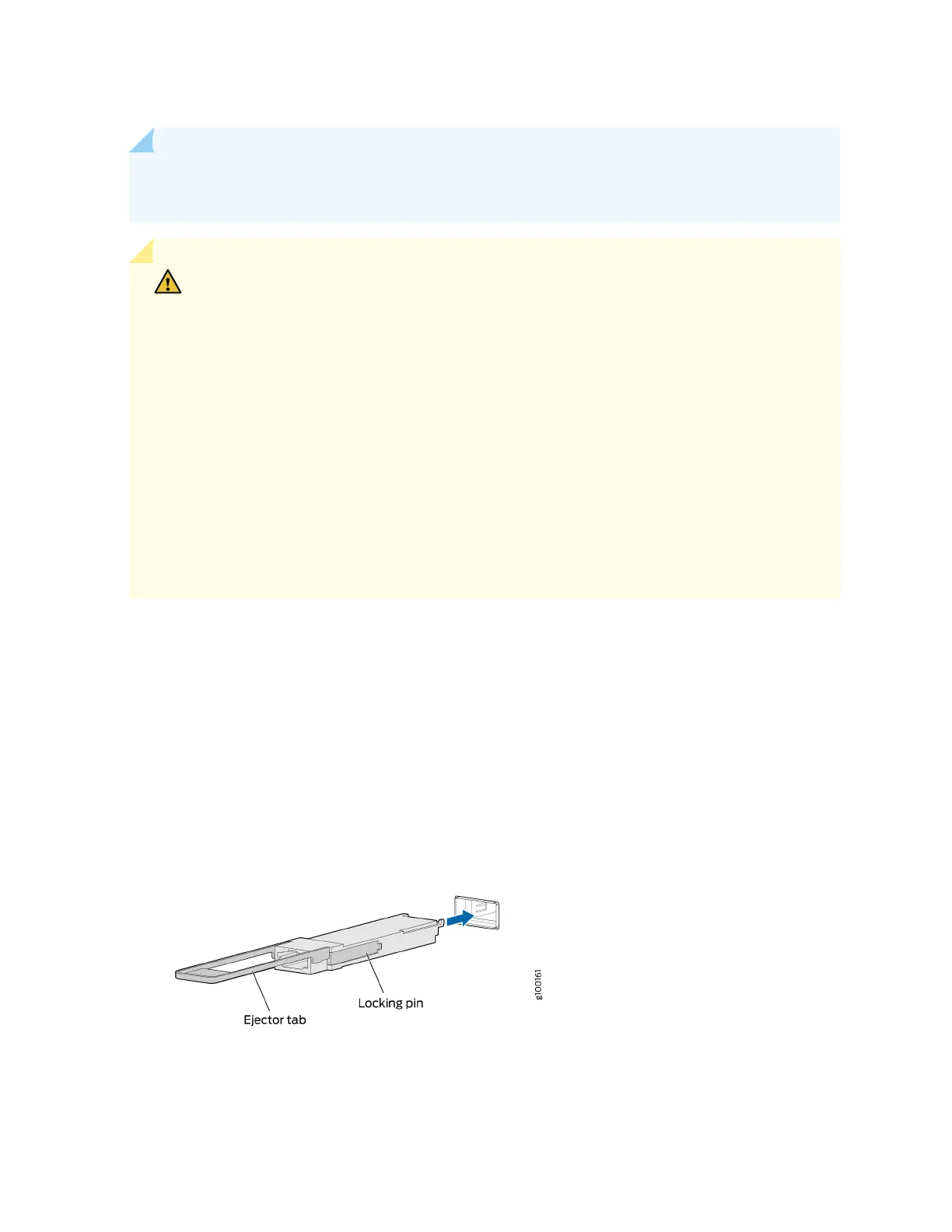
To install a QSFP28 transceiver (see Figure 109 on page 176):
1. Wrap and fasten one end of an ESD wrist strap around your bare wrist, and connect the other end of
the strap to the ESD point on the switch.
2. Verify that a rubber safety cap covers the QSFP28 transceiver.
3. Posion the transceiver in front of the port on the device so that the QSFP28 connector faces the
port.
Figure 109: Install a QSFP28 Transceiver
4. Slide the transceiver into the port unl the locking pins lock in place. If there is resistance, remove
the transceiver and ip it so that the connector faces the other direcon.
176














 To Next Page