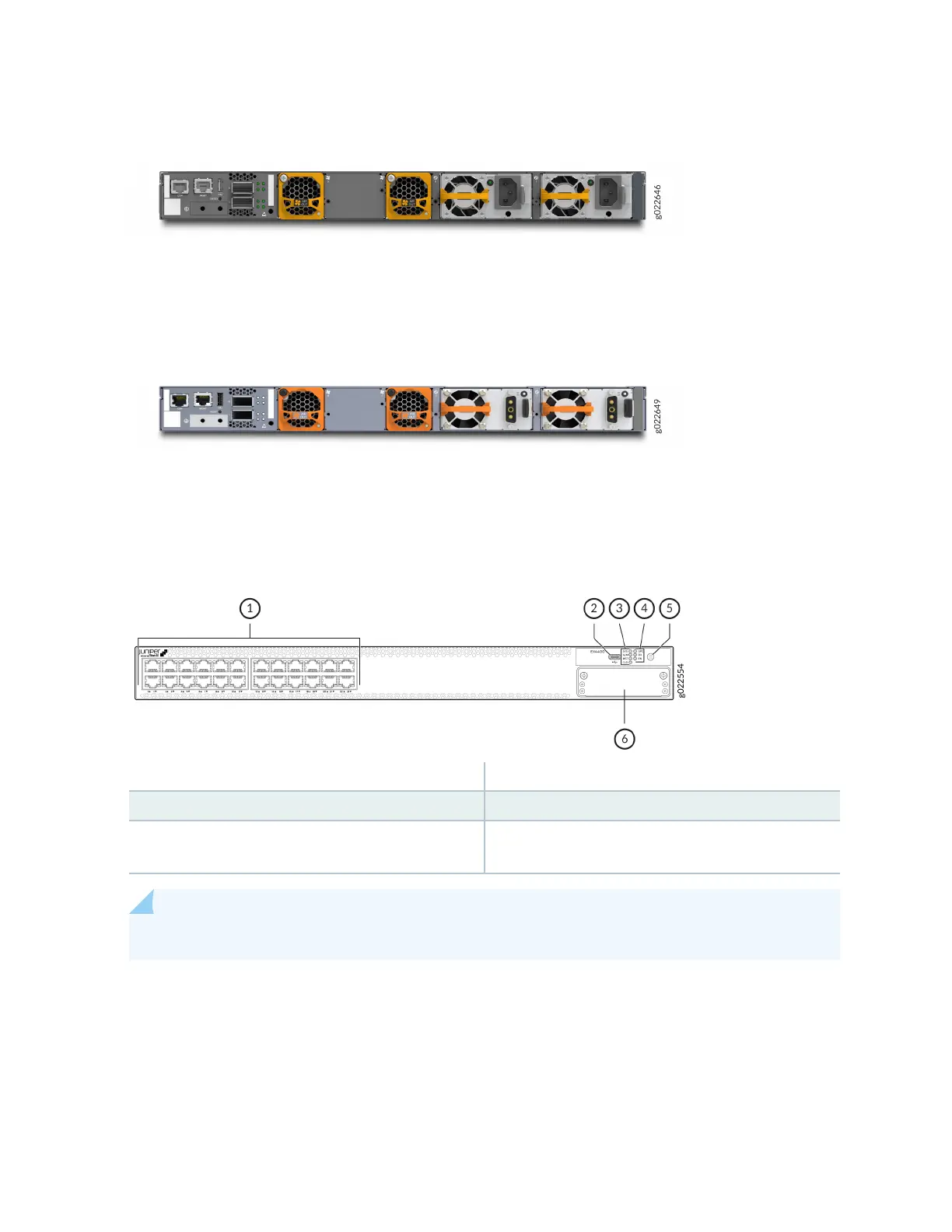
Figure 9: Rear View of an EX4400-24T Switch with AC Power Supplies
Figure 10 on page 22 shows the rear view of an EX4400-24T switch with DC power supplies.
Figure 10: Rear View of an EX4400-24T Switch with DC Power Supplies
Figure 11 on page 22 shows the components on the front panel of an EX4400-24T switch.
Figure 11: Components on the Front Panel of an EX4400-24T Switch
1—
10/100/1000BASE-T ports
4—
Port mode LEDs (labeled SPD, DX, and EN)
2—
USB-C console port
5—
Factory reset/mode buon
3—
Chassis status LEDs (labeled SYS, ALM, MST,
and CLD)
6—
Extension module slot
NOTE: We enabled the CLD LED feature in Junos OS Release 21.2R1.
EX4400-24T model supports 550-W AC or DC power supplies. You must not install AC and DC power
supplies in the same chassis.
Figure 12 on page 23 shows the components on the rear panel of an EX4400-24T switch with an AC
power supply.
22














 To Next Page