10 Mesa Rugged Notepad Owner’s Manual
3. Use the installation card to push air bubbles out (it may
take a few days for air bubbles to get worked out).
4. Never use sharp objects to adjust or remove the screen
protector.
Charge the Battery Pack(s)
Install and charge the Li-Ion baery pack(s). The Mesa is
designed to use 1 or 2 baery packs. Using two baery packs
extends the operating time of the unit. Geo 3G models should
always use two baery packs.
Complete the following steps:
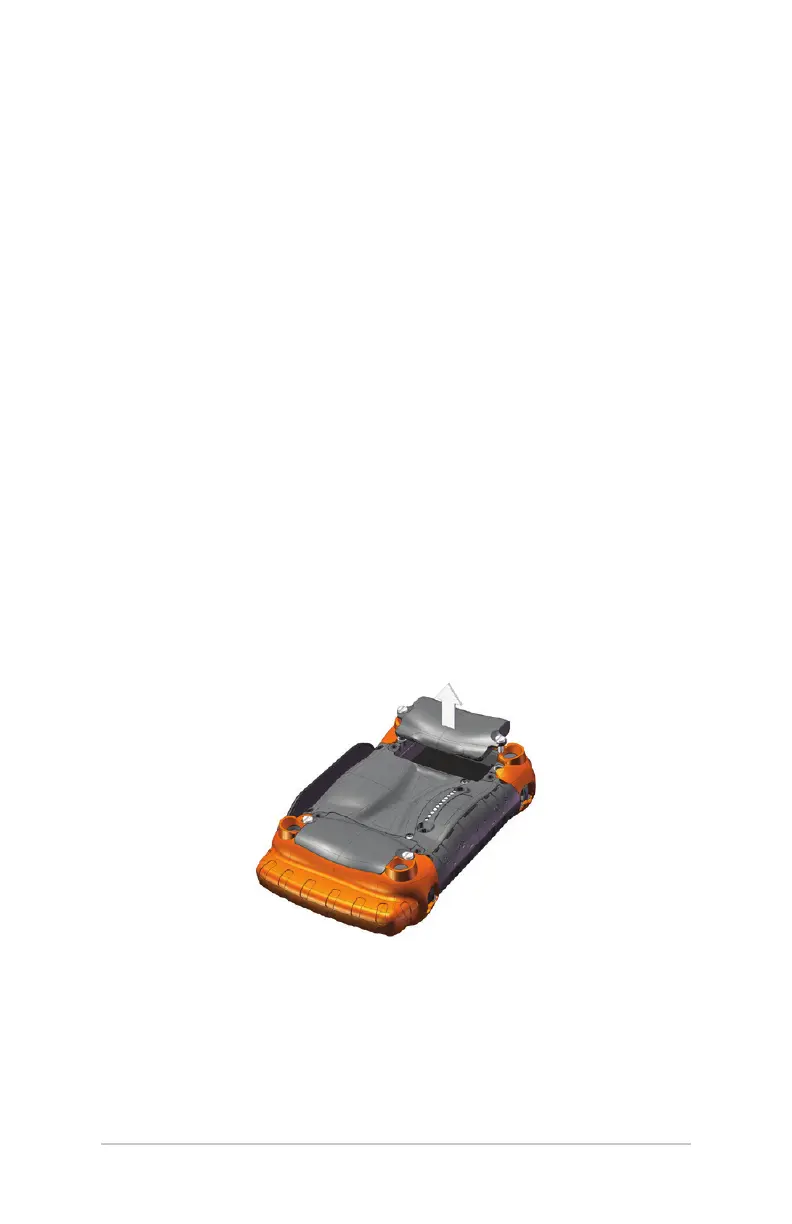
1. The baery compartments are located on the back of the
Mesa. Loosen the quarter turn latches holding the baery
compartment door(s) in place using a coin or similar object
(loosen them enough to slightly li the door, making it
easier to grab). Remove the door(s).
Note: If you are using one baery, for the best ergonomics we
recommend you use baery compartment #1 on the boom
designated for baery 1 as shown in the following graphic.



 To Next Page