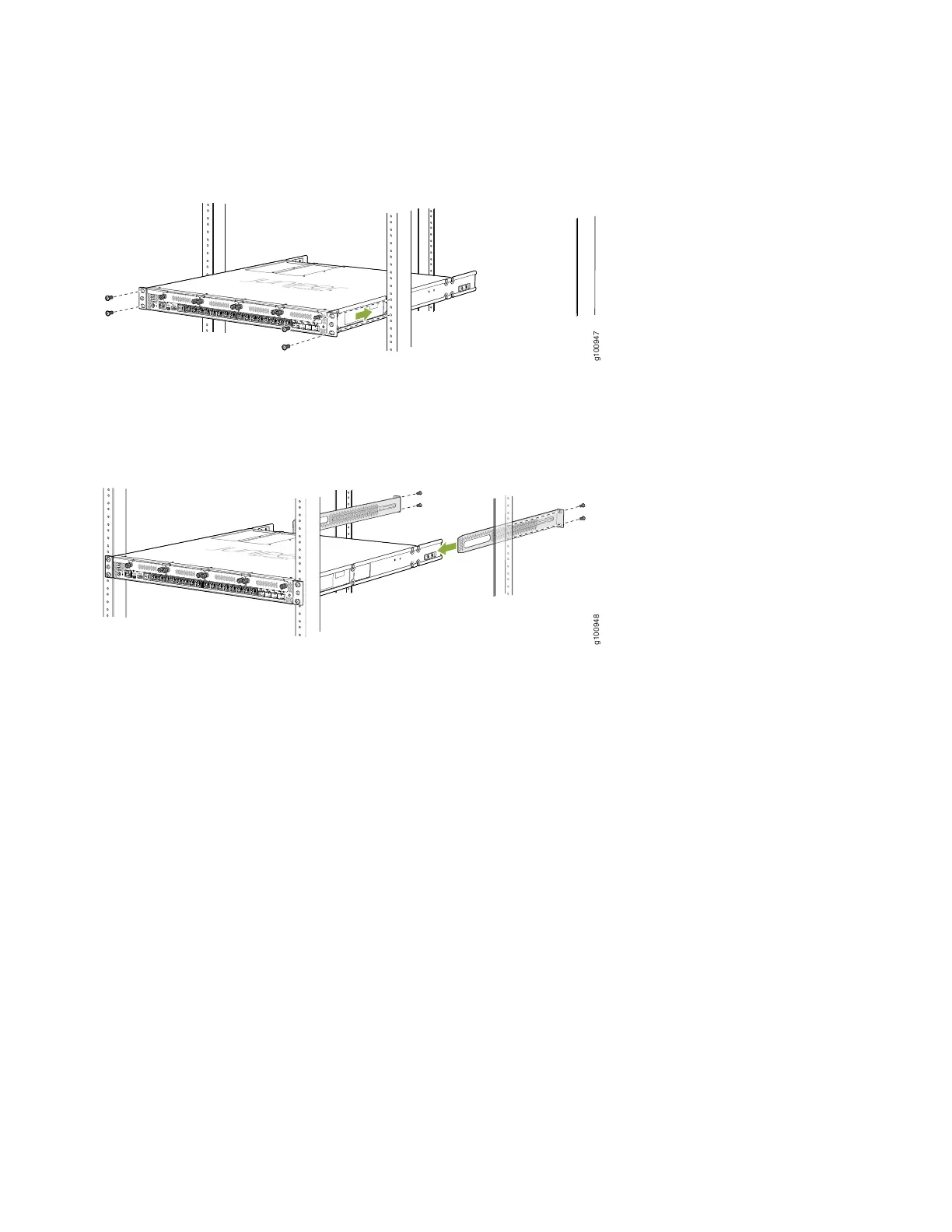
4. While you’re holding the SRX380 in place, have a second person insert and tighten the rack mount screws to secure
the mounting brackets to the rack rails. Make sure they tighten the screws in the two bottom holes first and then
tighten the screws in the two top holes next.
5. Continue holding the SRX380 in place and have the second person slide the mounting blades into the channel of the
mounting rails. Secure the blades to the rack using the rack mount screws.
6. Check that the mounting brackets on each side of the rack are lined up with each other.
Connect to Ground
To ground the device:
1. Wrap and fasten one end of the ESD grounding strap around your wrist and connect the other end to a site ESD point.
2. Connect the grounding cable to a proper earth ground, such as the rack in which the device is mounted.
3. Remove the two screws on the rear of the chassis using a Phillips screwdriver.
4. Place the grounding cable lug attached to the grounding cable over the grounding point on the rear of the chassis. See
Figure 3.
6



 To Next Page