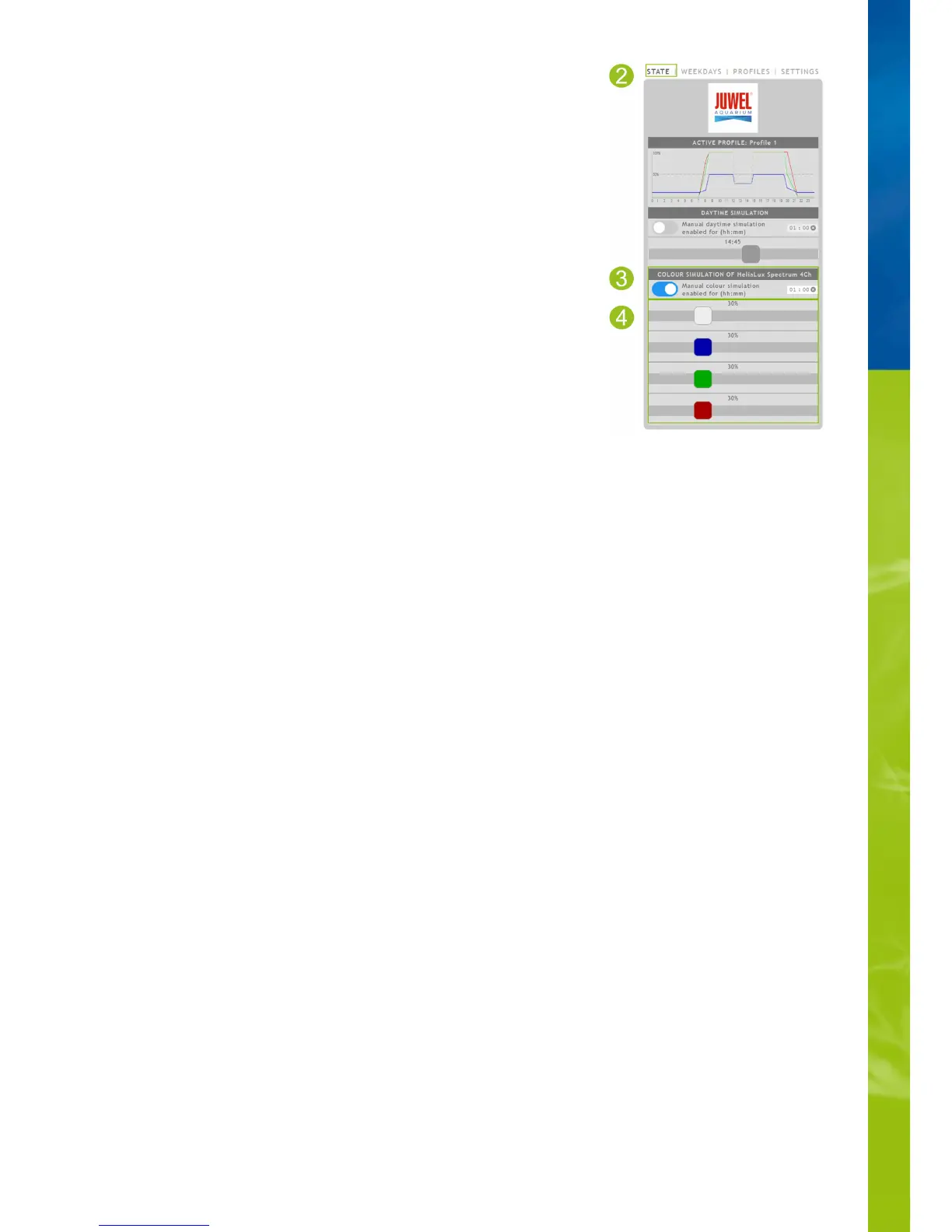
Manual control of light colours
Activating manual control:
1. Connect to the HeliaLux SmartControl's user interface.
2. Select the main '
Status
' menu item.
3. Activate the sliding controller for manually controlling the light colours.
Info
Manual control will by default remain active for 60 minutes and can be extended up to 24
hours when necessary if it is not deactivated. The SmartControl will then switch back to
automatic mode.
4. Make the desired colour and intensity settings using the sliding colour controllers.
Via AP mode, please refer to '
Establishing a connection to the user interface via
Access Point Mode
'.
•
Via the home network, please refer to '
HeliaLux SmartControl in home networks
'.•


 To Next Page