Introduction
43
Listening to Othe r Equipment/Recording Sound
Listening to Other Equipment
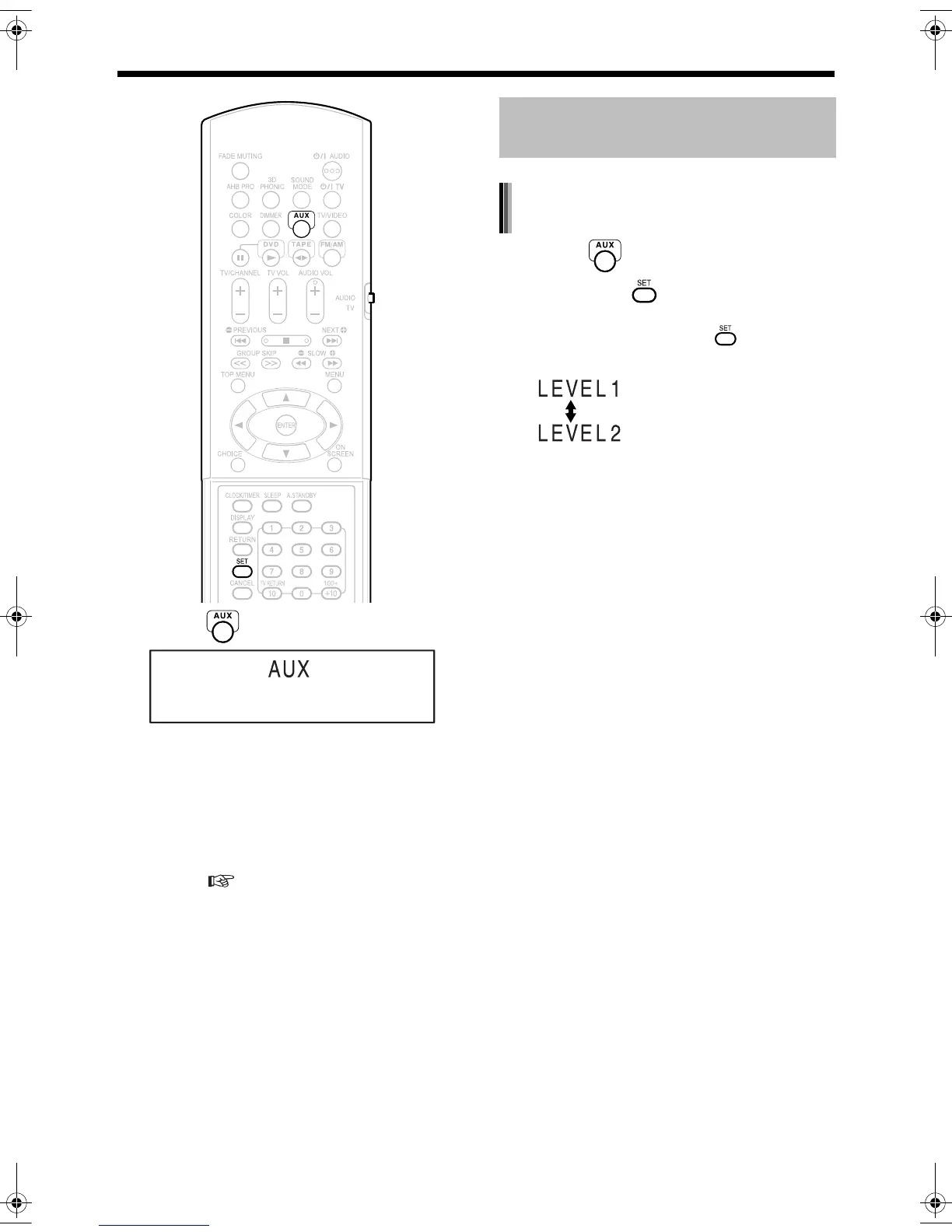
1 Press .
2 Start other equipment playback.
• Refer to the operation manual for the con-
nected equipment.
3 Adjust the volume and make other
necessary settings.
• For adjusting the volume and making other
necessary settings, refer to "Basic Opera-
tions" ( page 17).
1 Press .
2 Hold down until the input level
appears.
• Each time you hold down , the display
toggles as follows.
Adjusting the Sound Input
Level from Other Equipment
Adjusting the sound input level of the
AUX
For ordinary use.
(initial setting)
For increasing the level.
UX-QD9[A]-04.fm 43 ページ 2004年9月7日 火曜日 午前11時33分


 To Next Page