30
Listening to Discs English
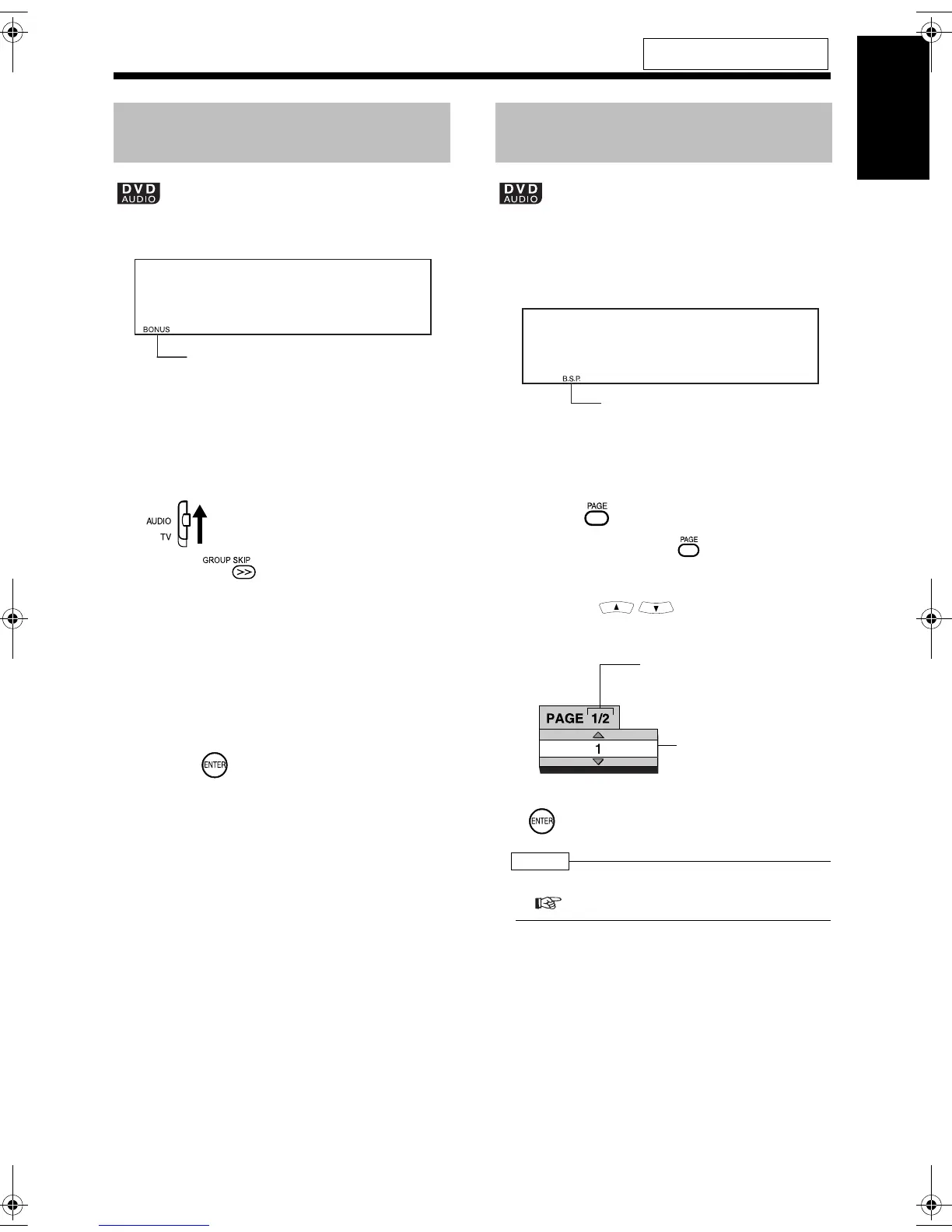
There are some DVD AUDIO discs with a special
group, called "bonus group", recorded.
• This operation can be carried out when
"BONUS" is lit in the display window on
the main unit.
■ While a disc is being played back
1 Set the remote control mode
selector to AUDIO.
2 Press repeatedly during
playback to select a bonus group.
• "KEY_ _ _ _" appears on the TV screen
and in the display window on the main
unit.
3 Press the number buttons to enter
a pin code (4 digits).
• The method of getting a pin code is
different depending on the disc.
4 Press .
• When a correct pin code is entered,
"BONUS" disappears and the playback
of the bonus group starts.
• If an incorrect pin code is entered, try
entering a correct pin code again.
There are some DVD AUDIO discs with still pic-
tures recorded. Among the still pictures, there are
pictures called B.S.P. (browsable still pictures).
You can change these pictures as if turning over
pages.
• This operation can be carried out when
"B.S.P." is lit in the display window on the
main unit.
■While a disc is being played back
1 Press .
• Each time you press , the still picture
will be switched over.
• You can also change the pictures by
pressing .
Example: TV screen
2 Wait for a few seconds or press
.
NOTE
• You can operate this function on the menu bar
( page 34).
For the locations of remote control
buttons, refer to page 26.
Playing Back the Bonus
Group
Bonus indicator
Browsable Still Pictures
(B.S.P.)
B.S.P. indicator
Selected page/
Total number of
pages
Selected page
(still picture)
UX-QD9[US].book 30 ページ 2004年10月8日 金曜日 午前10時27分


 To Next Page