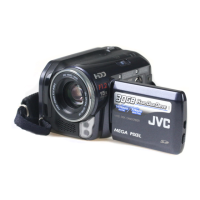
This document is a detailed user guide for JVC camcorders, specifically models GZ-E505, GZ-E565, GZ-EX515, GZ-EX555, and GZ-EX575. It covers various aspects of the device, from basic operation to advanced features, technical specifications, and maintenance.
Device Function Description
The JVC camcorder is a portable video recording device capable of capturing both videos and still images. It features a touch screen for intuitive operation and offers various shooting modes and effects to enhance creativity. The camcorder supports Wi-Fi connectivity for remote monitoring, file transfer, and integration with smartphones and computers. It can record in AVCHD and iFrame formats, and store data on internal memory or SD cards.
Important Technical Specifications
Camera:
- Image Pickup Device: 1/5.8" 2,510,000 pixels (CMOS, back-illuminated)
- Lens: F1.8 - 3.9, f= 2.1 mm to 79.8 mm
- Video (35 mm conversion): 29.3 mm to 1,906 mm (dynamic zoom: ON), 29.3 mm to 1,219 mm (dynamic zoom: OFF)
- Still Image (35 mm conversion): 35.9 mm to 1,590 mm (4:3), 29.3 mm to 1,299 mm (16:9)
- Filter Diameter: 40.5 mm (screw pitch: 0.5 mm)
- Lowest Illumination: 3 lux (1 lux in SCENE SELECT: NIGHTALIVE)
- Zoom (during video recording): Optical zoom up to 38x, Dynamic zoom up to 65x (image stabilizer: OFF), Digital zoom up to 200x
- Zoom (during still image recording): Optical zoom up to 38x
- LCD Monitor: 3.0", 230,000 pixels, color LCD
- Recording Media: Built-in memory (32 GB for GZ-EX575/GZ-E565, 16 GB for GZ-EX555), SD/SDHC/SDXC card (commercially available)
- Clock Battery: Rechargeable battery
Power Supply:
- AC Adapter: DC 5.2 V
- Battery Pack: DC 3.6 V
- Power Consumption: 2.6 W (GZ-EX575/GZ-EX555/GZ-EX515), 2.5 W (GZ-E565/GZ-E505)
Operating Environment:
- Operating Temperature: 0°C to 40°C
- Storage Temperature: -20°C to 50°C
- Relative Humidity: 35% to 80%
Connectors:
- HDMI Output Connector: HDMI mini connector
- AV Output Connector: Video output: 1.0 V (p-p), 75 Ω; Audio output: 300 mV (rms), 1 KΩ
- USB Connector: Mini USB Type AB, USB 2.0 compliant
Video (AVCHD):
- Recording/Playback Format: AVCHD standard
- Video: MPEG-4 AVC/H.264
- Audio: Dolby Digital 2ch
- Extension: .MTS
- Signal System: PAL standard
- Image Quality (Video):
- UXP: 1920 x 1080 pixels, Average Approximate 24 Mbps
- XP: 1920 x 1080 pixels, Average Approximate 17 Mbps
- SP: 1920 x 1080 pixels, Average Approximate 12 Mbps
- EP: 1920 x 1080 pixels, Average Approximate 4.8 Mbps
- SSW(16:9): 720 x 480 pixels (Interlaced), Average Approximate 6.2 Mbps
- SEW(16:9): 720 x 480 pixels (Interlaced), Average Approximate 3 Mbps
- Sound Quality (Audio): 48 kHz, 256 kbps
Video (iFrame) (GZ-EX575/GZ-EX555/GZ-EX515):
- Recording/Playback Format: MP4 standard
- Video: MPEG-4 AVC/H.264
- Audio: AAC (2ch)
- Extension: .MP4
- Signal System: PAL standard
- Image Quality (Video):
- 1280x720: 1280 x 720 pixels, Max 36 Mbps, average approx. 34 Mbps
- 960x540: 960 x 540 pixels, Max 28 Mbps, average approx. 26 Mbps
- Sound Quality (Audio): 48 kHz, average 128 kbps
Still Image:
- Recording Format: JPEG standard
- Extension: .JPG
- Image Size: Refer to "Approximate Number of Still Images (Unit: Number of Shots)" (p. 64)
Wi-Fi Specifications:
- Wireless LAN Standard: IEEE802.11b/g/n (2.4GHz band)
- Wi-Fi Security: Encryption: WEP, WPA, WPA2 (WPA and WPA2 supported only by personal mode (PSK))
Usage Features
Recording:
- Auto Mode: Simplifies recording by automatically adjusting exposure and focus.
- Still Image Capture: Capture still images during video recording or in a dedicated still image mode.
- Zooming: Optical, dynamic, and digital zoom capabilities for various shooting distances.
- Manual Recording: Adjust settings like focus, brightness, backlight compensation, and white balance.
- Scene Select: Optimize settings for specific scenes (e.g., Nightalive, Spotlight).
- Effects: Add animation effects, face decorations (crowns, sunglasses), decorative stamps, or personal handwriting/drawings to videos.
- Touch Priority AE/AF: Adjust focus and brightness based on a tapped position, with face and pet tracking options.
- Smile Shot: Automatically captures still images upon detecting a smile.
- Pet Shot: Automatically captures still images upon detecting a pet's face.
- Face Registration: Register human faces with names and priority levels for enhanced tracking and focus.
- Reducing Camera Shake: Image stabilizer with OFF, ON, and ON (AIS) modes.
- Marking Video: Mark specific scenes during recording for easy retrieval and digest playback.
- Slow-motion (High-speed) Recording: Record videos at 250 fps for smooth slow-motion playback.
- Time-Lapse Recording: Capture frames at intervals to show slow changes over time.
- Stop-Motion Videos: Create stop-motion videos by piecing together still images.
- Auto Recording: Automatically record when movements or brightness changes are detected.
- Self-timer: 2-second and 10-second self-timers for group shots.
- Face Detection Self-timer: Starts shooting 3 seconds after another person enters the frame, useful for including the photographer.
- Date and Time Recording: Record videos with date and time displayed.
- Silent Mode: Darkens the LCD monitor and mutes operation sounds for quiet recording.
Playback:
- Normal Playback: Play back recorded videos and still images.
- Mark Playback: Play back marked scenes or goal scenes (from game recording mode).
- Digest Playback: Play back a digest of scenes with detected smiles, registered faces, or manually marked scenes.
- Playback Playlist: Play back custom-created playlists.
- Playback Other File: Play back videos with defective management information.
- Slideshow Playback: Play back still images as a slideshow with transition effects.
- Searching by Date: Search for videos or still images by recording date.
- Connecting to TV: View content on a TV via HDMI mini connector or AV connector.
- DVD/Blu-ray Disc Playback: Play back discs created on the unit using an optional DVD writer or a normal DVD/Blu-ray disc player.
Editing:
- Deleting Files: Delete unwanted videos or still images (currently displayed or selected).
- Protecting Files: Prevent accidental deletion of important files.
- Capturing Still Images from Video: Extract still images from recorded videos during playback.
- Combining Seamlessly Recorded Videos: Combine videos recorded on two separate media with seamless recording enabled.
- Trimming: Select and save a required part of a video as a new file.
- Creating Playlists: Create playlists from selected files or by date.
- Editing Playlists: Change the content and order of videos in a playlist.
- Deleting Playlists: Delete created playlists.
Copying:
- BD Writer (External Blu-ray Drive): Copy files to Blu-ray discs.
- DVD Writer: Copy files to DVDs using optional CU-VD3 or CU-VD50 DVD writers.
- USB External Hard Disk Drive: Copy files to/from an external HDD, or play back files from it.
- SD Card: Copy/move files to an SD card (GZ-EX575/GZ-EX555/GZ-E565 models).
- Windows PC: Copy files to a computer using provided software (LoiLoFit for Everio or Everio MediaBrowser 4).
- Mac Computer: Copy files to a Mac using iMovie or iPhoto.
Wi-Fi Functions (GZ-EX575/GZ-EX555/GZ-EX515):
- Direct Monitoring: Check camera images directly on a smartphone/computer without an access point.
- Indoor Monitoring: Monitor images via an access point at home.
- Outdoor Monitoring: Monitor images via internet connection when outside.
- Detect/Mail: Automatically capture and send still images via e-mail upon face or movement detection.
- Video Mail: Record and send short videos (up to 15 seconds) via e-mail.
- TV Monitoring: Connect to a DLNA-compatible TV to playback still images wirelessly.
- Easy Storage: Save videos and still images to a computer connected via wireless network.
- Location Information: Record location data via direct connection with a GPS-enabled smartphone.
- Pan Cradle Control: Remotely control panning operations of a sold-separately pan cradle via smartphone.
- Smartphone Applications: Install "Everio sync. 2" for Android/iOS to monitor, transfer files, and control the camcorder.
- Web Browser Control: Connect to the camcorder via a web browser on a computer for monitoring and settings.
Maintenance Features
- Regular Maintenance: Detach battery pack, AC adapter, and power plug before maintenance.
- Cleaning:
- Wipe the unit with a dry, soft cloth to remove dirt.
- For extreme dirt, use a neutral detergent solution, then wipe with a clean cloth.
- Do not use solvents (benzene, thinner, alcohol) or chemical cloths/cleaners without checking instructions.
- Use a lens blower and cleaning cloth for the lens/LCD monitor.
- LCD Monitor Protection: Use a commercially available anti-reflection or protective film.
- Battery Care: Store battery in a dry place (15°C to 25°C) with 30% charge if unused for a long time. Fully charge and discharge every 6 months.
- SD Card Formatting: Format SD cards (especially those used on other devices) using the camcorder's "FORMAT SD CARD" function.
- Firmware Update: Update the camcorder's functions via JVC homepage.
- PC Software Update: Update built-in PC software via JVC homepage (GZ-E565/GZ-E505).
- Troubleshooting Guide: Comprehensive section for resolving common issues related to power, recording, playback, editing, copying, Wi-Fi, and error messages.

 Need help?

 To Next Page
 General