Zooming
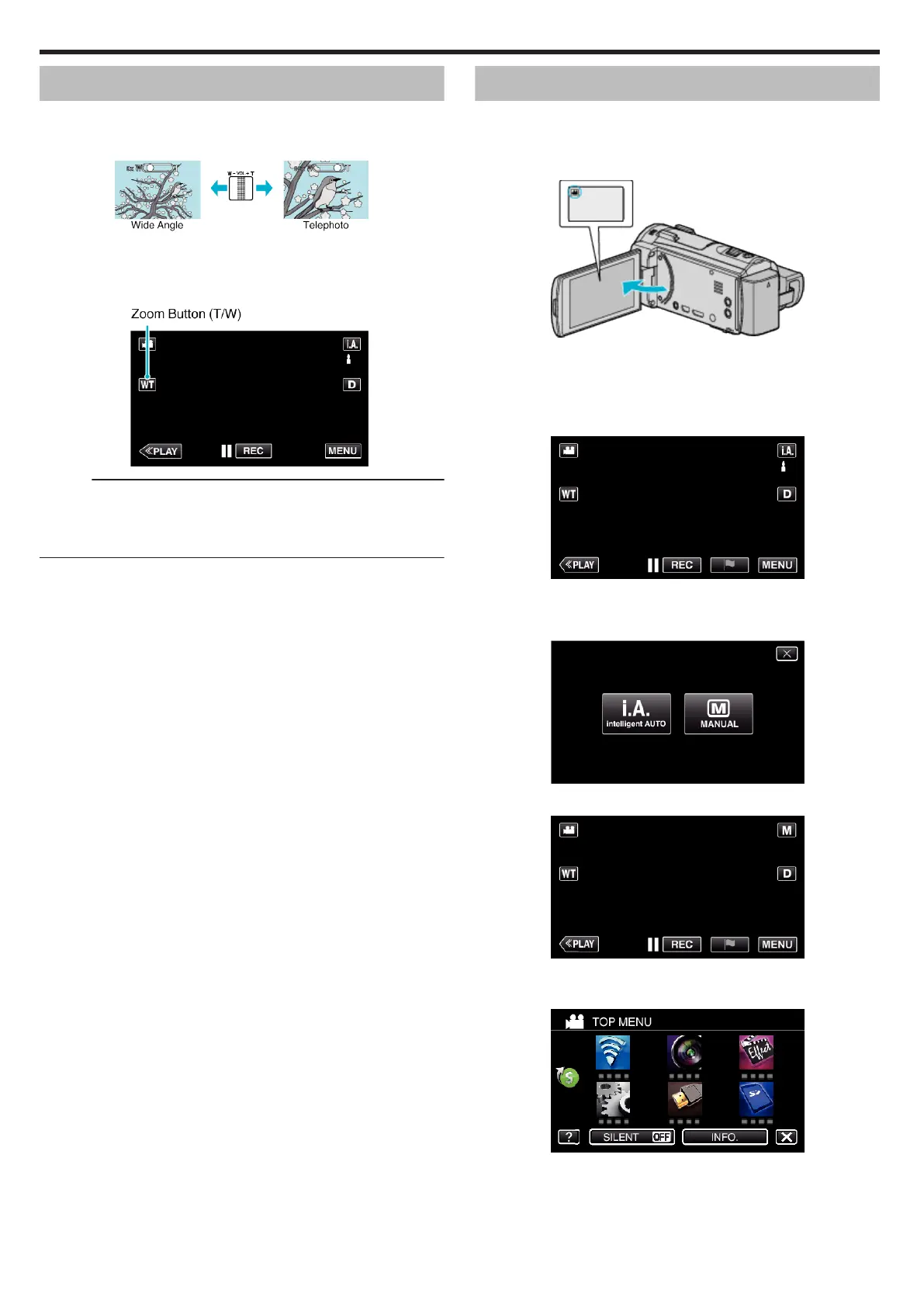
The angle of view can be adjusted using zoom.
0
Use the W end (wide angle end) to shoot a wider field of view.
0
Use the T end (telephoto end) to magnify the subject for shooting.
.
0
The following zoom options are available:
- Optical Zoom (1 - 38x)
- Digital Zoom (39 – 200x)
0
You can also use the zoom (T/W) button on the touch screen to zoom.
.
Memo :
0
When digital zoom is used, the image becomes grainy as it is digitally
enlarged.
0
The zoom ratio range can be changed.
“ ZOOM ” (A p. 232)
Manual Recording
You can adjust settings, such as brightness, by using the manual mode.
Manual recording can be set for both video and still image modes.
*The following is a screen of the model with Wi-Fi functions.
1
Open the LCD monitor.
.
0
Set the recording mode to either A video or B still image.
0
To switch the mode between video and still image, tap
A
or
B
on the
recording screen to display the mode switching screen.
Tap
A
or
B
to switch the mode to video or still image respectively.
2
Select the Manual recording mode.
.
0
If the mode is P Intelligent Auto, tap P on the recording screen
to display the mode switching screen.
Tap H to switch the recording mode to Manual.
.
3
Tap “MENU”.
.
0
The top menu appears.
4
Tap “RECORD SETTING”.
.
5
Tap the item to set manually.
Recording
32


 To Next Page