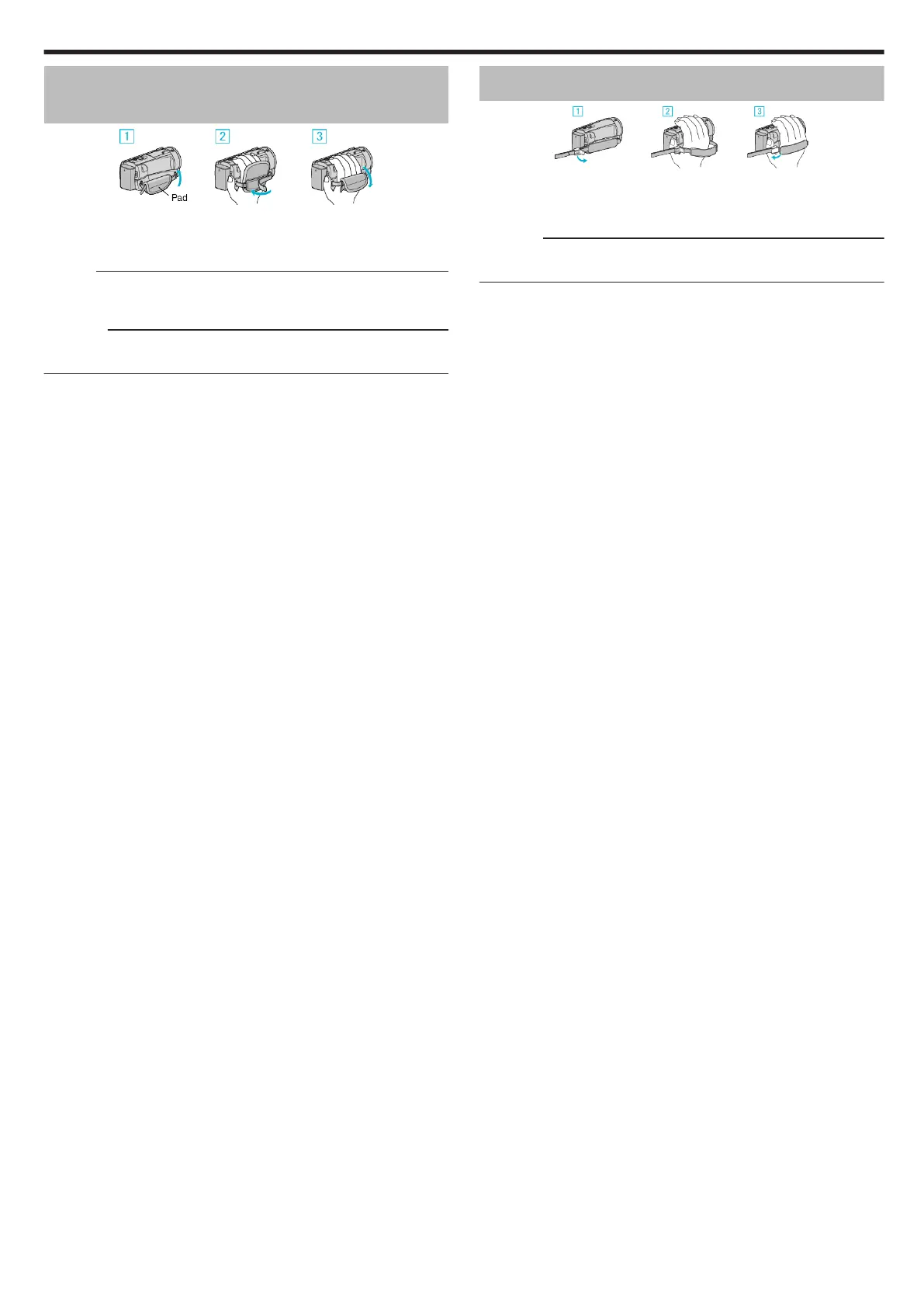
Grip Adjustment (GZ-EX575/GZ-EX555/GZ-
EX515)
.
A Open the pad.
B Adjust the length of the belt
C Close the pad.
Memo :
0
Wi-Fi antenna is located inside the pad.
Do not pull out the Wi-Fi antenna when adjusting the belt.
Caution :
0
Be sure to fasten the grip belt properly.
If the belt is loose, this unit may drop and result in injuries or damages.
Grip Adjustment (GZ-E565/GZ-E505)
.
A Open the lever on the strap lock
B Adjust the length of the belt
C Close the lever
Caution :
0
Be sure to fasten the grip belt properly.
If the belt is loose, this unit may drop and result in injuries or damages.
Getting Started
15


 To Next Page