Taking Still Images in Auto Mode
You can record without worrying about the setting details by using the
Intelligent Auto mode.
1
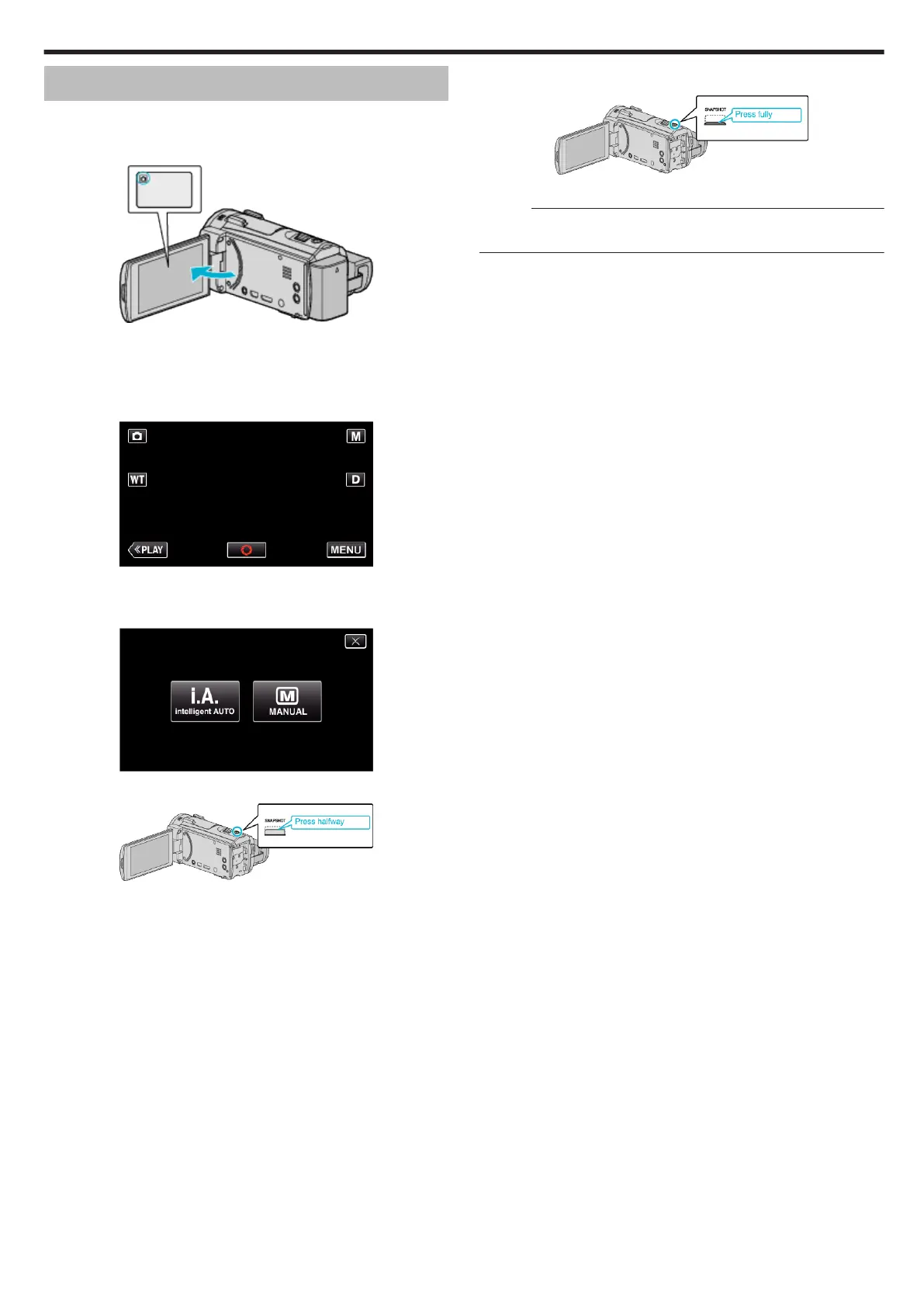
Open the LCD monitor.
.
0
Check if the recording mode is B.
0
If the mode is
A
video, tap
A
on the recording screen to display the
mode switching screen.
Tap
B
to switch the mode to still image.
2
Check if the recording mode is
P
Intelligent Auto.
.
0
If the mode is H Manual, tap H on the recording screen to display
the mode switching screen.
Tap P to switch the recording mode to Intelligent Auto.
.
3
Set the focus on the subject.
.
0
When focused, the focus icon lights up in green.
4
Take a still image.
.
0
PHOTO lights up when a still image is being captured.
Memo :
0
Depending on the subject and shooting conditions, recording may not be
performed properly even in the Intelligent Auto mode.
Recording
29


 To Next Page