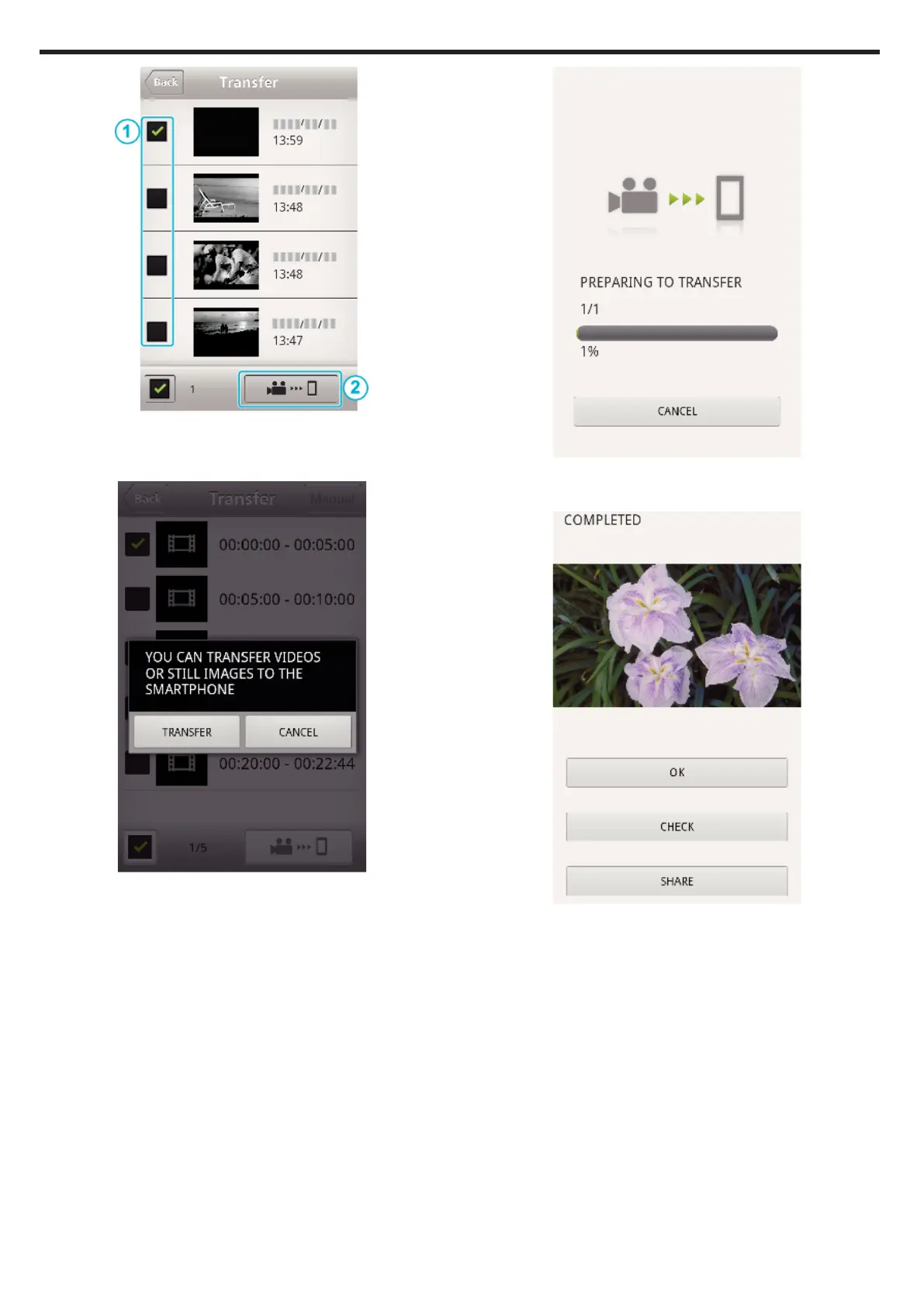
.
0
Tap “Monitor” to return to the monitor screen.
0
Tap
Q
to move to the setting screen.
6
Tap “TRANSFER”.
.
0
Tap “CANCEL” to cancel the operation.
7
“TRANSFER” starts.
.
0
Tap “CANCEL” to cancel the operation.
8
After transferring is complete, tap “OK”.
.
0
To play back and check the still image, tap “CHECK”. (Android only)
0
To upload the still image, tap “SHARE”. (Android only)
Tap the desired service, then proceed to the uploading process.
To make use of a service, it is necessary to perform registration
beforehand.
Using Wi-Fi (GZ-EX575/GZ-EX555/GZ-EX515)
190


 To Next Page