ENGLISH
16
A
Intro Track: Plays the first 15 seconds of all
tracks
Intro Folder: Plays the first 15 seconds of
the first track of all folders
A
Intro Track: Plays the first 15 seconds of all
tracks
B
Repeat Track: Repeats the current track
Repeat Folder: Repeats the current folder
B
Repeat Track: Repeats the current track
C
Random Folder: Randomly play all tracks
of the current folder, then tracks of the
next folders
Random Disc: Randomly play all tracks
C
Random Disc: Randomly play all tracks
D
Skip 10 tracks (within the same folder)
D
Skip 10 tracks
• You can also cancel the playback mode by selecting “Off” or press number button 4 (
).
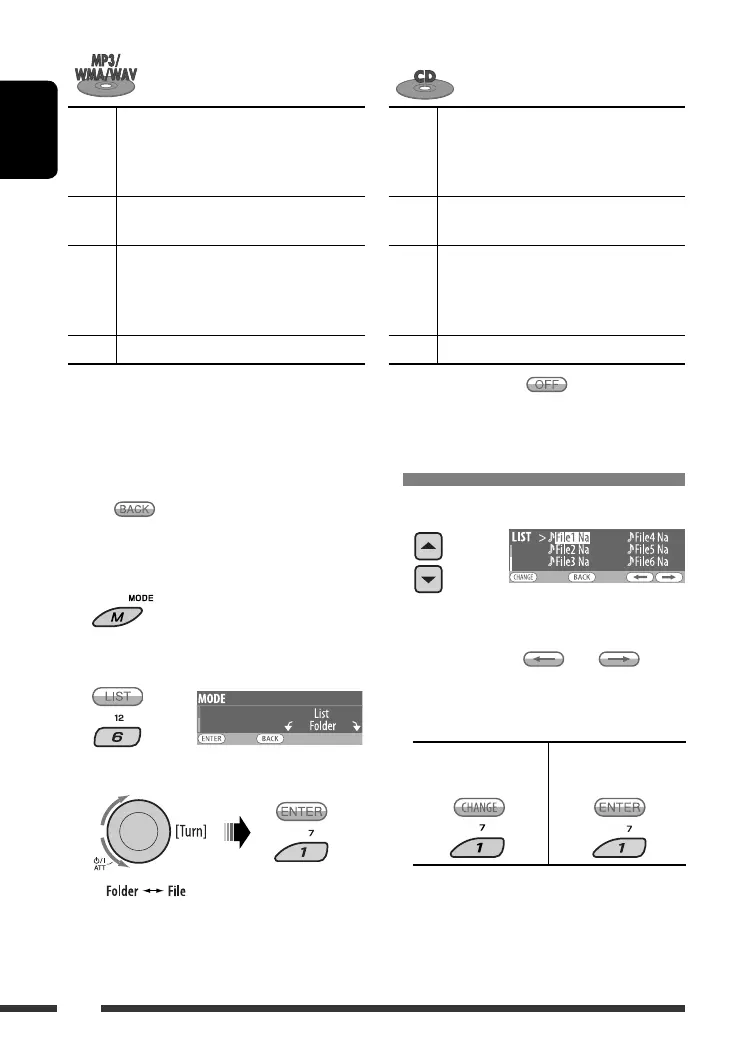
Selecting a folder/track on the list
(only for DivX/MPEG/MP3/WMA/WAV file)
• When appears on the display, you can move
back to the previous display by pressing number
button 3.
1
2
Select “LIST.”
3 Select the list type.
4 Select an item.
• You can move to the other lists by pressing
number button 5 ( ) or 6 ( )
repeatedly.
5 Change to the selected item.
• If File List is selected • If Folder List is
selected
• The list disappears and playback starts.
EX.: When “File” is selected in
step 3
EN16-23_DV8306_001A_2.indd 16EN16-23_DV8306_001A_2.indd 16 4/10/07 2:23:40 PM4/10/07 2:23:40 PM



 To Next Page