Page 4
English
Remote Control
Outside panel
Remote Control
Outside panel
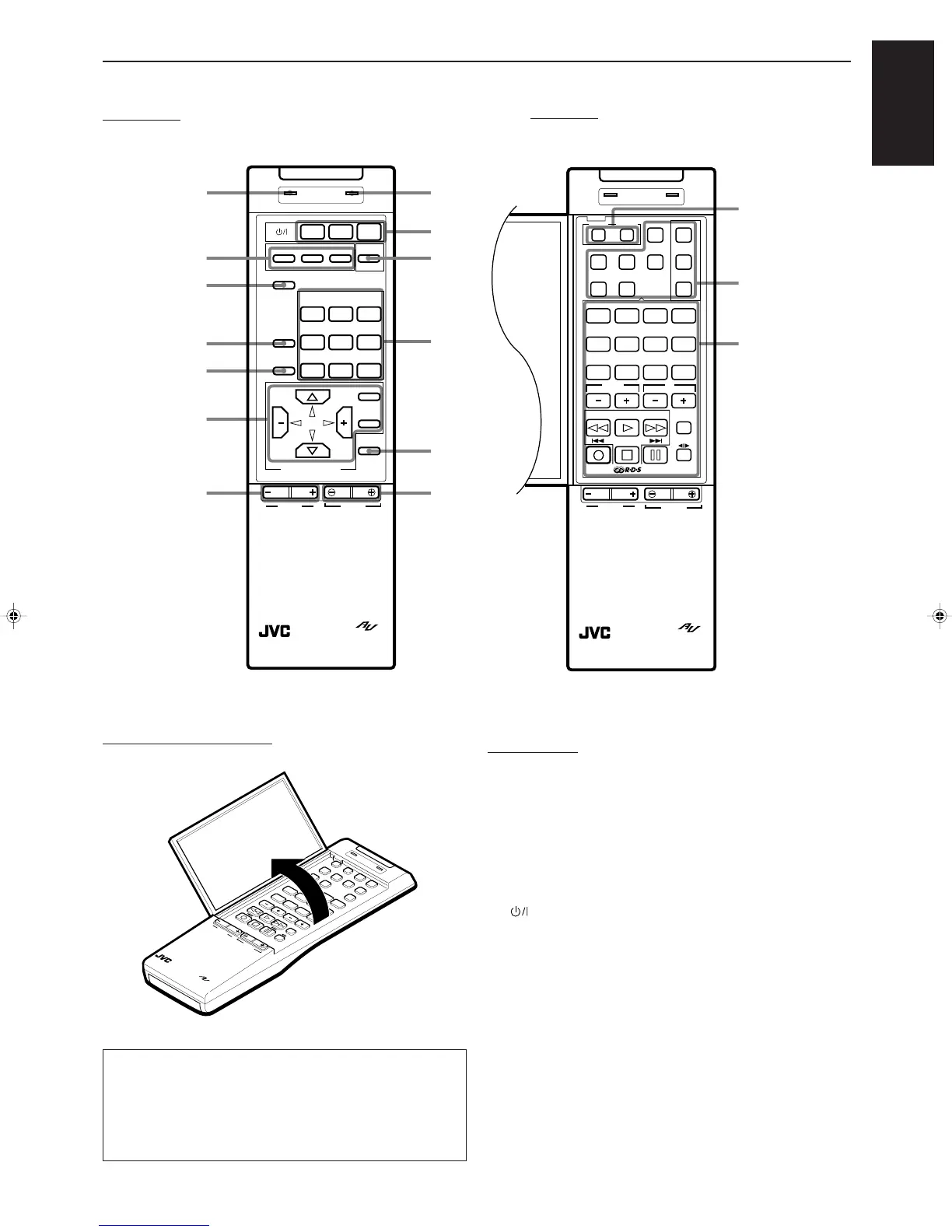
f SEND/LEARN indicator (45 to 49)
g SEQUENTIAL PROGRAM KEYs (45 to 49)
h ONE TOUCH OPERATION button (19)
j SURROUND MODE button (30, 34, 36)
k SEA MODE button (27)
l Menu function buttons (ON SCREEN CONTROL section) (37)
/ BALANCE L/R (+/–) buttons (15)
z ERROR indicator (45 to 49)
x (Standby/On) buttons (POWER section) (12, 44, 47, 48)
c SLEEP button (16)
v Source select buttons (SOURCE SELECT section) (13)
b MUTE button (14)
n VOLUME +/– buttons (13)
Inside panel
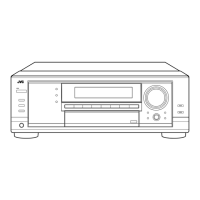
m Learning function buttons (45 to 49)
, Remote mode section (42 to 49)
. 10 keys (21)
Sound Adjustment buttons (30, 34)
Component operating buttons (42 to 44)
RDS operating buttons (25, 42)
Inside panel
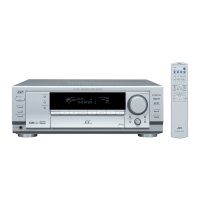
How to open the outside panel
BALANCE
RM-SR992U REMOTE CONTROL
VOLUME
SEND/LEARN
ERROR
4
3
2
7/P
6
0
10
+10
8
1
5
9
L
R
IMPORTANT
About the
%%
%%
% /
fifi
fifi
fi /
@@
@@
@ /
##
##
# buttons on the ON SCREEN
CONTROL section (l) of the remote control:
If you press these buttons, the menu function starts operating.
So, make sure you are showing the on-screen display on the
TV before pressing these buttons.
x
v
c
z
b
n
RM-SR730RU REMOTE CONTROL
VOLUME
SEND/LEARN ERROR
432
7/P6
010 +10
8
1
5
9
PRESET
CHANNEL
TAPECD
CD DISC
EXT.2
VCRTV
TUNEREXT.1CANCELLEARN
TEST
TV
VOLUME
DELAY
+
–
CENTER
+
–
REAR
TV/VIDEO
CONTROL
FM
MODE/MUTE
TAPE
BALANCE
LR
SOUND
CONTROL
PTY SELECT
PTY SEARCH
PTY SELECT
+
–
DISPLAY MODE
m
.
,
k
j
h
g
f
l
/
BALANCE
RM-SR730RU REMOTE CONTROL
VOLUME
MENU
EXIT
MUTE
VCRVIDEO2VIDEO1
FM
TV SOUND
CDTAPE PHONO
SURROUND
MODE
SEA
MODE
SEQUENTIAL PROGRAM KEY
ABC
SLEEP
TV VCR AUDIO
SEND/LEARN ERROR
SOURCE SELECT
AM
ONE TOUCH
OPERATION
MENU
ON SCREEN CONTROL
LR
RX-730RBK(EF)0054-001A.En.01-28 97.7.25, 6:26 PM4



 To Next Page