10 English
English
Connect the System to a network to enjoy
AirPlay/DLNA audio sources. See "Using
AirPlay/DLNA" on page 14 for more details.
Connecting via a wireless LAN router
with WPS
1
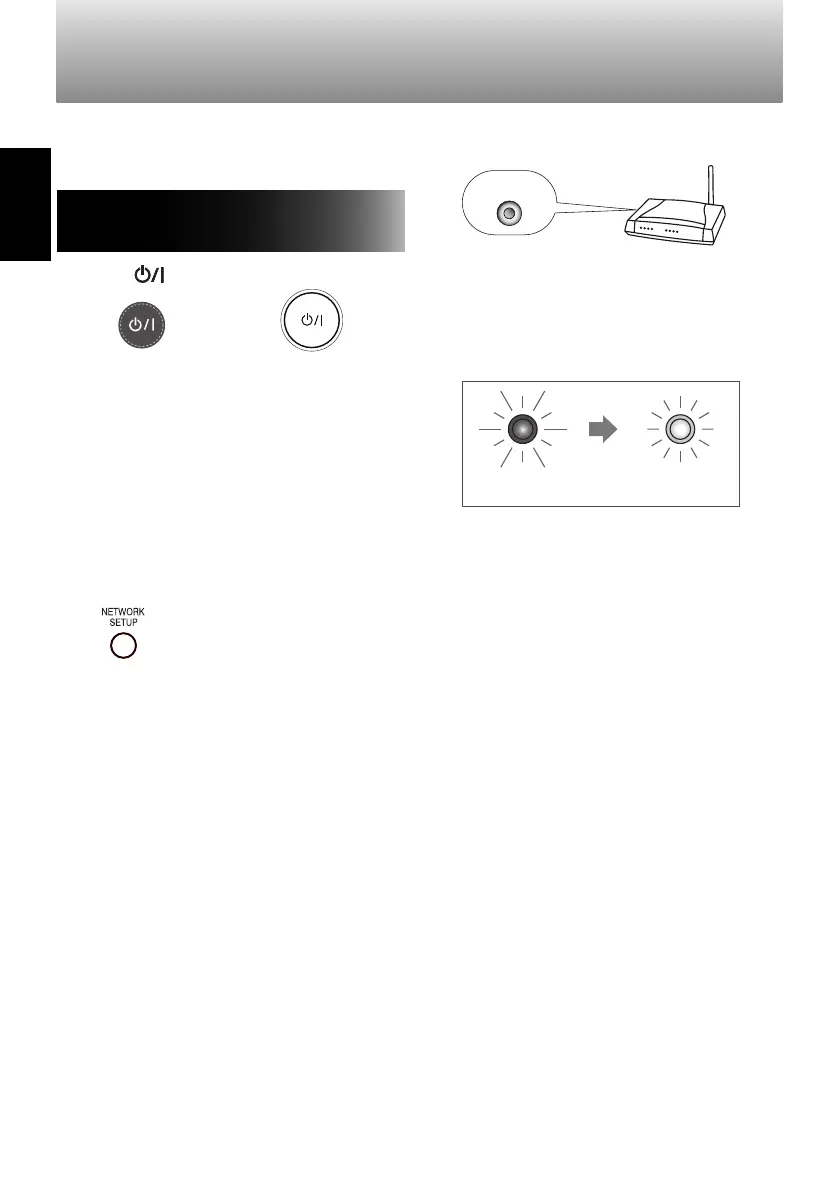
Press [ ] (standby/on).
Remote control System
• If the NETWORK indicator is unlit, press
[NETWORK SETUP] for 3 seconds or
longer to turn the wireless function ON.
(page 8)
• The NETWORK indicator flashes in red
until the wireless function turns ON.
• Wait until the wireless function turns ON.
When it has turned on, the NETWORK
indicator flashes in white or is lit in white.
2
Press [NETWORK SETUP] on the System.
System
• The NETWORK indicator flashes in red.
3
Press the [WPS] button on the wireless
LAN router within 2 minutes.
WPS
• If the [WPS] button is not pressed within
2 minutes, the previous network settings
are restored.
• When a connection has been established, the
NETWORK indicator changes from flashing in
red to being lit in white.
• If a connection cannot be established,
the NETWORK indicator flashes in white.
• If the indicator does not light in white,
repeat the procedure from step 1.
4
Change the device settings as necessary.
• See page 15 for more information
about device settings.
Setting up a network
Lights in whiteFlashes in red
SP-AP1[E]04.indd10SP-AP1[E]04.indd10 2013/10/1614:192013/10/1614:19
Downloaded from www.vandenborre.be


 To Next Page