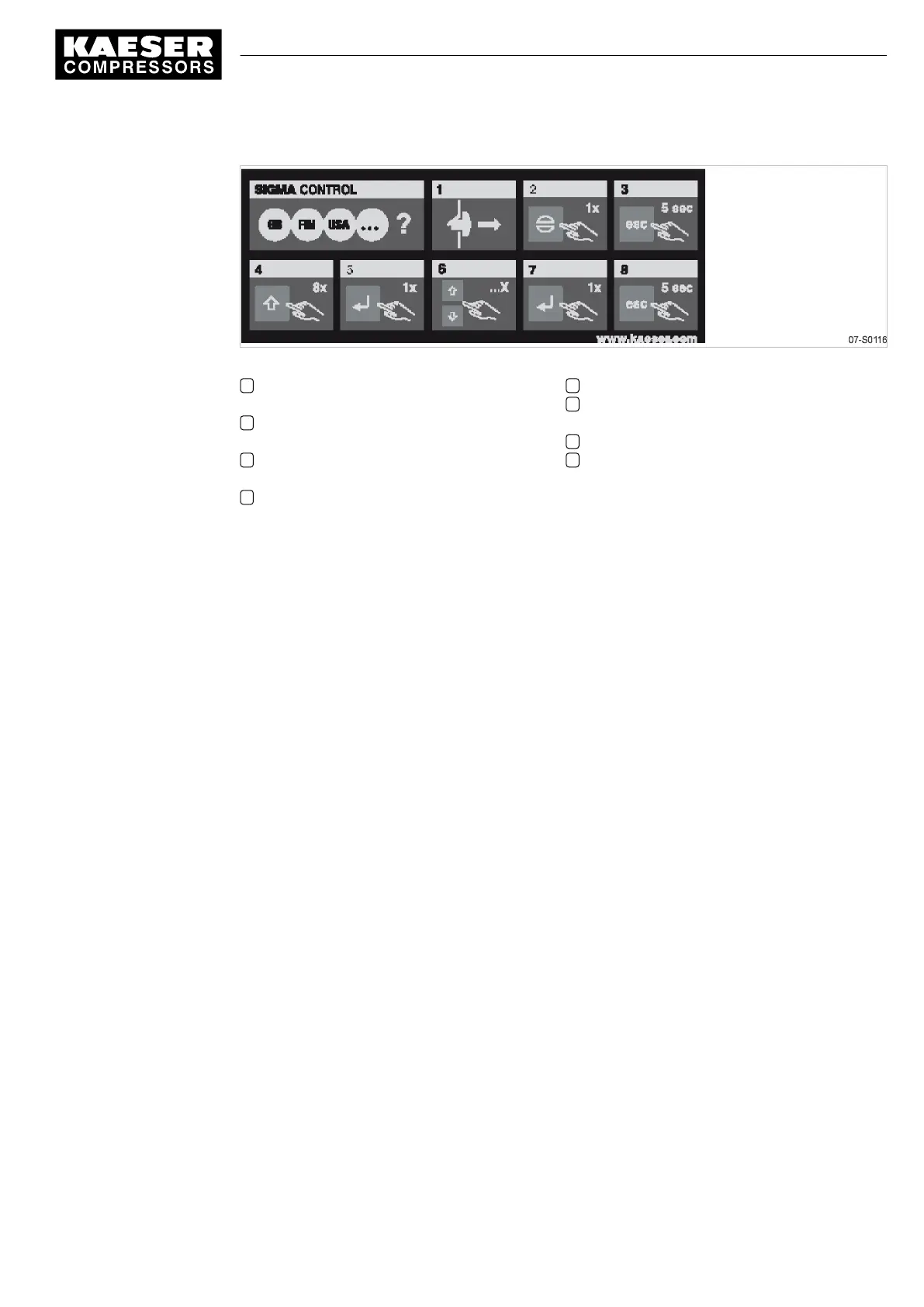
Fig. 18 Label: Changing the display language
1 If required:
Unlatch the EMERGENCY STOP button.
2 If required:
Acknowledge alarm message.
3 Depress the «escape» key for 5 seconds to
change to the main menu.
4 Press the «UP» key 8 times.
5 Press «Enter» to enter language selection.
6 Press the «UP» or «DOWN» keys as often
as necessary to reach the required language.
7 Press «enter» to select the language.
8 Depress the «escape» key for 5 seconds to
change to the main menu.
➤ Change the display language on SIGMA CONTROL as required.
7 Initial Start-up
7.10 Changing the display language
9_5721 06 USE
Service Manual Screw Compressor
ASD T Tri-Voltage
45



 To Next Page