MAXICAL
®
III5511-229 GB/98.06/Rev. B1
21
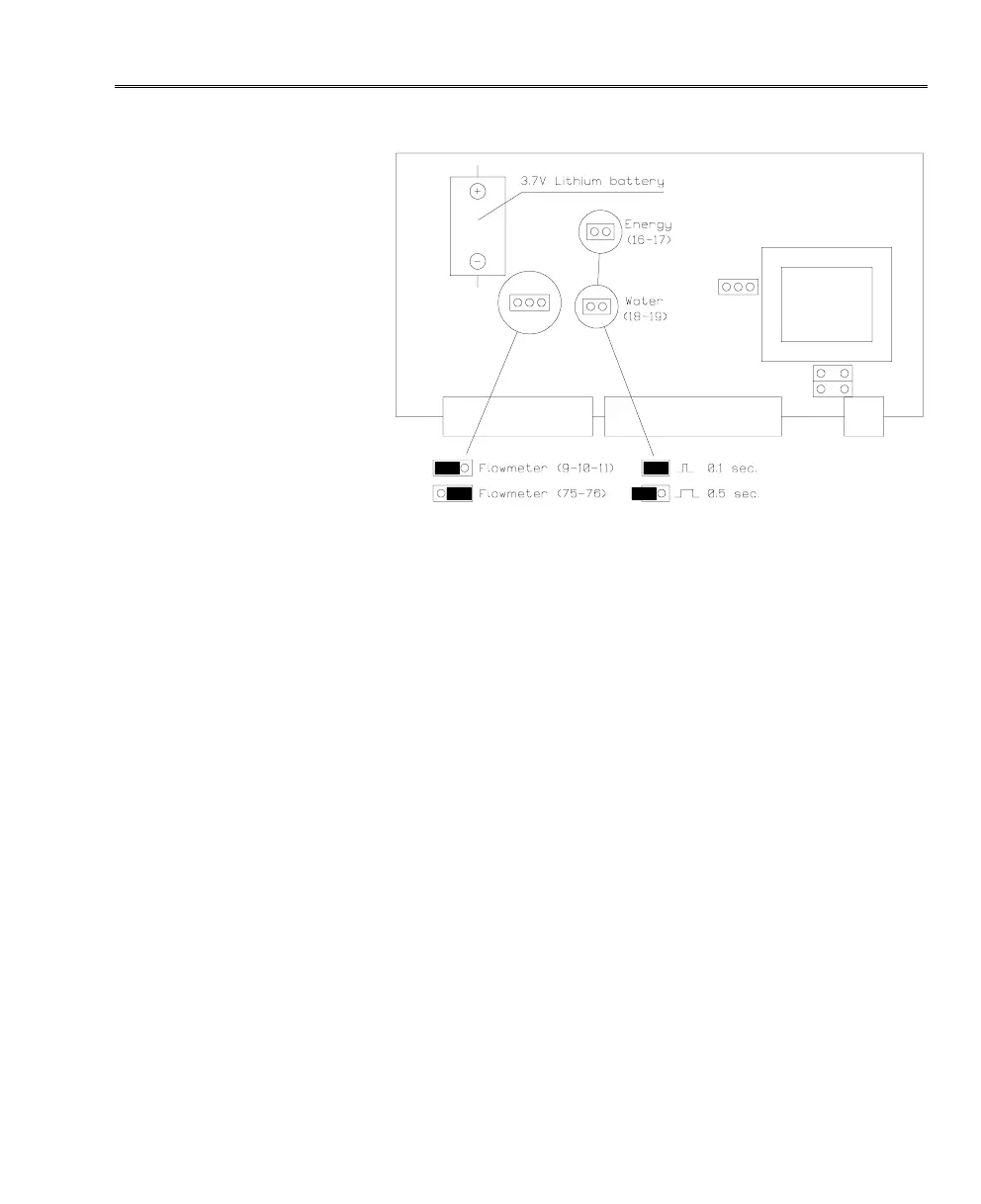
Selecting Flow Meter Input:
Place the print switch as shown above, to change over between
two flow meter inputs (refer to chapters 4.4 and 4.5).
Selecting Pulse Duration
When you take delivery of MAXICAL
®
III, pulse outputs for
energy and water (16-19) will be set at 0.1 sec. You can increase
the pulse duration to 0.5 sec. by moving the print switch to the left
as shown above.
The pulse outputs can bear a load of up to 100 mA.












 To Next Page