23
• Group List: This section contains all of the receiving endpoints that are assigned to
the currently selected group. Clicking on an endpoint will remove it from the group
and place it back in the “Device” section. To remove all devices from the current
group, click on the “Remove All” button.
• Device List: This section contains all of the available receiving endpoints for use
in the currently selected group type. Clicking on an endpoint will move it into the
“Group” section and add it to the group. To add all available receiver endpoints to the
group, click on the “All” button.
2. Macro: This section provides a way to create operational command sequences that
can be activated via the IR remote control, external triggers, or from within the
WebGUI. Macros are a flexible and powerful tool. They can be as simple as selecting
a new input for a receiver or a complex sequence of source, resolution, mode and
audio changes executed in sequence. Up to 16 macros can be defined, and each
macro can contain up to 64 commands.
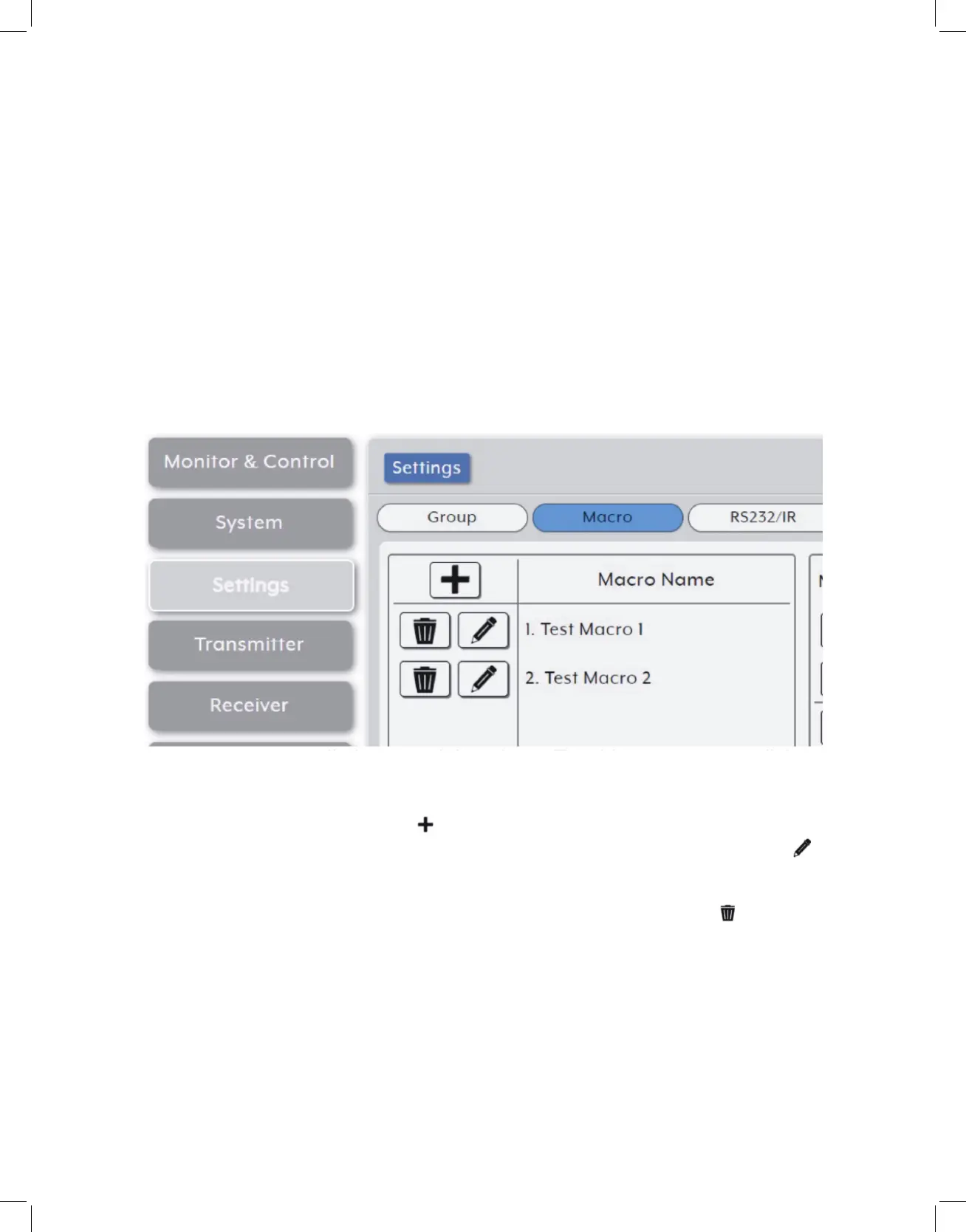
• Macro List: The upper-left section contains a list of all currently defined macros
and provides a way to create new macros, edit them, or delete them. To add a new
macro, click on the “Add” icon ( ) and then create/add new commands for it in
the window to the right. To edit an existing macro, click on the “Edit” icon ( ) and
then make whatever changes are required. Once a new or edited macro has been
configured, click on the “Save Macro” button at the bottom of the page to store
the macro. To delete an existing macro, click on the “Delete” icon ( ) next to the
appropriate macro name. To immediately test the execution behavior of the currently
selected macro, click the “Execute” button.
Note: Leaving this screen before selecting “Save Macro” will undo any changes made.



 To Next Page