7
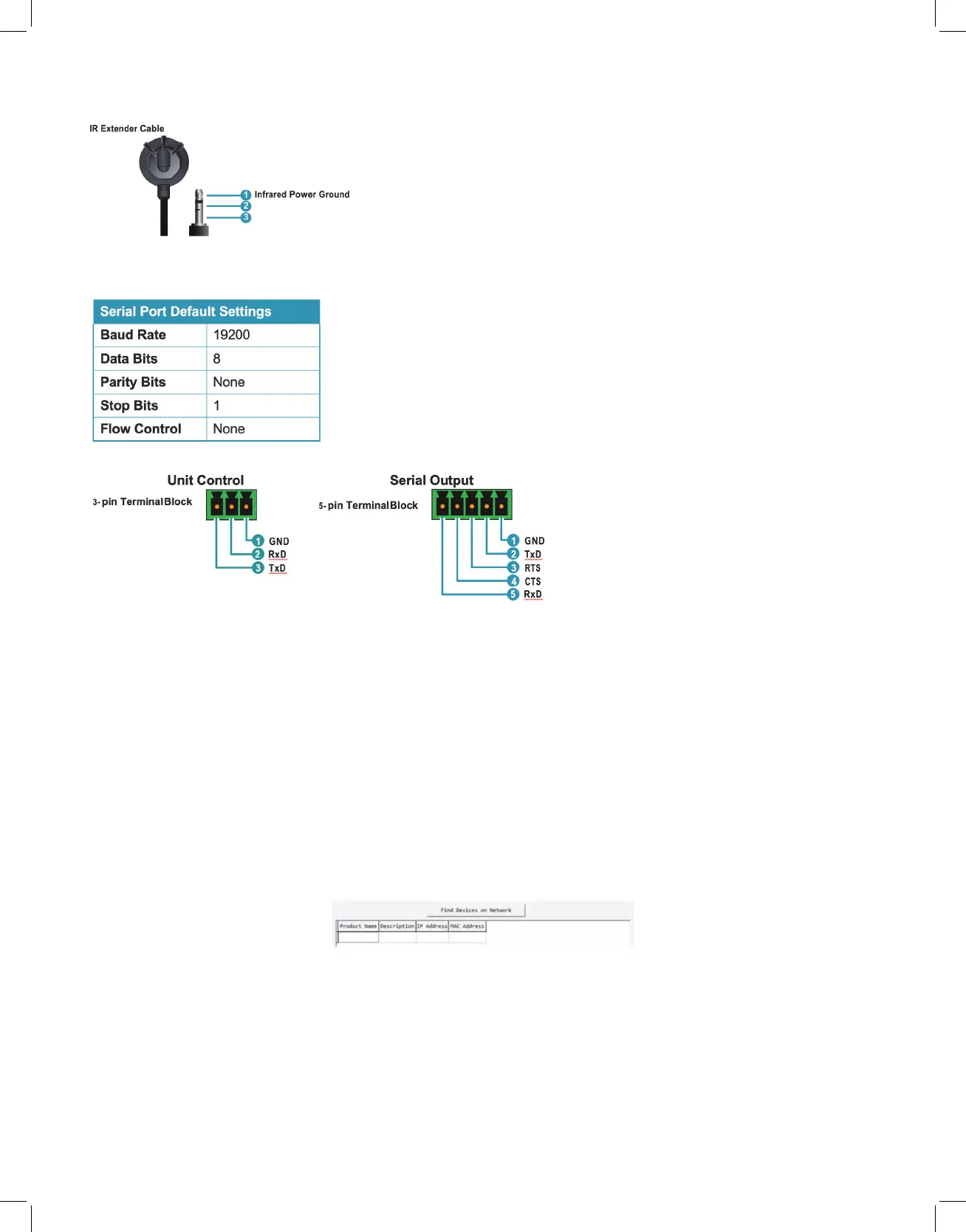
6.4 IR Cable Pinouts
6.5 RS-232 Pinout and Defaults
6.6 WebGUI Control
• Device Discovery
Please obtain the “Device Discovery” software from your authorized dealer and save it in
a directory where you can easily find it.
Connect the unit and your PC/Laptop to the same active network and execute the
“Device Discovery” software. Click on “Find Devices on Network” and a list of devices
connected to the local network will show up indicating their current IP address.
Note: This unit defaults to DHCP mode. The current IP address can be verified using the HDMI
output or RS-232 if the Device Discovery software is not available.
By clicking on one of the listed devices you will be presented with the network details of
that particular device.



 To Next Page