EasyManua.ls Logo

KanexPro MX-HDBASE8X8-4K - User Manual

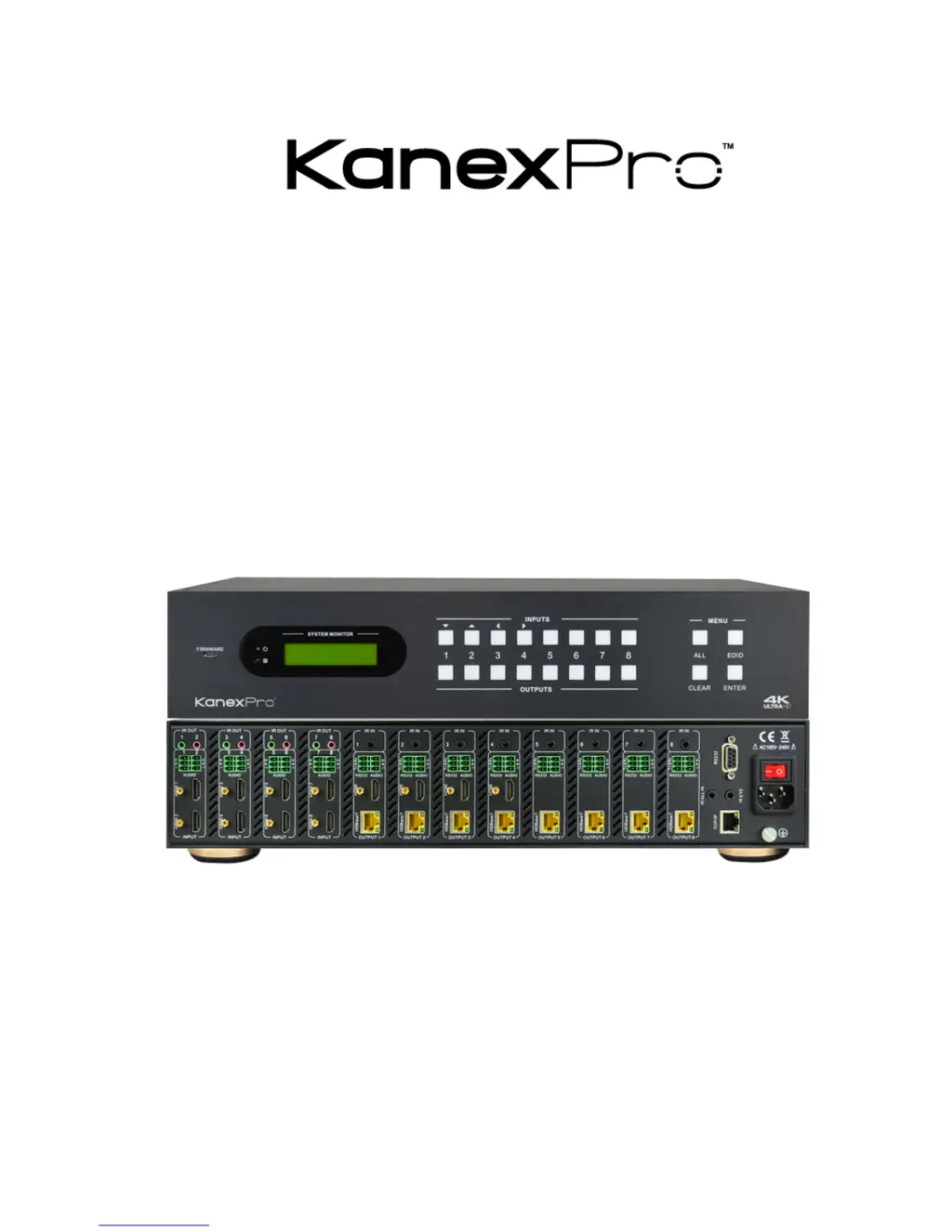
KanexPro MX-HDBASE8X8-4K
47 pages
Print Icon
To Next Page IconTo Next Page
Loading...
MX-HDBASE8X8-4K
4K HDBaseT8x8 Matrix Switcher
All Rights Reserved
Version: MX-HDBASE8X8-4K_2015V1.1

Questions and Answers

  • M
    Mike JohnsonAug 14, 2025
    What to do if there is no output image when switching on KanexPro MX-HDBASE8X8-4K?
    • J
      Jason ChapmanAug 14, 2025
      If the KanexPro Matrix Switcher shows no output image when switching, first, confirm there's a signal at the input/output end using an oscilloscope or multimeter. Ensure all connections are secure. If the input source uses HDCP, verify that HDCP compliance is enabled by sending the command /%[Y]/[X]:1 or changing the HDCP compliance status in the GUI. Finally, if the display doesn't support the input resolution, switch to another input source or enable the display to learn the EDID data of the input.
  • R
    Rebecca RamseyAug 17, 2025
    Why is my KanexPro Matrix Switcher losing color or has no video signal?
    • M
      Mrs. Courtney Bennett MDAug 17, 2025
      If the KanexPro Matrix Switcher's color is lost, or there's no video signal output, check that all connecting cables are correctly connected and in good working condition. Also, ensure that all connections are secure and not loose.
  • S
    spettyAug 21, 2025
    How to unlock front panel buttons on KanexPro Matrix Switcher?
    • T
      Tara SotoAug 21, 2025
      If you cannot control the KanexPro device via the front panel buttons, it's likely that the front panel buttons are locked. To unlock them, send the command /%Unlock; or select unlock in the GUI interface.
  • J
    joshua29Aug 25, 2025
    Why is the power indicator off on my KanexPro MX-HDBASE8X8-4K?
    • B
      Barbara OrtizAug 25, 2025
      If the power indicator remains off when you power on your KanexPro Matrix Switcher, check whether the power cables are connected correctly. A fail or loose power connection is the likely cause.
  • B
    beckandrewAug 27, 2025
    What to do if KanexPro MX-HDBASE8X8-4K Matrix Switcher doesn't respond to IR remote?
    • V
      Vanessa FitzgeraldAug 28, 2025
      If you cannot control the KanexPro device via the IR remote, first, replace the battery with a new one. If that doesn't work, ensure you are within the effective range and pointing directly at the IR receiver. If the issue persists, the IR receiver connected to the IR IN/ IR ALL IN port may not be compatible; try changing it for an IR receiver with a carrier. If the remote is broken, send it to an authorized dealer for repairing.
  • J
    James TaylorAug 31, 2025
    Why is there a blank screen when switching on my KanexPro MX-HDBASE8X8-4K?
    • M
      Melissa RamirezAug 31, 2025
      If you see a blank screen on the display when switching with the KanexPro Matrix Switcher, it could be that the display does not support the resolution of the video source. Try switching again. Alternatively, manually manage the EDID data to ensure the resolution of the video source is automatically compliant with the output resolution.
  • Y
    ydawsonSep 3, 2025
    What to do if I cannot control KanexPro Matrix Switcher through RS232 port?
    • D
      David GomezSep 4, 2025
      If you cannot control the KanexPro device by a control device (e.g., a PC) through the RS232 port, verify the connection between the control device and the unit. Ensure the RS232 communication parameters are correctly entered: Baud rate: 9600; Data bit: 8; Stop bit: 1; Parity bit: none. If the problem persists, the RS232 port may be broken; send it to an authorized dealer for checking.
  • J
    Jennifer JohnsonSep 6, 2025
    Why EDID management does not work normally on KanexPro MX-HDBASE8X8-4K Matrix Switcher?
    • L
      lbarrySep 7, 2025
      If EDID management does not work normally on your KanexPro Matrix Switcher, the HDMI cable at the output end might be broken. Replace it with another HDMI cable that is in good working condition.
  • M
    Michael SmithSep 10, 2025
    Why is static stronger when connecting video connectors to KanexPro Matrix Switcher?
    • J
      janeyoderSep 12, 2025
      If static becomes stronger when connecting the video connectors on your KanexPro Matrix Switcher, check the grounding and make sure it is well connected. Bad grounding is the likely cause.

Summary

SAFETY PRECAUTIONS

System Connection

Rear Panel

System Operations

Front Panel Button Control

How to use buttons on the front panel for device operation.

Switching I;O connection

Procedure for selecting input to output signal routing.

EDID Management

How to manage EDID data for display compatibility.

EDID invoking

Methods for invoking pre-defined EDID data for outputs.

IR Control

Using infrared signals for device control.

RS232 Control

Connection with RS232 Communication Port

Details on connecting the RS232 port and pin definitions.

Usage of IR Remote

How to use the included IR remote control for device operation.

IR Operations

Advanced operations and matrix switching using IR signals.

IR Matrix Switching

Configuring the IR signal path between inputs and outputs.

RS232 Communication Commands

List of commands and their functions for RS232 control.

System Commands

Commands for inquiring system status and firmware information.

Operation Commands

Commands for performing switching and output control operations.

TCP;IP Control

Specification

Troubleshooting & Maintenance

KanexPro MX-HDBASE8X8-4K Specifications

General IconGeneral
BrandKanexPro
ModelMX-HDBASE8X8-4K
CategoryMatrix Switcher
LanguageEnglish

Related product manuals