4K HDBaseT™ 8x8 Matrix Switcher
MX-HDBASE8X8-4K 9
KanexPro.com
Note: Indicators of the pressed buttons will blink green for three times if the conversion
is done, then it will be off. If the conversion failed, they will be off immediately.
EDID invoking:
There are six types of embedded EDID data. The chart below illustrates the detailed
information of the embedded EDID data:
Format: Press and hold “EDID” for 3 seconds, “INPUTS”+“OUTPUTS”+“ENTER”.
Operations:
" Set EDID data for one input
Operation: Press “EDID”(hold for 3 seconds to enter in EDID setting status),
“INPUTS”+“OUTPUTS”+“ENTER”.
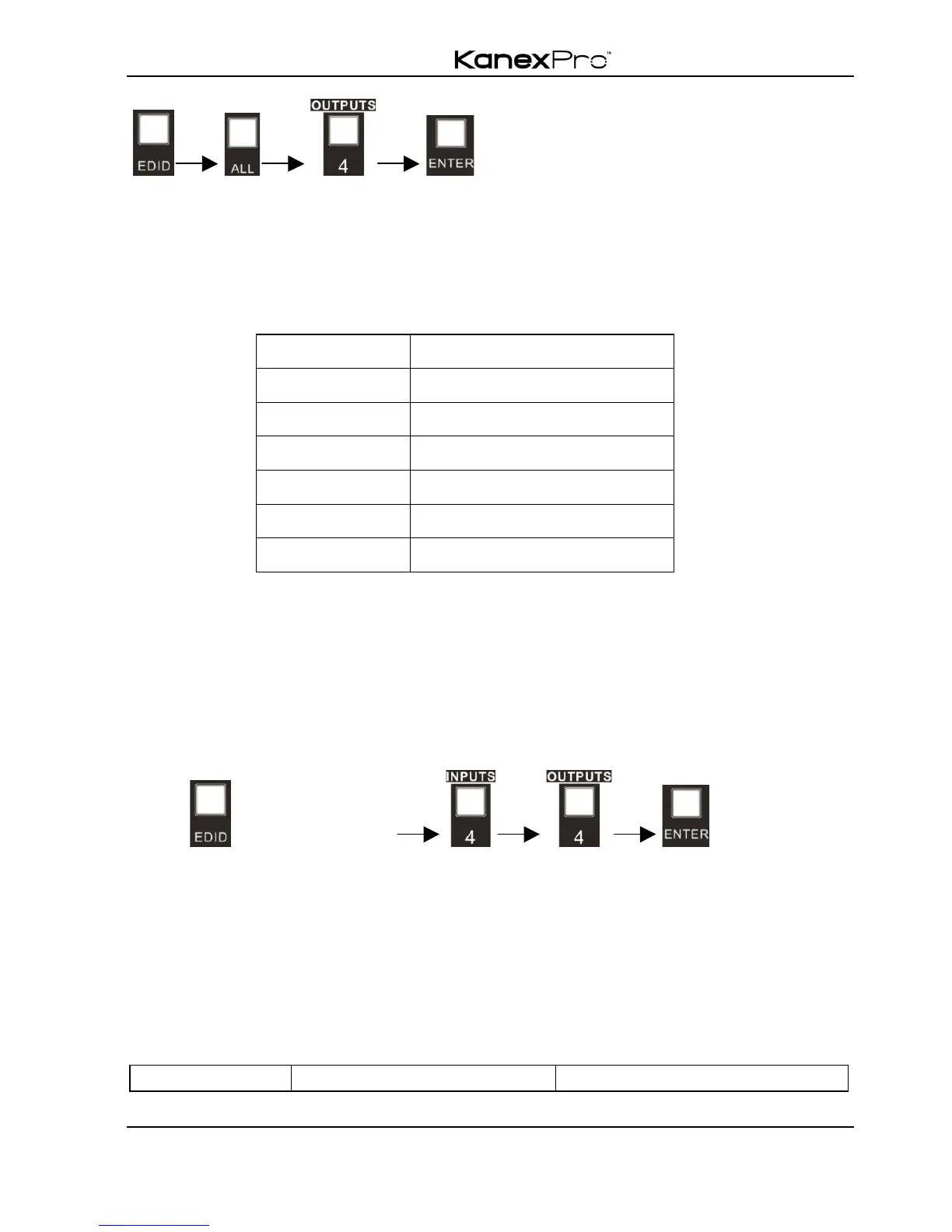
Example: Set the EDID data of INPUT 4 to the forth type of embedded EDID data:
Press (hold for 3 seconds) .
Note: If the conversion is successful, indicators of the pressed buttons will blink green
for three times at normal speed; if the conversion failed, they will blink for three times
quickly.
4.1.3 Inquiry
" Check status
Press and hold the button “ENTER” for 3 seconds, it will enter into system inquiry menu.
Use Left and Right direction button to navigate checking the previous/next items.



 To Next Page