20
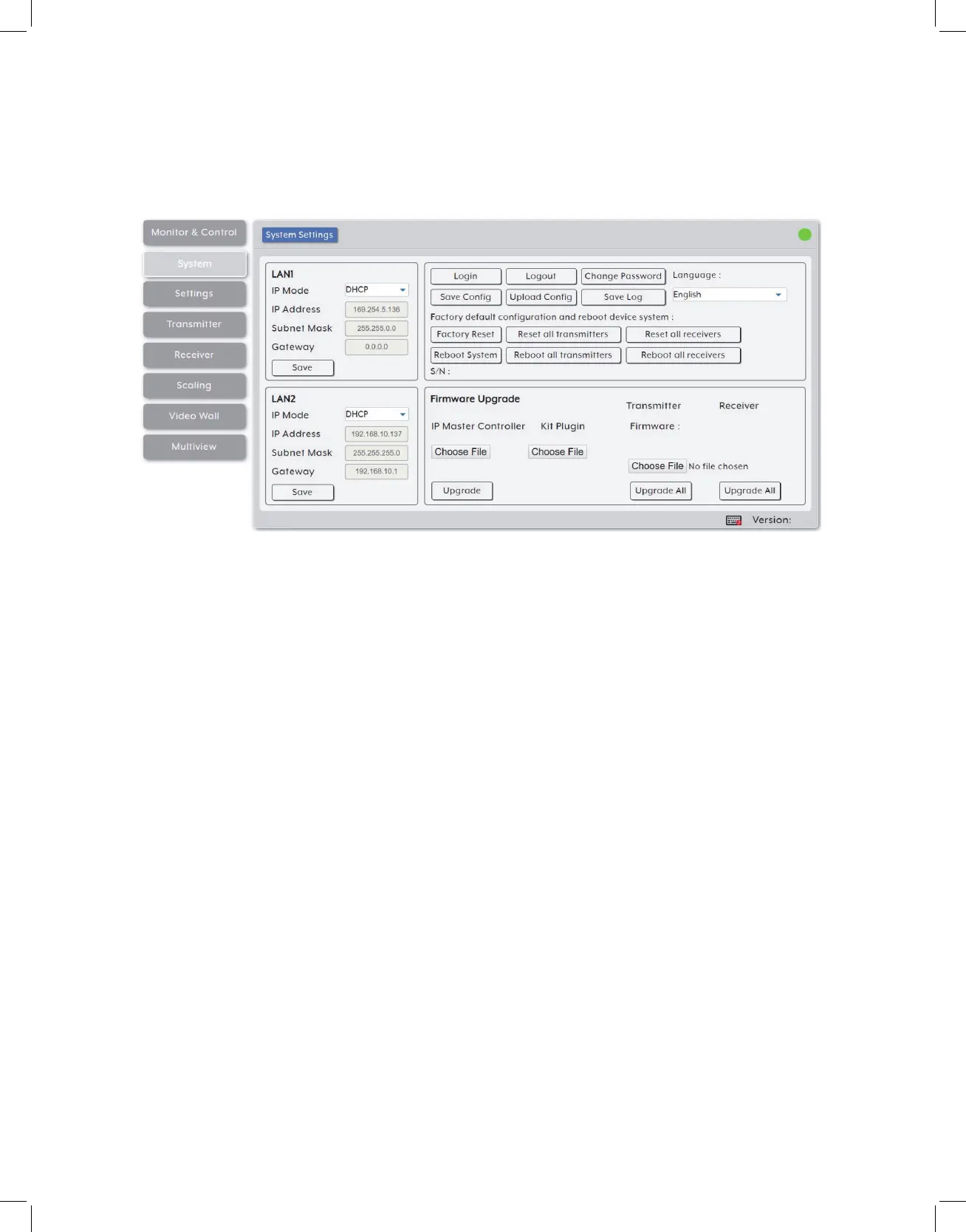
6.6.2 System Tab
This tab provides access to system configuration options including IP configuration for
both LAN ports, interface language, login and user management, and firmware update
functionality.
1. LAN 1 & LAN 2: The IP mode for each LAN port (DHCP or Static IP), IP address,
netmask, and gateway can be set here. When a LAN port is set to “DHCP” mode, it
will automatically attempt to obtain proper configuration information from the local
DHCP server. If no DHCP server is available, it will automatically assign itself an APIPA
address from the 169.254.xxx.xxx range. To configure the network settings manually,
please set the LAN port to “Static IP” mode and enter the information as appropriate
for the connected network. Press “Save” to activate the changes.
Note: Both LAN ports default to “DHCP” mode. The current IP address can be verified using the
HDMI output or RS-232 if the Device Discovery software is not available.
2. System Commands:
• Login/Logout: Click these buttons to log into or out of the WebGUI interface.
Note: When not logged in, only the “Monitor & Control” and “System” tabs are available.
• Change Password: Click this button to change the WebGUI’s administrator login
password.
• Language: Use this dropdown to select the preferred display language for the unit’s
WebGUI interface.
• Save Config: The current system configuration may be saved as a *.bin file to the
local PC. Click the “Save Config” button to save the current system configuration to
your local PC.
• Upload Config: The system configuration may be restored from a previously saved



 To Next Page