34
6.6.5 Receiver Tab
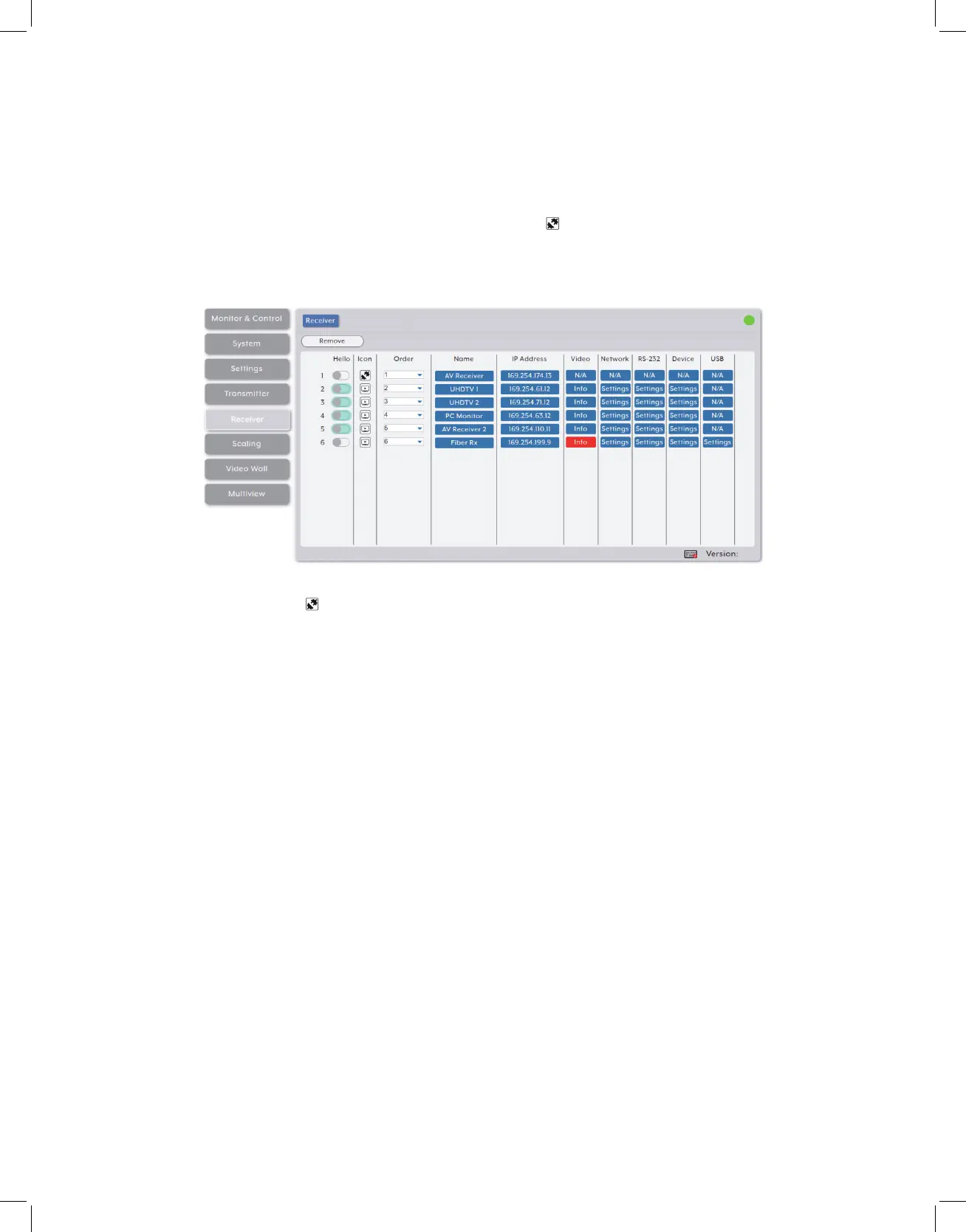
This tab shows all receivers that have been detected by the unit. Details about each
receiver’s name, IP address, and video content, as well as options to configure the
network, RS-232, USB and general device settings are also provided.
Note: Units that were previously a part of the system, but are not currently detected will still be
displayed, however they will have a disconnected icon ( ) and cannot be used for routing. These
units may be removed from the list using the “Remove” button.
1. Receiver Configuration:
• Remove: Click on this button to remove any receiver from the list that has the
disconnected icon ( ). The pop-up window provides a dropdown to select the unit to
be removed. Once the selection has been made, click on “Confirm” to apply the change.
Note: Only disconnected receivers can be removed.
• Hello: Clicking on this switch will cause the selected unit to immediately begin
flashing the power LED on the front of the unit to make it easy to find. Clicking it a
second time returns the LED to its normal behavior.
Note: The “Hello” function is not supported by all SDVoE units. Units that support this function will
have the switch highlighted.
Icon: Displays the icon used to represent the unit.
Order: Use the dropdown to reorder the units in the list. Changing the order here will
also change the order the units are listed in other tabs.
Name: Displays each unit’s current assigned name.
Note: The name can be changed within “Device Settings”.



 To Next Page