22
6.6.3 Settings Tab
This tab provides control over the configuration of a variety of the unit’s different
internal systems and interfaces including group and macro creation, manual IR and RS-
232 command broadcasting, I/O trigger assignment, EDID management, and setting the
system’s clock and event scheduling.
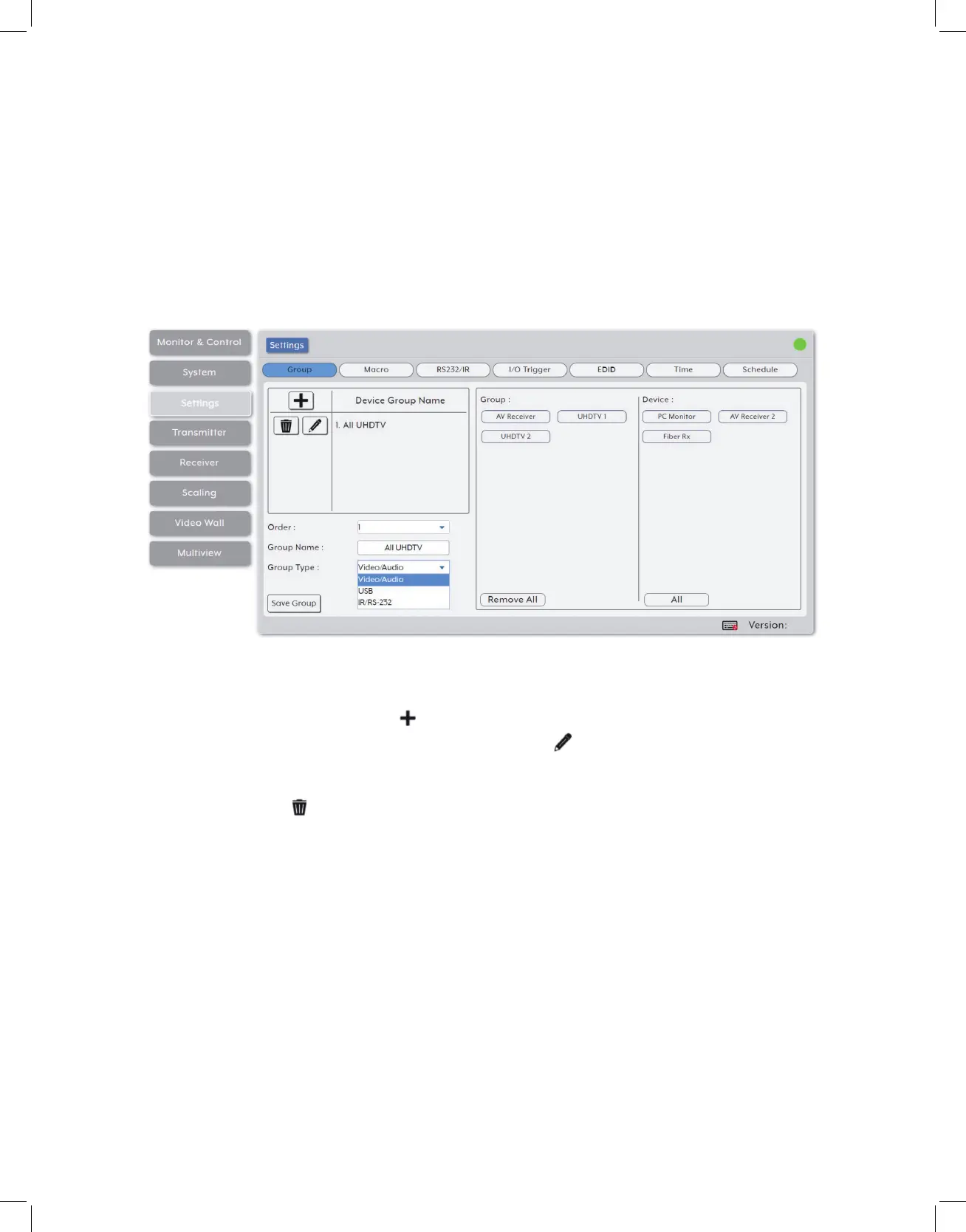
1. Group: This section provides a way to collect multiple receiving endpoints into single
groups to be used as simple, single click, targets for routing A/V, USB or IR/RS-232
sources. Once created, each group will appear within the appropriate section of the
Monitor & Control tab along with standard receivers.
• Device Group List: The upper-left section contains a list of all currently defined groups
and provides a way to create new groups, edit them, or delete them. To add a new
group, click on the “Add” icon ( ) and then select the preferred options and endpoints.
To edit an existing group, click on the “Edit” icon ( ) and then make whatever changes
are required. Once a new or edited group has been configured, click on the “Save Group”
button at the bottom of the page to store the group. To delete an existing group, click on
the “Delete” icon ( ) next to the appropriate group name.
Note: Leaving this screen before selecting “Save Group” will undo any changes made.
• Order: Use the dropdown to select the position within the group list for the currently
selected group.
Note: The order in the list also impacts the order groups are displayed within the Monitor & Control tab.
• Group Name: Type the preferred name for the currently selected group.
• Group Type: Select the media type contained within this group. Options are: Video/
Audio, USB, and IR/RS-232. This selection will determine the type of receiver
endpoints available within the Device List.



 To Next Page