KANEXPRO MX-HDBASE4x4-4k
3 | P a g e
2. Product Description
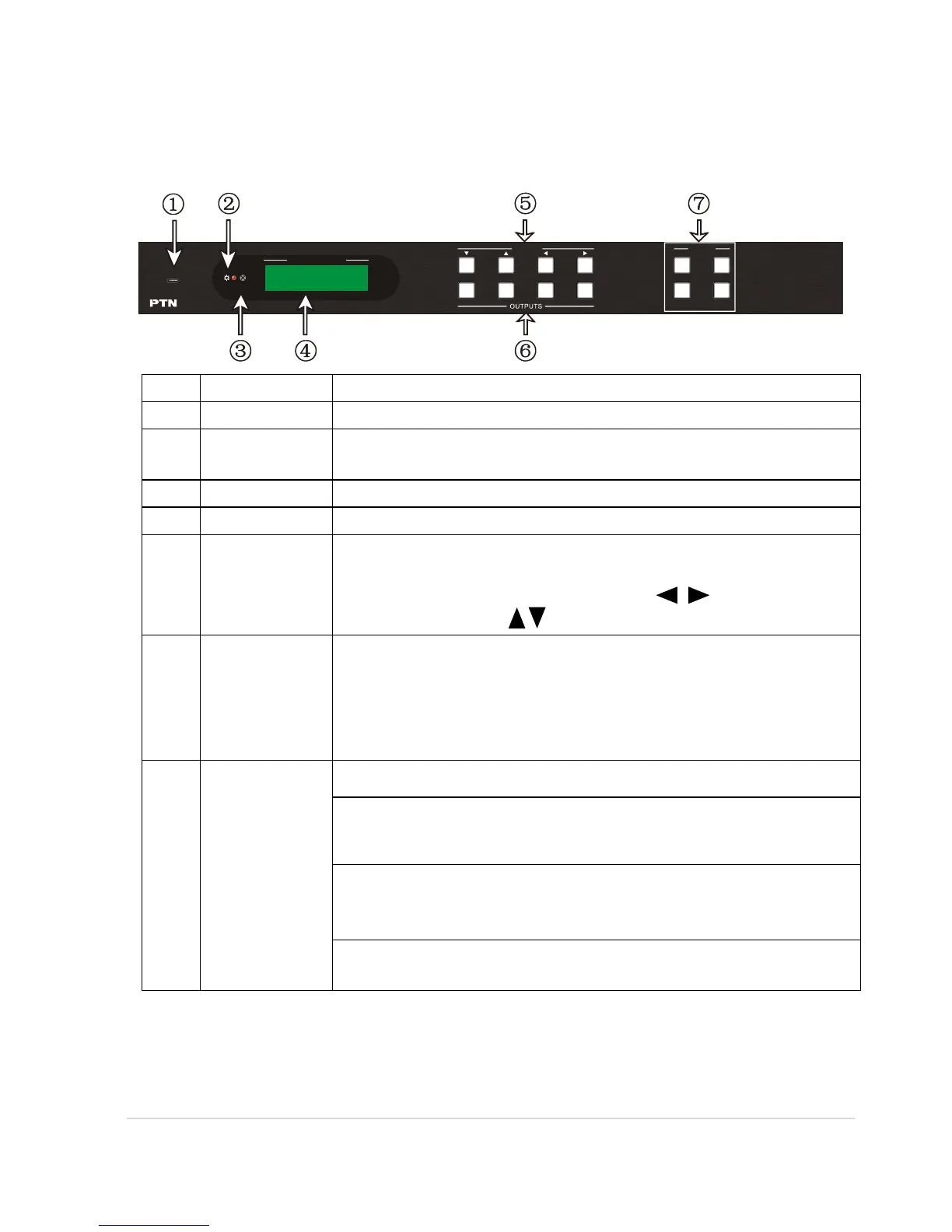
2.1 Front Panel
Micro USB port for updating firmware
Illuminate red when power on.
In-built IR sensor, receive IR signals sent from IR remote.
Display real-time operation status.
Normal mode: Back-lit buttons, ranging from "1" to "4".
Inquiry mode (buttons 1~4): Press “ENTER” for more than
3 seconds to enter this mode. Dial to select
different menus, to select different options.
OUTPUTS
buttons/
EDID
Manageme
nt buttons
Normal mode: Back-lit buttons, ranging from "1" to "4".
Output 1~2 support synchronous local HDMI output.
EDID Invoking mode: press and hold EDID button for 3
seconds or more to enter this mode, in this mode, button
1, 2 are used to switch to the previous/ next EDID data.
ALL: Select all inputs/ outputs.
EDID management button: Enable input port to manually
capture and learn the EDID data of output devices.
CLEAR: Withdraw an operation like switching output
channel, learning EDID data before it comes into effect.
Meanwhile, the matrix will return to the previous status.
ENTER: Confirm operation. Press and hold it for 3 seconds
to enter in Inquiry mode.
Notes: Pictures shown in this manual are for reference only, different model and
specifications are subject to real product.
1 2
3
4
CLEAR
EDIDALL
INPUTS MENU
ENTER
IR
FIRMWARE
SYSTEM MONITOR



 To Next Page