KANEXPRO MX-HDBASE4x4-4k
15 | P a g e
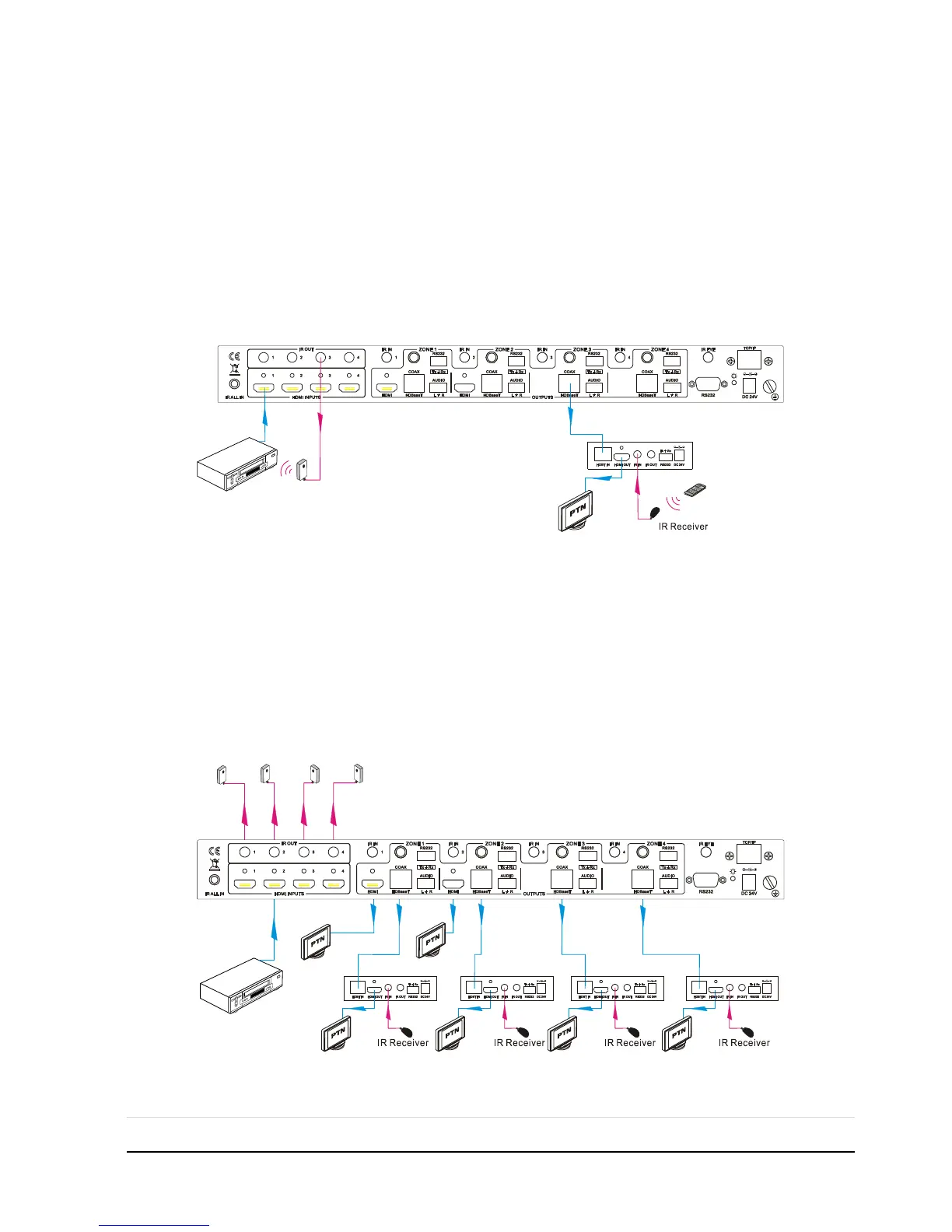
4.2.4 Control Local Device Remotely
Connect IR receiver(s) to IR IN on far-end HDBT receiver(s), and IR Emitter(s) to IR
OUT port of the switcher, and use the IR Remote of local source to control the device
remotely.
1 to 1:
Connect an IR receiver to IR IN on far-end HDBT receiver, and an IR Emitter to IR
OUT port of the switcher. Use the IR Remote of local source to control the device
remotely. See below:
Control local device from remote
Note: Send command “%0901.” to enter infrared carrier enforcing mode if the IR
Receiver connected to IR IN of the receiver is not with carrier.
Multiple to Multiple: (IR Matrix)
The 4 “IR OUT” ports and the 4 “IR IN” ports on the far-end receivers make up a
4x4 IR matrix. See as below:
IR Matrix



 To Next Page