39
M5101-EN Rev. B |
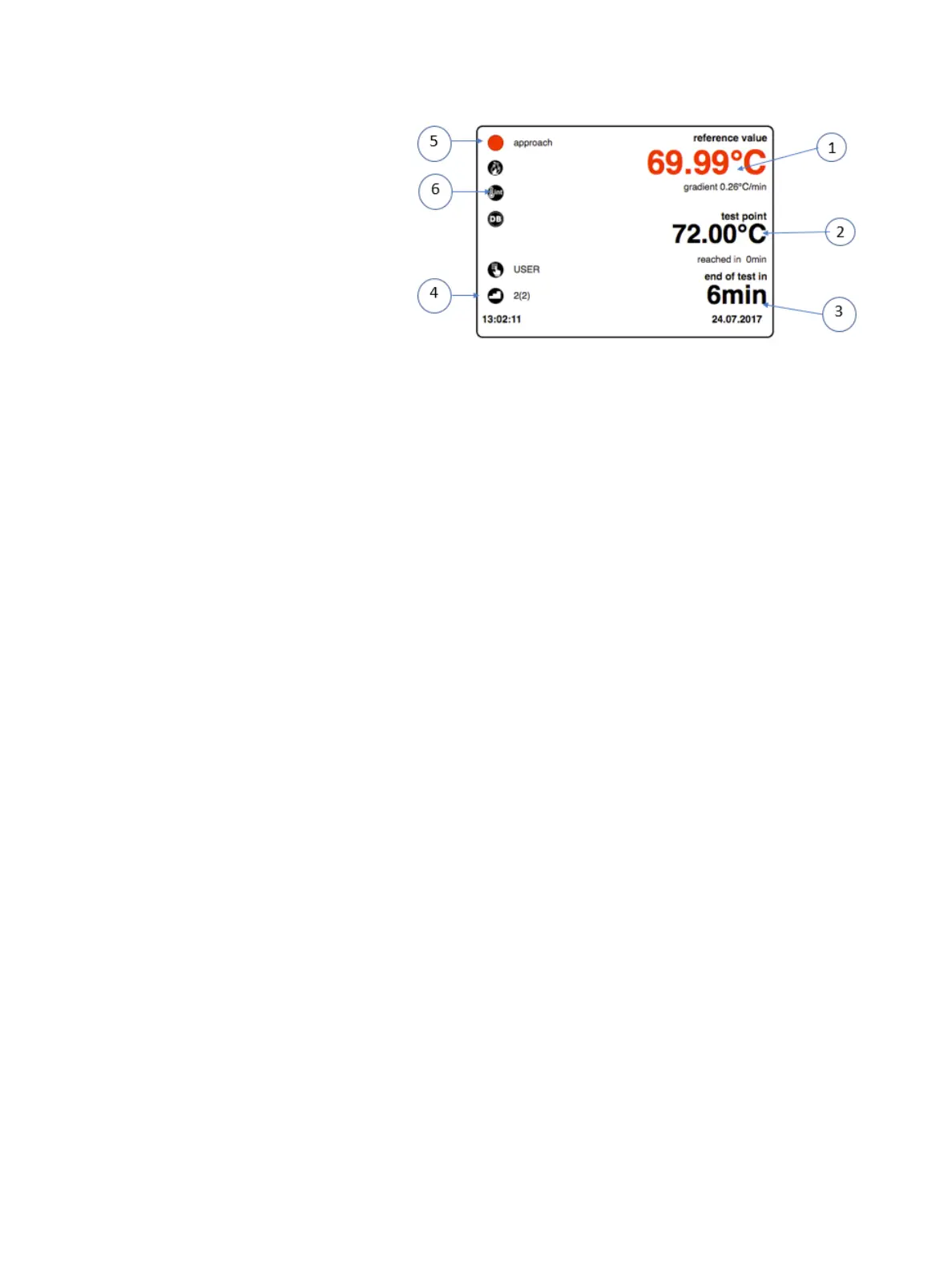
Display range:
The following information is shown in
the display range:
Current External Control Reference
Probe value.
Current test point / set point.
Probable remaining test duration
for the current test point.
Step counter for stepped operation.
Reference Status.
Reference used (ext).
* The test will continue running until its desired parameters have been achieved then
automatically stop and ramp back to its default startup temperature. Note: If data logging has been
enabled then a screen will appear prompting user to enter the test temperature target value. A Test Task
Completed Successfully window appears.
To stop test manually, touch and slide the left arrow next to Stop all the way to the left.
To obtain logged data, tap on the data icon to bring up the Select Log Data screen. Tap on the
desired file then the check mark in the lower right-hand corner.
* The View Log Data window appears providing user with the following four options:
o Diagram
o Table
o Export Log Data
o Export All Log Data
Choose the desired option(s).
* Following completion of test, power the unit down.
Note: If the temperature value is greater than 40°C then a message will appear stating, “calibrator
is reaching safe temperature – please wait.” Once the value drops below 40°C then a new
message will appear informing that “you can now turn off the calibrator.”
After the testing process:
Allow the calibrator to cool to room temperature.
Note: The instructions in the section Error! Reference source not found.
Clean the calibrator.
Chapter 9. Maintenance and Troubleshooting


 To Next Page