EasyManua.ls Logo

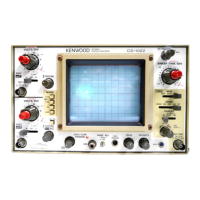
Kenwood CS-5200 Series - Page 40

Kenwood CS-5200 Series
57 pages
To Next Page IconTo Next Page
To Previous Page IconTo Previous Page
Loading...
8-2 Ei
iminat
ion
of
undesi
red
signal
components
By
using
the
V.
MODE
control
1
s ADD
setting,
undesired
signal
components
can
be
eliminated,
allowing
only
desired signal
components
to be
displayed.
1)
Apply
signals including
undesired
components
to
the
CHI
INPUT
terminal.
Now
apply
the
components
you
want
to
eliminate
to
the
CH2
INPUT
terminal.
2)
Set
the
V. MODE
switch
to ALT or
CHOP.
Set
the
SOURCE
control
to
CH2.
Set the
trigger
point
to
the
CH2
signal,
and
make
sure that
CH2
contains
the
undesired
components
of
CHI.
3) Press
the INV
switch,
and
make
sure that
the
CH2
signal represents
the
undesired
components
in
the
reverse
polarity.
When the
V. MODE
switch
is set
to ADD in
these
conditions,
only
the
desired signal
components
are
displayed
on
the
CRT.
CH
:
Signal with
undesired
components
ADD
:
Signal
without
undesired
component
-CH2
:
Undesired
component
4) Elimination
capabilities
vary with
the
size
of
the
undesired
component.
In
order
to
attain
the
best
results,
display
the
CH2
signal with
slightly
higher
VOLTS/DIV
setting.
After pressing
the
INV
switch
and
activating
the
ADD
function, adjust
the
CH2
V.
VARI
control
to
get
a
good
waveform.
36
Figure
11
Common Mode
Rejection

Related product manuals