EasyManua.ls Logo

Kenwood CS-5200 Series - Page 55

Kenwood CS-5200 Series
57 pages
To Next Page IconTo Next Page
To Previous Page IconTo Previous Page
Loading...
10.
OPTIONAL EQUIPMENT
The oscilloscope
has an
optional accessory
bag.
This
bag
attaches
to the
oscilloscope
and
provides
a
storage
space
for
probes,
etc.
How to
Attach
Accessory
Bag (MC-78)
1) Separate
the
accessory
bag
from
the
mounting
plate.
2) Line
up the
four holes
on the
right
side (viewed
from
the
front)
of the
oscilloscope
with
the
corresponding four holes
in the
mounting
plate.
Fix the
mounting
plate
to
the oscilloscope case with
the
four nylon
rivets
and
washers
provided.
Be
sure that
the
mount
ing
plate
is in the
vert
ical
position
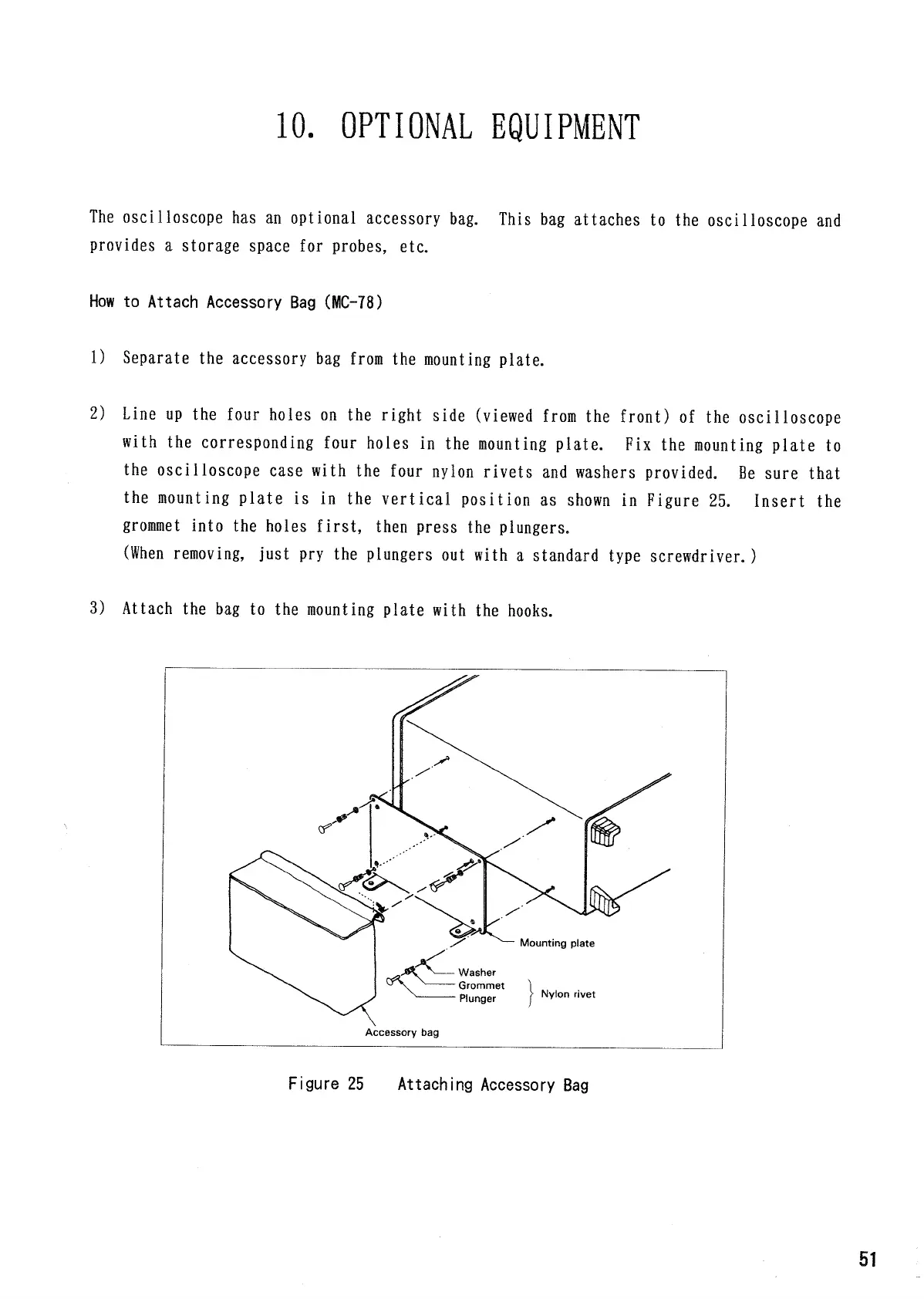
as shown in
Figure
25.
Insert
the
grommet
into
the
holes
first,
then press
the
plungers,
(When
removing,
just
pry the
plungers
out
with
a
standard type
screwdriver.
)
3) Attach
the bag to the
mounting
plate
with
the
hooks.
Figure
25
Attaching
Accessory
Bag
Mounting
plate
Washer
Grommet
Plunger
Nylon
rivet
Accessory
bag
51

Related product manuals