Cellular network connection
If the white
appears at the top of the home screen, you’re
connected to a cellular network.
NOTE: If the gray or is always displayed, the panel has
not connected to a network. Make sure the SIM card has been put in
the panel when it was off and the security code of the SIM card is
permanently deactivated
How to set Phone Numbers for SMS texts and phone calls by Panel
Up to 5 stored Phone Numbers will receive text messages (SMS) and
phone calls in case of triggered alarms .
The panel will make phone calls to the stored phone numbers
successively (up to 2 rounds in turn). If the phone call is answered
and any KEYPAD COMMAND has been operated by one of these
users, it will stop calling the next phone number; otherwise it will
continue to remind users until it is up to 2 rounds.
Keypad Commands
WHICH BUTTON YOU
PRESS ON PHONE
WHAT HAPPENS
1
Arm
2
Disarm or silence when the alarming is sounding
3 or 4
Two-way talk
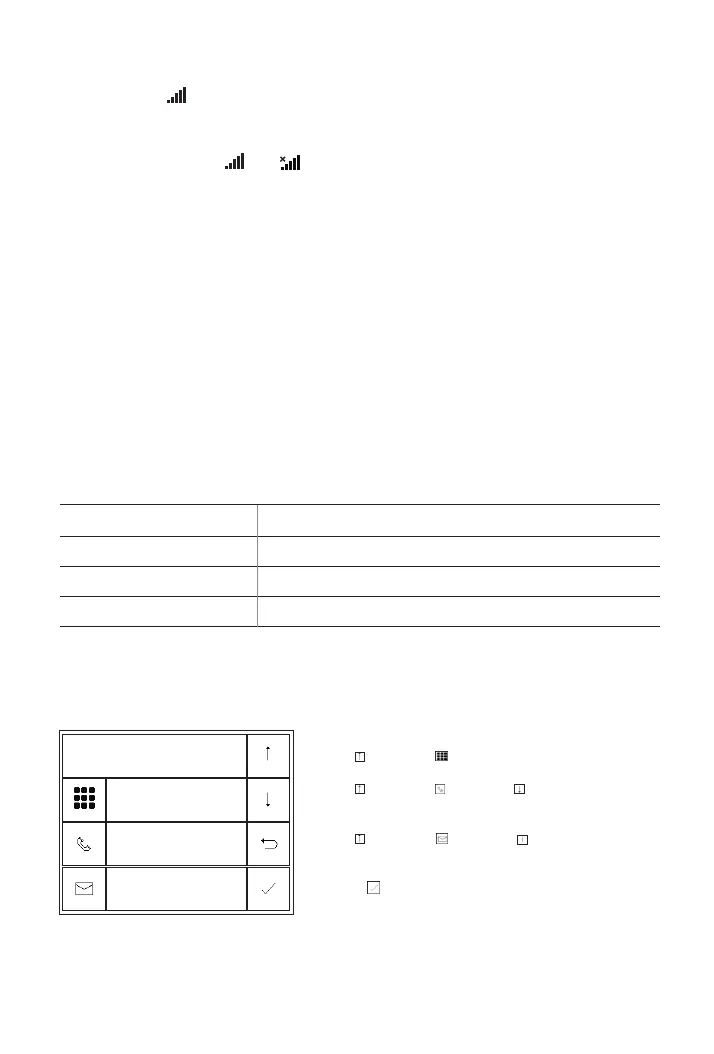
Phone to set a phone number.
Go to Menu>Phone>1st Phone/2nd Phone/3rd Phone/4th Phone/5th
1st Phone
Number
Dial
SMS
Function
Backspace
Cancel
Enter
on
on
13888888888
Use to scroll to , then use digits keypad to enter the
Phone Number (up to 18 digits).
Use to scroll to , then use to toggle between
‘off’ and ‘on’.
Use to scroll to , then use to toggle between
‘off’ and ‘on’.
When ‘on’ is selected, the Alarm Text Message will be active.
Press to save your new settings.
When ‘on’ is selected, the Alarm Call will be active.
16



 To Next Page