USING SMART SECURITY SYSTEM.
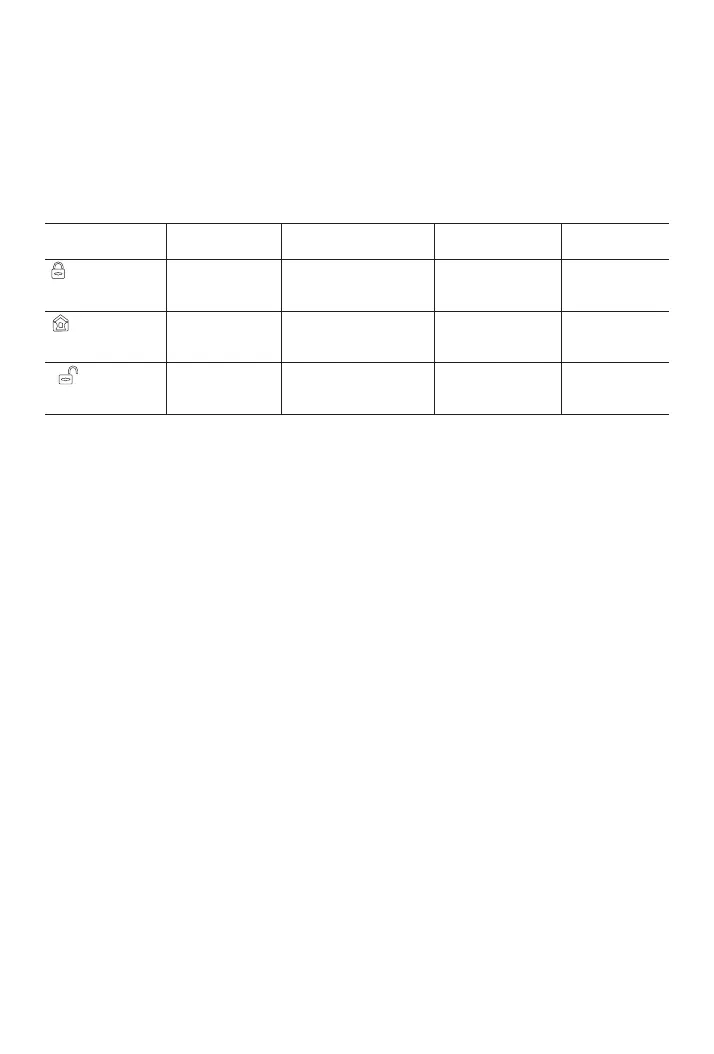
The security levels
Smart Hub has three different security levels you’ll use when
you’re home or away. You can easily switch between them on
Smart Hub or with RFID tag, Remote Control, or the app.
WHAT YOU HEAR
WHAT HAPPENS
WHAT’S DETECTED
Motion Open
NOTIFICATIONS
and CALLS
Away Arm
Use when no one is
home.
“Please input
password”
“System Armed”
The alarm sounds when a
door or window opens, or
when there’s motion in a room.
Home Arm
Use when you’re home
and want security.
Disarm
Use when you don’t
want security.
“Please input
password”
“System Armed”
“System
Disarmed”
The alarm sounds when
a door or window opens.
The alarm won’t sound.
√ √
√
√
√
-
-
-
-
How to arm and disarm
You can arm and disarm your home in three ways: entering your
passcode on the panel if keypad is locked and press ARM/DISARM
button , tapping Tag on the panel, or using the app. When you hear
the panel’s chime alert, the screen will also show you a countdown
so you know how much time you have before the alarm sounds.
No Rush
With No Rush, you can take the time you leave home or disarm
before the alarm sounds. By default, you have 40 seconds. But
you can use the app to choose a different time with No Exit Delay,
30 Seconds, 1 Minute or 2 Minutes to arm.
To adjust the countdown timing by the panel, go to Menu>
Settings>Delay>Exit Delay/Entry Delay(Refer to the Exit/Entry
Delay description in menu functions )
21



 To Next Page