S
O
S
How to record a Voice Message by Panel
Your system can Record/Playback/Delete a brief voice message(up to
20 seconds) that can be played back later. The voice message will be
played to the remote when a alarm call is connected.
Go to Menu>Record> and enter:
Select ‘Record.’
Ready to record when ‘Recording’ is displayed in the title box and
the system display will count down the recording time remaining.
Speak into the panel and the recording automatically stops
after the time expires.
The system plays back the message automatically.
Press button to save the message.
Go to Menu>Record>Duration to adjust the record timing.
Go to Menu>Record>Play/Delete to playback or delete the voice
message recorded.
How to pair a new Remote Control by Panel
Go to Menu>Parts>Remote>Add and enter:
‘Synchronizing’ is displayed, the panel goes
into the sniffer mode and count down the
remaining pairing time .
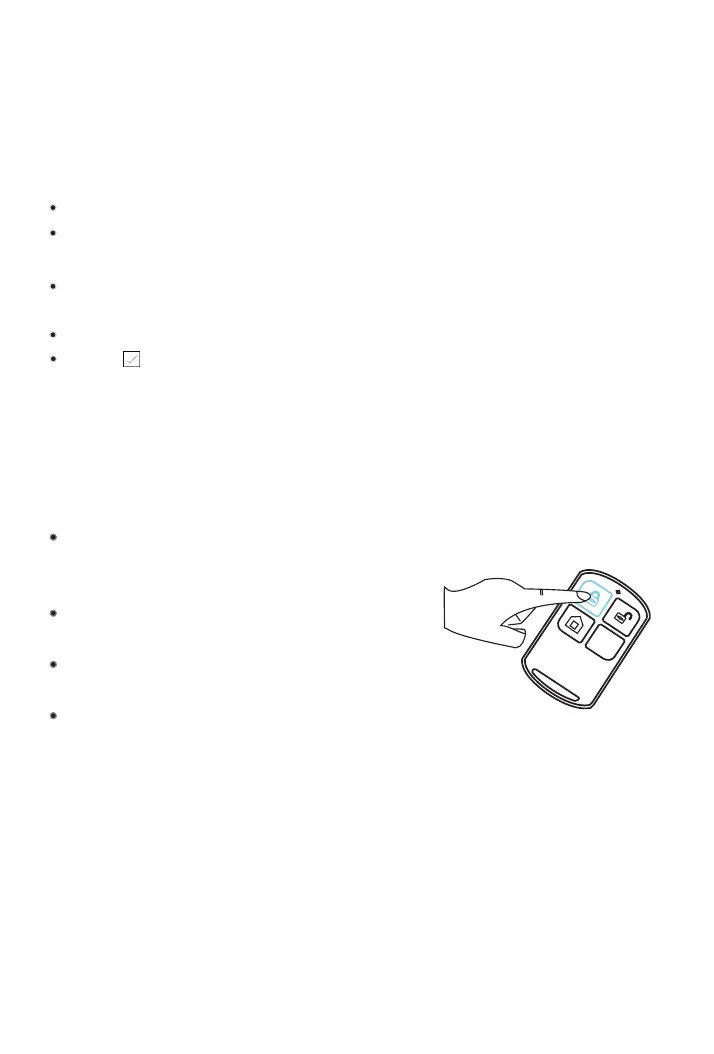
Press any button of Remote Control to
send a transmission signal to the panel.
As the serial number of Remote Control is
added to panel, ‘Leaning OK’ will be displayed.
The panel will display ‘Device code has
been learnt’ if serial number of Remote
Control have been learned.
Go to Menu>Parts>Remote>Delete to delete the Remote
Control specified by serial number .
Go to Menu>Parts>Remote>Delete All to delete all the Remote Controls.
17



 To Next Page