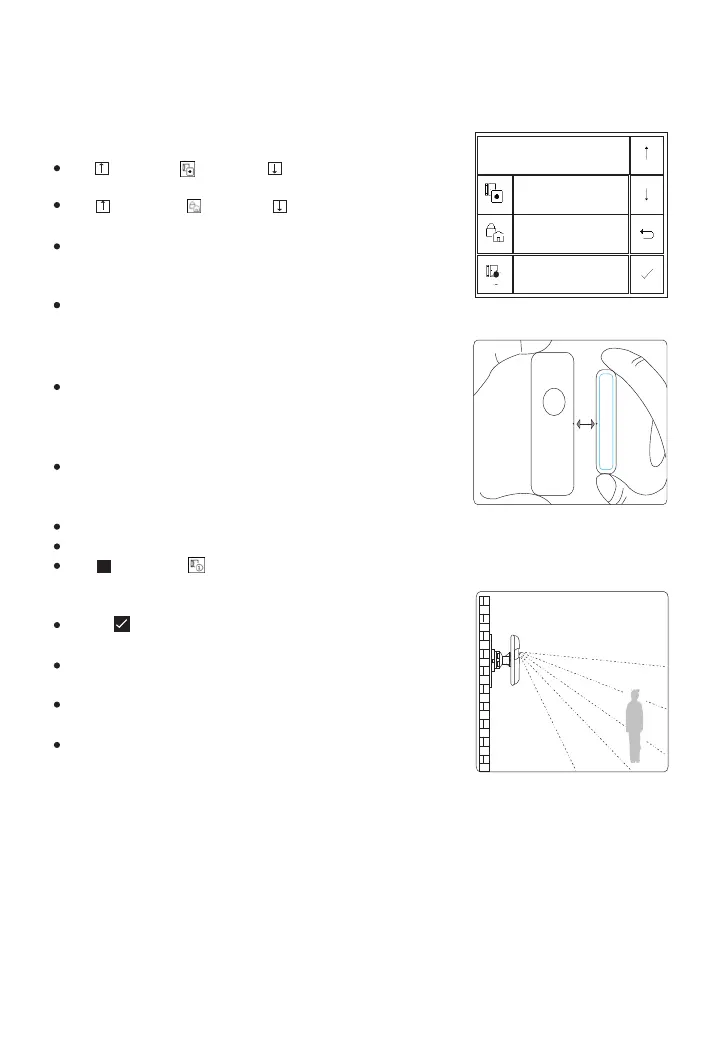
How to pair a wireless sensor by Panel
(Door/Window
Sensor or PIR Motion Detector)
Go to Menu>Parts>Detector>Add and enter
Use to scroll to , then use to scroll to the desired
Zone Name.
Use to scroll to , then use to scroll to the desired
Zone Mode(Type).
You must assign a Zone Mode to each zone(sensor),
which defines the way in which the system responds to
faults in that zone.
Stay Arm Active usually assigned to sensors on entry and
exit doors, exterior doors and windows, perimeter. Active
when armed in AWAY or HOME mode. We recommend to
set Door/Window Sensor to Stay Arm Active.
Out Arm Active usually assigned to a interior area (i.e.:
foyer, lobby,or room). Bypassed automatically when
armed in STAY mode. We recommend setting PIR Motion
Detector to Out Arm Active.
24 Hours Active usually assigned to a zone containing an
Emergency Button, Smoke Sensor, CO, Water Leakage
and Gas Sensors.
To used as doorbell, select Doorbell.
To disable the zone, select Close.
Use to scroll to , then use digits keypad to enter the
Zone Number (0-89 are available). The Zone Number
should be unique.
Press ,’Synchronizing’ is displayed, the panel goes into
the sniffer mode and count down the pairing time remaining .
Active wireless sensor to send a transmission signal to
the panel as shown to the right .
Active wireless sensor to send a transmission signal to
the panel as shown to the right .
The system will display ‘Device code has been learnt’ if
serial number of wireless sensor have been learned, and
the Zone Name/Mode/Number will be refreshed.
Zone Name/Zone Mode of selected zone
specified by the zone number, or delete the selected zone .
Go to Menu>Parts>Detector>Edit to edit
Go to Menu>Parts>Detector>Delete All to delete all the wireless sensors.
Set Name/Mode/Number
Name
Mode
Number
Function
Select
Cancel
Enter
1
Door Alarm
Stay Arm Active
1
Separate the sensor from
the magnet by at least 1.0
inches(2.5cm)
Place the PIR motion
detector in a high position
and then walk within the
detection area to trigger the
PIR alarm once (the indicator
light flashes once)
18



 To Next Page