tings in the programs. See page 31.
• All settings are cancelled with a “Reset“.
If “Store settings“ is activated for certain settings (see
p. 32), these settings remain stored and are used the
next time Count up / Count down is run.
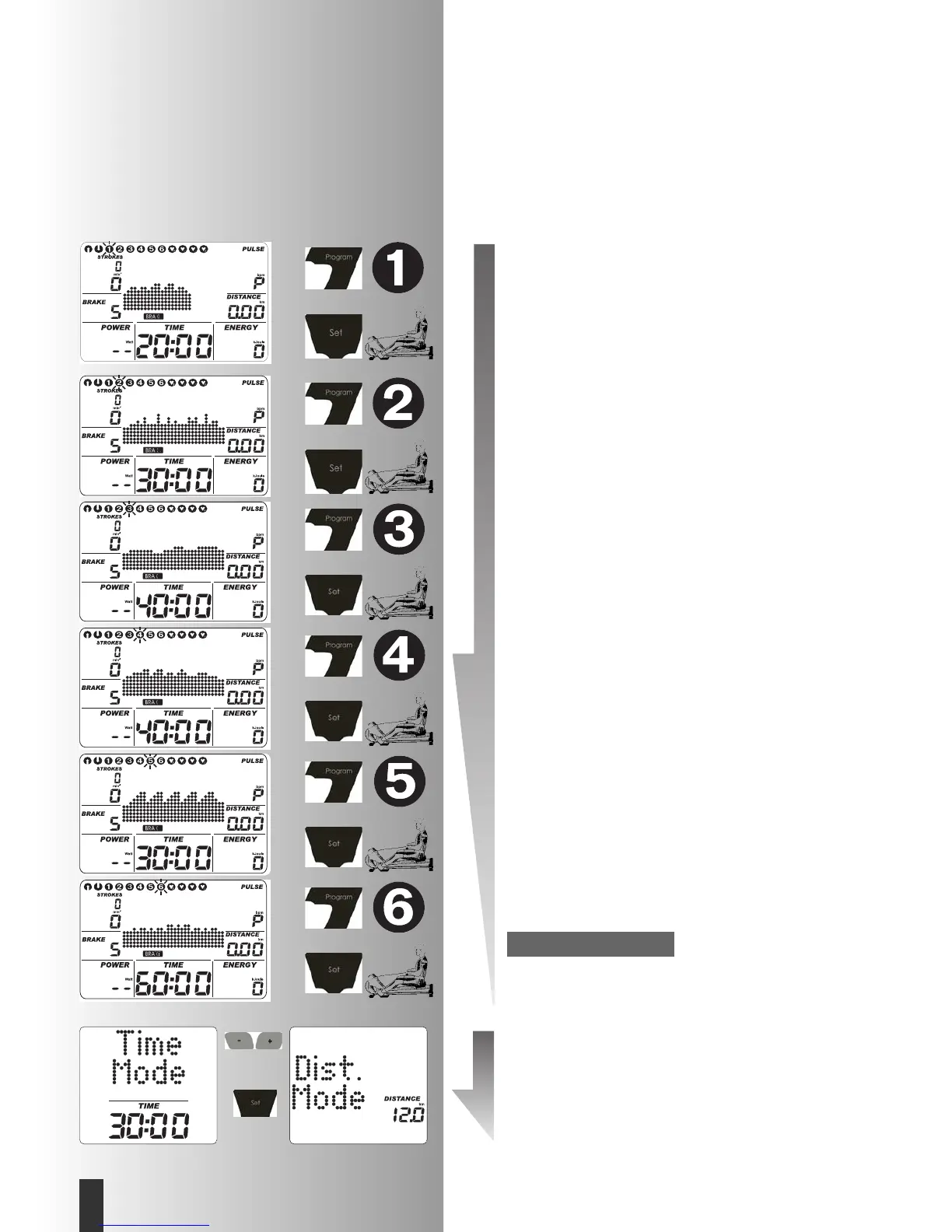
b) Power profiles (PROGRAM) “1” – ”6”
All profiles are selected by pressing “PROGRAM“
e.G.
Display:
“1”
Interval training 20; Resistance stage 5-8, 20 min.
Press “SET“: setting zone.
• Press PROGRAM until:
Display:
“2”
Spurts; Resistance stage 5-9, 30 min.
Press “SET“: setting zone.
• Press PROGRAM until:
Display:
“3”
Weight reduction; Resistance stage 5-7, 40 min.
Press “SET“: setting zone.
• Press PROGRAM until:
Display:
“4”
Fitness; Resistance stage 5-8, 40 min.
Press “SET“: setting zone.
• Press PROGRAM until:
Display:
“5”
Power program; Resistance stage 5-9, 30 min.
Press “SET“: setting zone.
• Press PROGRAM until:
Display:
“6”
Interval 60; Resistance stage 1-5, 60 min.
Press “SET“: setting zone.
With times over 30 min, the profile is compressed to 30
columns in the program views.
Program setting Time / Distance
In programs 1-6, it is possible to switch from time to
distance mode in the setting zone.
• Set mode with “Minus“ or “Plus“.
Confirm with “SET“
Display:
Ready for exercising
The distance per column is 0.2 km (0.1 miles).
Note:
Training and Operating Instructions
28
GB







 To Next Page