CIM-LINK Setup Guide
CIM-LINK Diagnostics
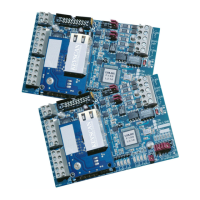
The CIM-LINK unit has on-board diagnostic LEDS - B3 to B0 - which are designed to assist
in troubleshooting communication difficulties.
diagnostic LEDs during boot-up - initial power or Reset J1
data LEDs during operation are Tx – transmit
Diagnostic Guidelines
LEDs B3 – B0 indicate Tx data transmission states. Diagnostic Jumper J2 sets the CIM
board to run in diagnostic mode.
CIM-LINK Diagnostics – LED Codes
The following table lists diagnostic LED codes on the CIM. LED indicators are as follows:
0 = OFF
1 = ON
Place a jumper on J2 to run the CIM in diagnostic mode.
+ 5V Isolated Logic Supply Low
ACU Panel Initialize Fail
Note
Diagnostic mode is indicated by all 4 LEDs flashing 3 times. Diagnostic codes are displayed
every 20 seconds. Multiple codes are displayed lowest to highest.
End of diagnostic routine is indicated when all 4 LEDs flash 3 times.
Unless Power Good/Fault LED is flashing, the unit will not enter unit diagnostic mode even
if a jumper is on J2.
Diagnostics are continued on the next page …


 To Next Page