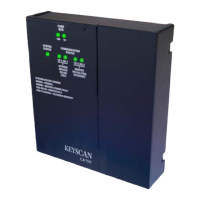
CIM-LINK Setup Guide
CIM-LINK Jumper Settings & Power
The CIM-LINK module interlinks multiple communication loops for global communication
using either CAN Bus 2 on multiple ACU communication loops or a direct network
connection on a single ACU communication loop. When connecting CIM-LINK modules,
ensure the units are configured with the correct jumper settings as outlined.
Master & Subordinate Communication Loops
When integrating CIM-LINK modules, establish one communication loop as a global master
communication loop and set all other communication loops as subordinate communication
loops. Refer to Figure 3 or Figure 4.
Master Communication Loop
Set one CIM or one CIM-LINK as the global master – jumper J3 ON
Important
A CIM-LINK can only be designated as a global master on a single ACU communication loop
and would be restricted to one subordinate communication loop.
Subordinate Communication Loop
Configure all other communication loops as subordinate in one of the following modes:
On a communication loop with multiple ACUs, set the CIM-LINK module as a group
master – jumper J3 ON
On a communication loop with a single ACU, set the CIM-LINK module as a global
slave – jumper J3 OFF
When the CIM-LINK is set as a group master with jumper J3 ON, it enables checking CIM
unit heartbeats on the communication loop.
Ensure that only one CIM or CIM-LINK is set as a global master for the entire network of
communication loops/ACUs.
Single ACU Mode / Group ACU Mode
The CIM-LINK module must be set for single ACU mode or group ACU mode.
When connected on a single ACU communication loop, set to single ACU mode – J4
ON
When connected on a multiple ACU communication loop, set to group ACU mode – J4
OFF
Termination Jumpers J5—J8
The CIM-LINK has termination jumpers J5 to J8 when the module is located at the
beginning or the end of the CAN Bus. Observe the following termination jumper settings.
CAN Bus 1 – J5 & J6 – do not apply to the CIM-LINK module, leave OFF (terminate
first and last CIM modules on CAN Bus 1)
CAN Bus 2 – J7 & J8 – if the CIM-LINK module is the first or last unit, terminate with
jumpers ON; otherwise leave jumpers OFF
Power
The method of powering the CIM-LINK module with the NETCOM2P depends on the type of
communication loop they are connected on.
Single ACU communication loop - the CIM-LINK/NETCOM2P are powered via the
ribbon cable connection from HDR1 to H2 on the control board
Multiple ACU communication loop - the CIM-LINK is powered via a connection from
the 12V terminal to a 12VDC power supply


 To Next Page