Display
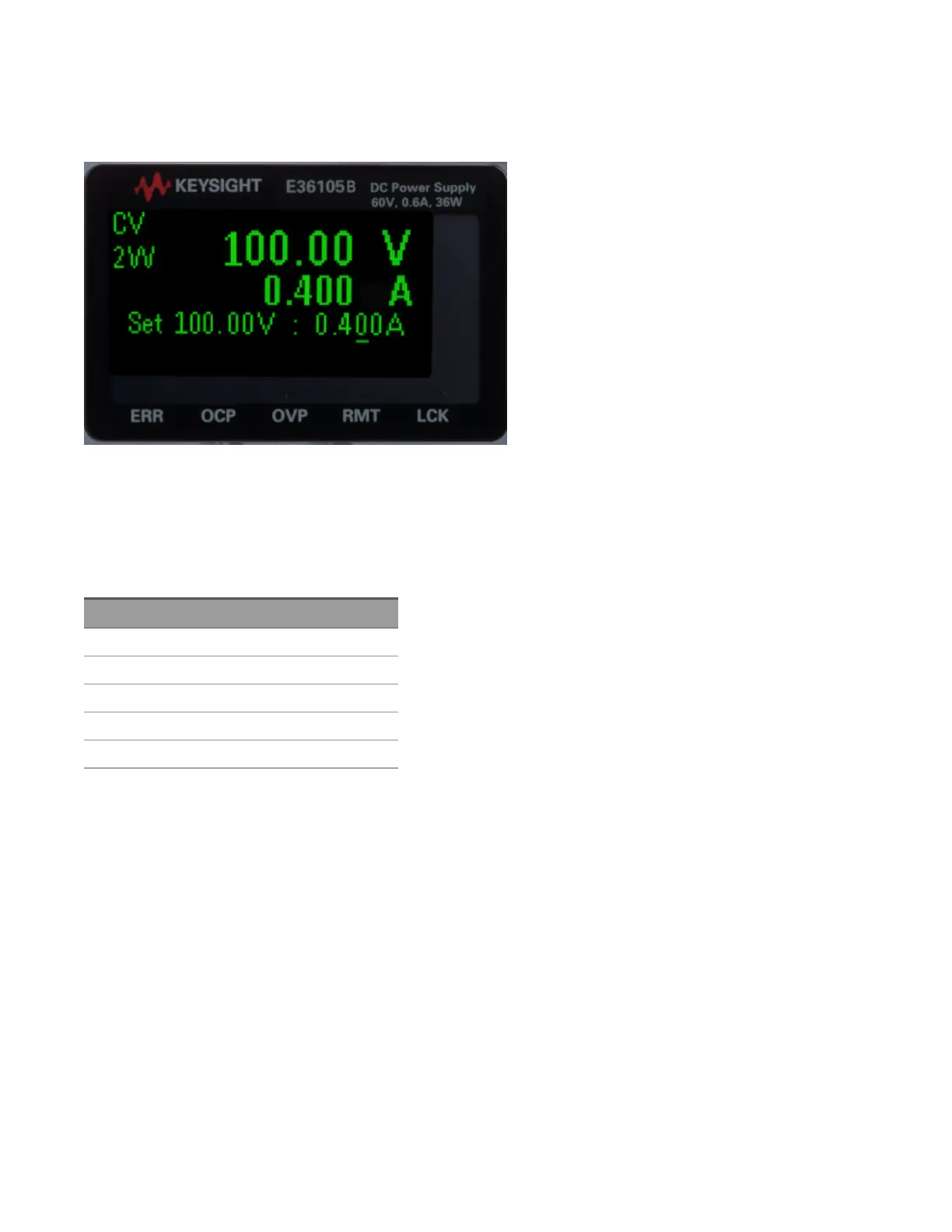
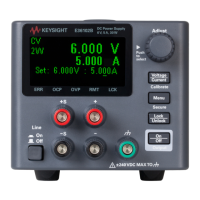
The power supply's front panel features a high-visibility OLED display.
The upper left corner of the display shows either CV or CC to indicate that the instrument is in constant voltage or
constant current mode. Below that is either 2W or 4W, to indicate whether 2-wire (normal) or 4-wire (remote
sensing) measurement is in use. The right side of the display shows the output voltage and current (when the output
is enabled), and the voltage and current settings are shown near the bottom of the screen.
The very bottom of the screen can show arrows, each of which represents a different annunciator.
Label Meaning
ERR An error has occurred.
OCP An overcurrent protection event has occurred.
OVP An overvoltage protection event has occurred.
RMT The instrument is being programmed remotely.
LCK The front panel is locked.
Keysight E36100B Series Operating and Service Guide 16



 To Next Page