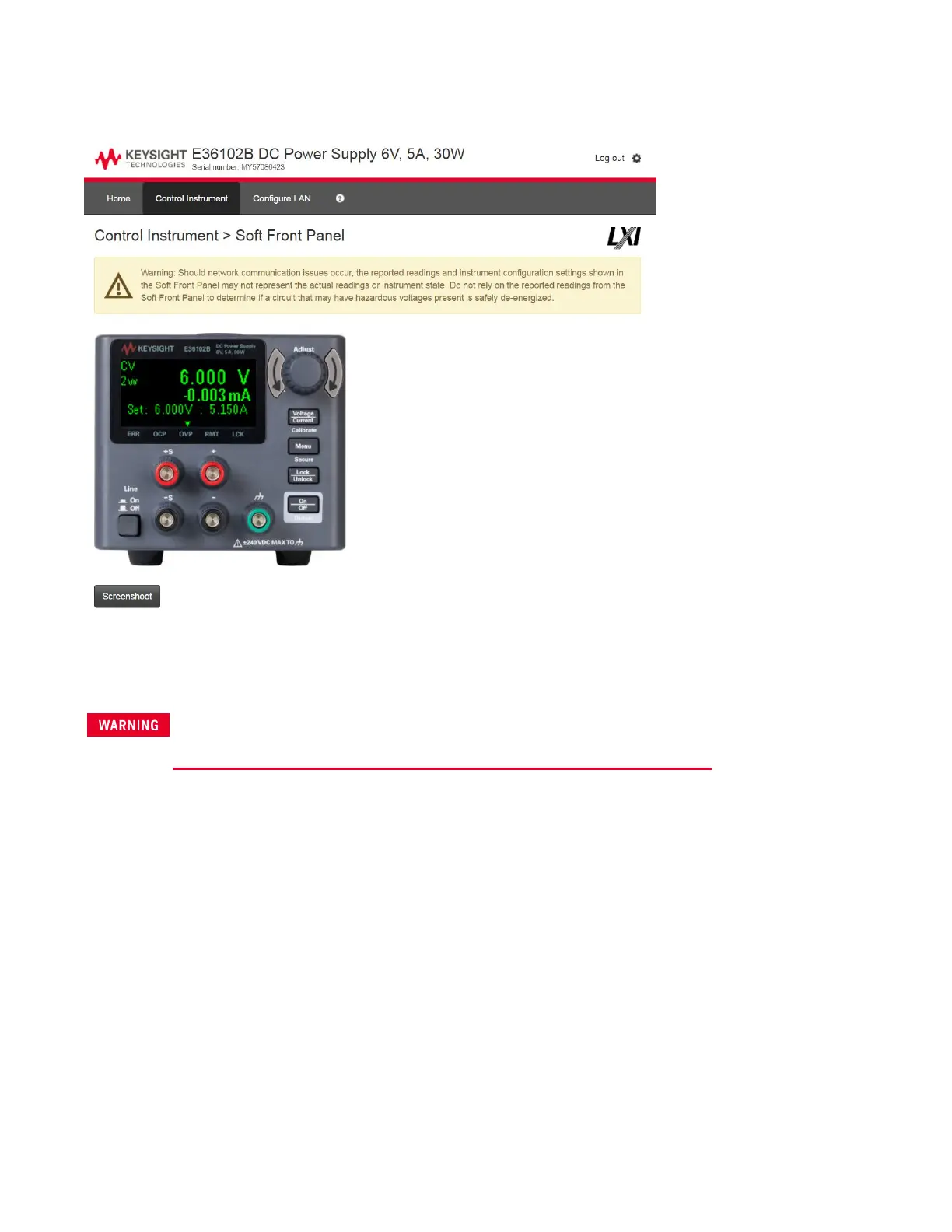
When you click the Control Instrument tab, the instrument will ask you for a password (default is keysight, all lower
case), and then it will open a new page, shown below.
This interface allows you to use the instrument just as you would from the front panel. Note the curved arrow keys
that allow you to "turn" the knob. You can click the knob to "push" it, just as you would push any of the other keys
on the front panel.
Read warning
Be sure to read and understand the warning at the top of the Control Instrument page.
Keysight E36100B Series Operating and Service Guide 28



 To Next Page