EasyManua.ls Logo

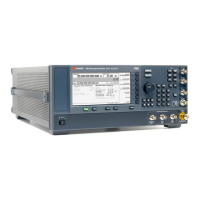
Keysight Technologies N5166B CXG - User Manual

Keysight Technologies N5166B CXG
451 pages
Print Icon
To Next Page IconTo Next Page
Loading...
Service Guide
Keysight
N5166B CXG
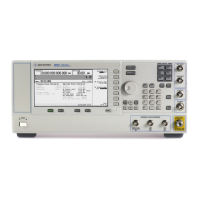
N5171B/72B/73B EXG
N5181B/82B/83B MXG
X-Series Signal Generators

Table of Contents

Other manuals for Keysight Technologies N5166B CXG

Questions and Answers

  • D
    Dustin SimonAug 19, 2025
    What to do if Keysight Technologies N5166B CXG Portable Generator does not respond?
    • T
      timothy29Aug 19, 2025
      If the Keysight Technologies Portable Generator does not respond, it might be in remote mode. Press the Local Cancel/(Esc) button to exit remote mode.
  • R
    Randy DavisAug 21, 2025
    How to fix no RF output on Keysight Technologies N5166B CXG?
    • F
      Felicia AustinAug 21, 2025
      If there's no RF output from your Keysight Technologies Portable Generator, and the RF ON/OFF LED is off, press the RF On/Off button to activate the output. Also, ensure the amplitude is within the generator's specified range and that marker polarity and routing settings are correct if a waveform is playing.
  • J
    Jack BrowningAug 25, 2025
    How to troubleshoot low RF output power on Keysight Technologies Portable Generator?
    • C
      Christina SalinasAug 25, 2025
      If the RF output power is too low on your Keysight Technologies Portable Generator and the AMPLITUDE area of the display shows the OFFS indicator, press Amptd > More 1 of 2 > Amptd Offset > 0 > dB. If the AMPLITUDE area shows the REF indicator, turn off the reference mode. If pulse modulation is on, turn off the ALC, and check that pulse width is within specifications.
  • N
    Nathan CookAug 26, 2025
    Why is there no modulation at the RF output of my Keysight Technologies N5166B CXG Portable Generator?
    • Z
      zachary53Aug 27, 2025
      If there is no modulation at the RF output of the Keysight Technologies Portable Generator, check the Mod On/Off LED and the Off On softkey to ensure both are on. Also, make sure that the internal I/Q modulator is on. If using an external modulation source, verify that the external source is on and operating within the signal generator’s specified limits.
  • D
    Dawn MillerAug 28, 2025
    How to turn off sweep on Keysight Technologies N5166B CXG Portable Generator?
    • T
      Travis KleinAug 28, 2025
      To turn off sweep on the Keysight Technologies Portable Generator, press Sweep > Sweep > Off.
  • R
    Reginald ColeAug 30, 2025
    How to fix incorrect list sweep dwell time on Keysight Technologies N5166B CXG Portable Generator?
    • C
      caseycampbellAug 30, 2025
      To correct an incorrect list sweep dwell time on the Keysight Technologies Portable Generator, edit the dwell values. Also, ensure that the Dwell Type List Step softkey is set to List.
  • D
    Danielle ColemanSep 1, 2025
    What to do if display turns black when using USB media on Keysight Technologies Portable Generator?
    • D
      Donna BrewerSep 1, 2025
      If the display turns black when using USB media with your Keysight Technologies Portable Generator, this might be caused by removing the USB media while the instrument is using it. Cycle the instrument power to resolve this.
  • S
    Steven HarveySep 3, 2025
    Why does sweep appear stalled on my Keysight Technologies N5166B CXG?
    • L
      lori91Sep 3, 2025
      If the sweep appears stalled on your Keysight Technologies Portable Generator, check the current status of the sweep indicated in the progress bar. If the sweep is in single mode, press the Single Sweep softkey. If there is a missing sweep trigger, set Sweep Trigger to Free Run. If there is a missing point trigger, set Point Trigger to Free Run. If the dwell time was set incorrectly, set the dwell time to one second. If there are few points in the step sweep or list sweep, ensure that you set at least two points in the step sweep or list sweep.
  • B
    brettbrownSep 5, 2025
    What to do if Keysight Technologies N5166B CXG recognizes USB but does not display files?
    • T
      Taylor SimmonsSep 5, 2025
      If the Keysight Technologies Portable Generator recognizes the USB media connection but does not display files, the USB media may be incompatible. Try using a different USB media.
  • C
    Christopher LawsonSep 8, 2025
    What to do if signal loss while working with a mixer and Keysight Technologies N5166B CXG Portable Generator?
    • R
      ramirezstaceySep 8, 2025
      If you are experiencing signal loss while working with a mixer and the Keysight Technologies Portable Generator, add attenuation and increase the RF output amplitude.

Keysight Technologies N5166B CXG Specifications

General IconGeneral
Frequency Range9 kHz to 6 GHz
I/Q ModulationYes
Power Requirements100 to 240 VAC, 50/60 Hz
Modulation TypesAM, FM, PM, Pulse, FSK, PSK, QAM
InterfaceLAN, USB, GPIB
WaveformsPulse, Arbitrary
ARB Waveform Memory64 MSa
ConnectivityLAN, USB, GPIB
Switching Speed<900 μs

Related product manuals