Driving your vehicle
625
Function settings
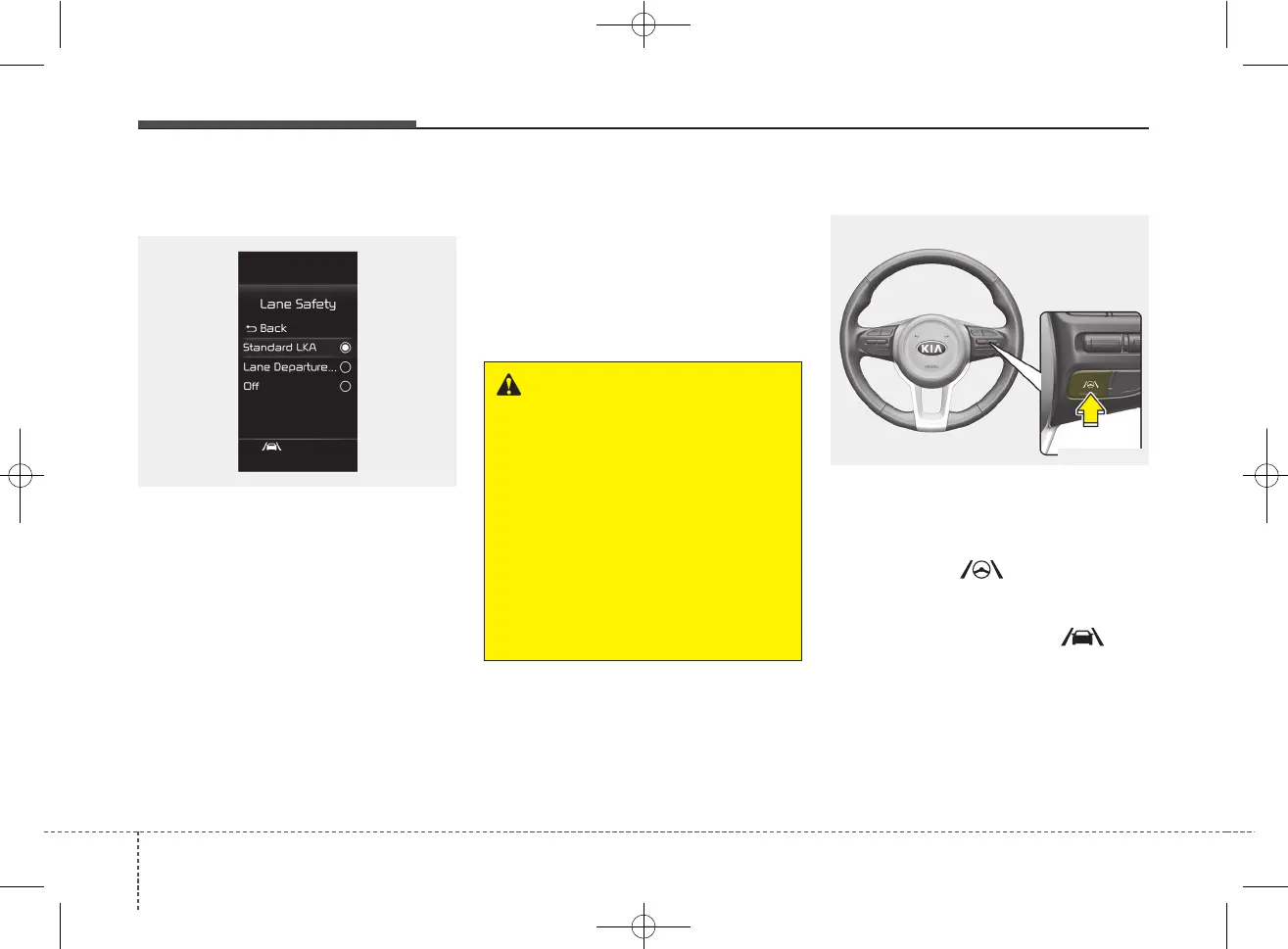
Setting
Lane Safety
With the ignition switch or ENGINE
START/STOP button in the ON posi-
tion, select or deselect 'Driver
Assistance → Lane Safety' from the
User Settings.
• If 'Standard LKA' is selected, the
function will automatically assist
the driver's steering when lane
departure is detected to help pre-
vent the vehicle from moving out of
its lane.
• If 'Lane Departure Warning' is
selected, the function will warn the
driver with an audible warning
when lane departure is detected.
The driver must steer the vehicle.
• If 'Off' is selected, the function will
turn off. The indicator light will turn
off on the cluster.
Turning the function ON/OFF
To activate/deactivate LKA :
With ignition switch or ENGINE
START/STOP button in the ON posi-
tion, press and hold the Lane Driving
Assist button ( ) located on the
steering wheel to turn on Lane
Keeping Assist.
The white indicator light ( ) will
illuminate on the cluster. If you press
and hold the Lane Driving Assist but-
ton located on the steering wheel,
LKA will be turned off and the indica-
tor on the cluster display will go off.
OSC050282N
OSC050283N
WARNING
• If 'Lane Departure Warning' is
selected, steering is not
assisted.
• Lane Keeping Assist does not
control the steering wheel
when the vehicle is driven in
the middle of the lane.
• The driver should always be
aware of the surroundings
and steer the vehicle if 'Off' is
selected.



 To Next Page