22
EN
13.2 - Selection of “Lock/AUX”
output operating mode
IF THE “AUX” OUTPUT IS SET AS COURTESY LIGHT (see Par-
agraph 13.1)
Default = monostable
When a command is received from a transmitter pulse, it is possible
to set the AUX contact work mode as: MONOSTABLE: after every
radio command, the control unit closes the contact for 3 seconds.
BISTABLE, ON/OFF: after every radio command, the control unit
changes the status from open to closed.
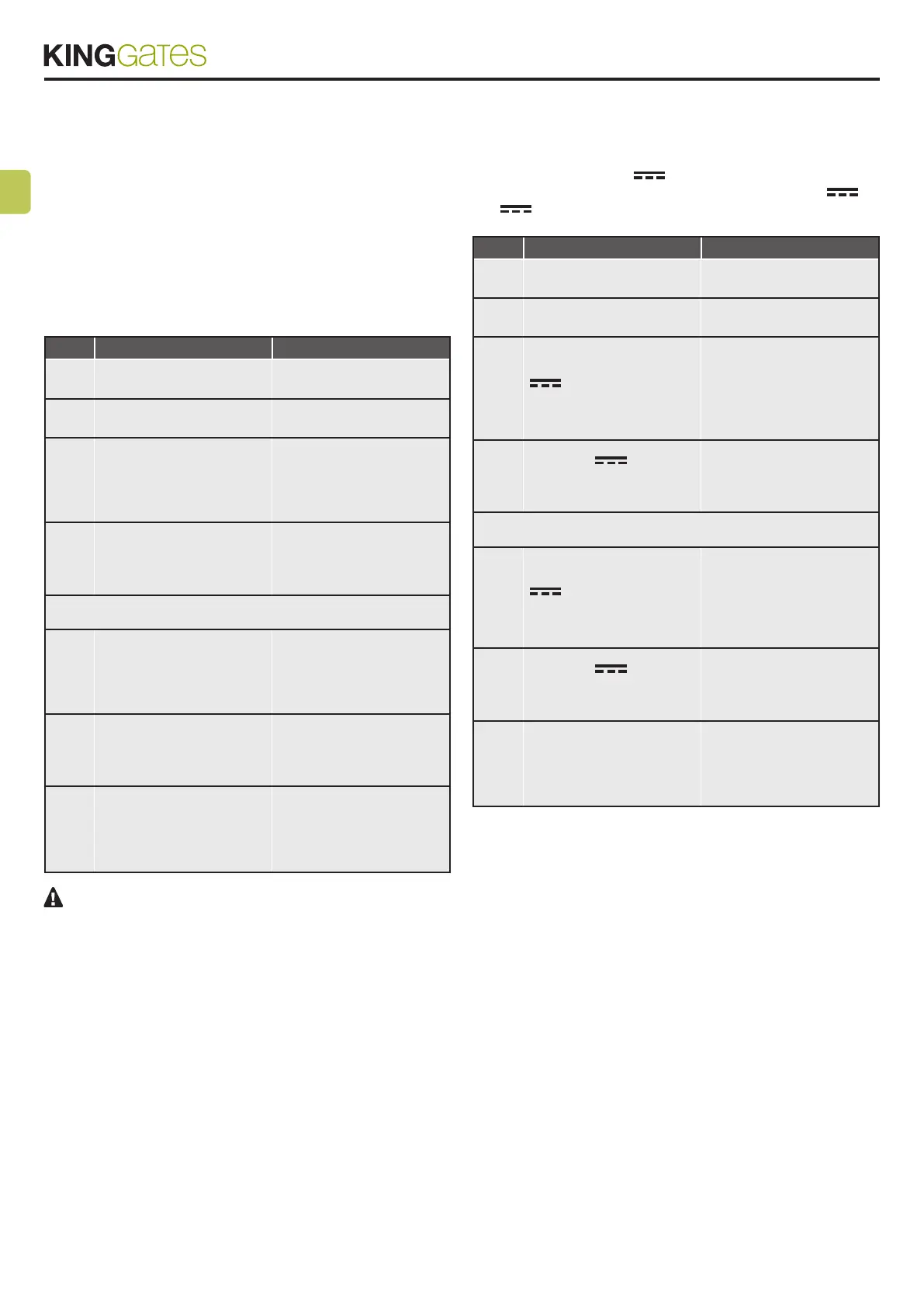
STEP ACTION RESULT
1
PRESS START BUTTON
FOR 3 SECONDS
All the LEDs turn off (if not,
consult Paragraph 14.1)
2
PRESS THE RADIO
BUTTON FOR 1 SECOND:
2.1a
If the red “error” LED is
on AUX = Monostable
(if the setting is correct,
go to Point 4; if not,
proceed to Point 3a)
The red “radio” LED turns
on in the fixed mode
3a
AUX=Bistable setting
PRESS THE “SET”
BUTTON FOR 1 SECOND
The red “radio” LED
remains lit in the fixed
mode and the red “error”
LED turns off
or
2.1b
If the red “error” LED is
off AUX = Bistable (if the
setting is correct, go to
Point 5; if not, proceed
to Point 3b)
The red “radio” LED turns
on in the fixed mode
3b
AUX=Monostable setting
PRESS THE SET BUTTON
FOR 1 SECOND
The red “radio” LED
remains lit in the fixed
mode and the red “error”
LED turns on
4
PRESS THE SET AND
RADIO BUTTONS
SIMULTANEOUSLY OR
WAIT 10 SECONDS TO
EXIT THE PROCEDURE
The LEDs return to
the normal operation
conguration
To control the AUX contact set as courtesy light, a radio
command must be registered through the procedure indicat-
ed in Paragraph 5.3 and connect a suitable relay (see para-
graph 13).
13.3 - Selection of “AUX”
output voltage
STAR EVO: Default=12V
The output voltage of the AUX contact can be set to 12V or
24V , depending on the connected lock or the available relay.
STEP ACTION RESULT
1
PRESS START BUTTON
FOR 3 SECONDS
All the LEDs turn off (if not,
consult Paragraph 14.1)
2
PRESS THE RADIO
BUTTON FOR 1 SECOND:
2.1a
If the yellow “Set” LED
is on AUX voltage = 12V
(if the setting is correct,
go to Point 4; if not,
proceed to Point 3a)
The red “radio” LED turns
on in the fixed mode
3a
AUX=24V
setting
PRESS THE SET BUTTON
FOR 1 SECOND
The yellow “Set” LED
remains lit in the fixed
mode and the red “error”
LED turns off
or
2.1b
If the yellow “Set” LED
is off AUX voltage = 24V
(if the setting is correct,
go to Point 4; if not,
proceed to Point 3a)
The red “radio” LED turns
on in the fixed mode
3b
AUX=12V
setting
PRESS THE SET BUTTON
FOR 1 SECOND
The yellow “Set” LED
remains lit in the fixed
mode and the red “error”
LED turns on
4
PRESS THE SET AND
RADIO BUTTONS
SIMULTANEOUSLY OR
WAIT 10 SECONDS TO
EXIT THE PROCEDURE
The LEDs return to
the normal operation
conguration



 To Next Page