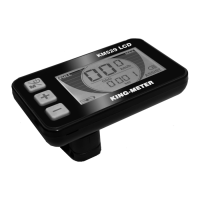
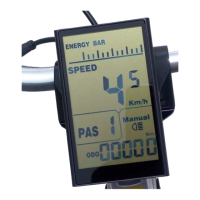
Need help?
Do you have a question about the King-Meter Digital II-LCD and is the answer not in the manual?
Digital II-LCD housing material is PC, color is black. Working temperature -20°C~+60°C.
Lists key functions: battery indicator, speed, distance, trip time, walk assist, error codes, and settings.
Explains how to start and shut down the display and e-bike using the MODE button, and automatic turn-off.
Describes switching between real-time speed, average speed, and max speed by pressing the MODE button.
Ensures connectors are tightened and cables are undamaged before powering on the e-bike.
How to enter the setting menu by holding UP and DOWN buttons after starting the display.
Explains how to clear trip distance and time using the TC option with UP/DOWN and MODE buttons.
Instructions for entering the personalized parameter setting via a specific password (2962).
Explains selecting Pedal Assist Level options (8 modes like 0-3, 1-3, etc.) using UP/DOWN and MODE.
How to modify Pedal Assistant Ratio percentage (e.g., 30-50%) using UP/DOWN and MODE.
Setting the running direction of the PAS sensor (Forward 'F' or Backward 'b') using UP/DOWN and MODE.
Adjusting the PAS sensor sensitivity (2=strongest, 9=weakest) using UP/DOWN and MODE.
Enabling or disabling throttle walk assist (HL:Y/N) using UP/DOWN and MODE.
Enabling or disabling throttle vector (HF:Y/N) to limit or unlimit speed based on PAS level.
Setting the delay time for battery power (3/6/12s) using UP/DOWN and MODE.
Setting the maximum speed limit for the e-bike (25-40 Km/h) using UP/DOWN and MODE.
Details on company responsibility for quality problems during the guarantee period and warranty time.
Lists items not covered by warranty: disassembly, broken connectors, or damage from force majeure.
 General
| Brand | King-Meter |
|---|---|
| Model | Digital II-LCD |
| Category | Monitor |
| Language | English |

 To Next Page