16
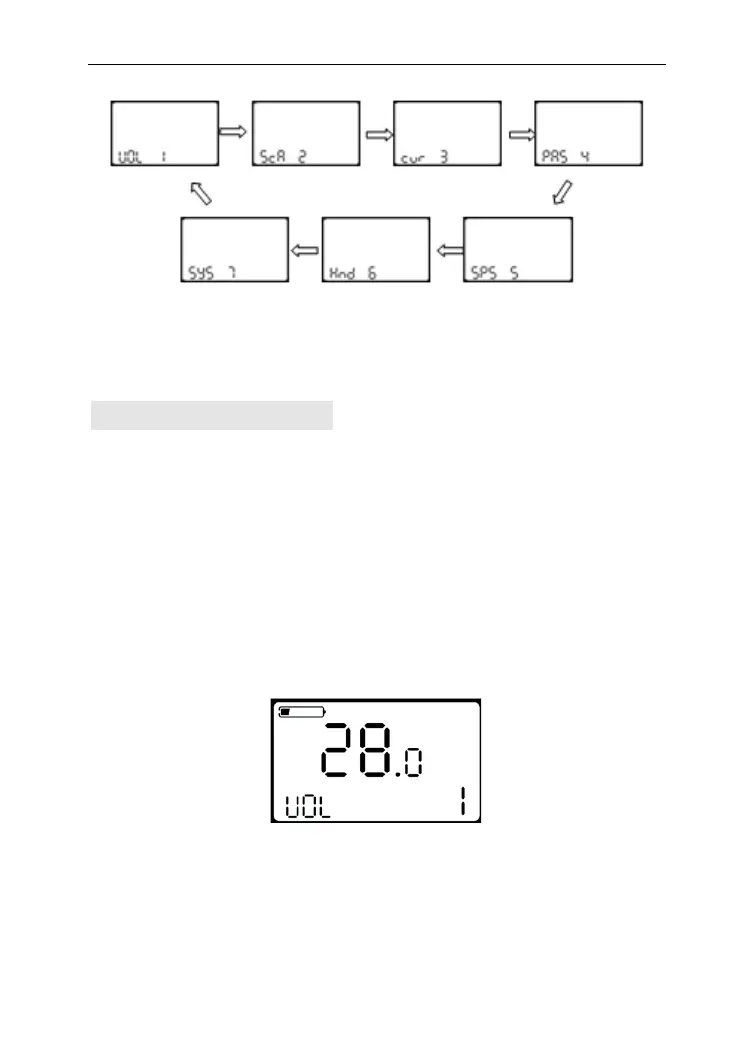
Option Select Page
Battery Indicator Setting
VOL means battery voltage. Each battery bar represents a voltage
value. 5 voltage values MUST BE entered one by one. Take the first
voltage for example, “1” on the screen means the first voltage,
“28.0” means the first battery voltage value. Press UP/DOWN to
select the value and MODE to confirm and enter into next voltage
setting. After all 5 voltages set, hold MODE to confirm and turn
back to personalized parameter setting interface.
Battery indicator voltage setting interface



 To Next Page
 Loading...