7
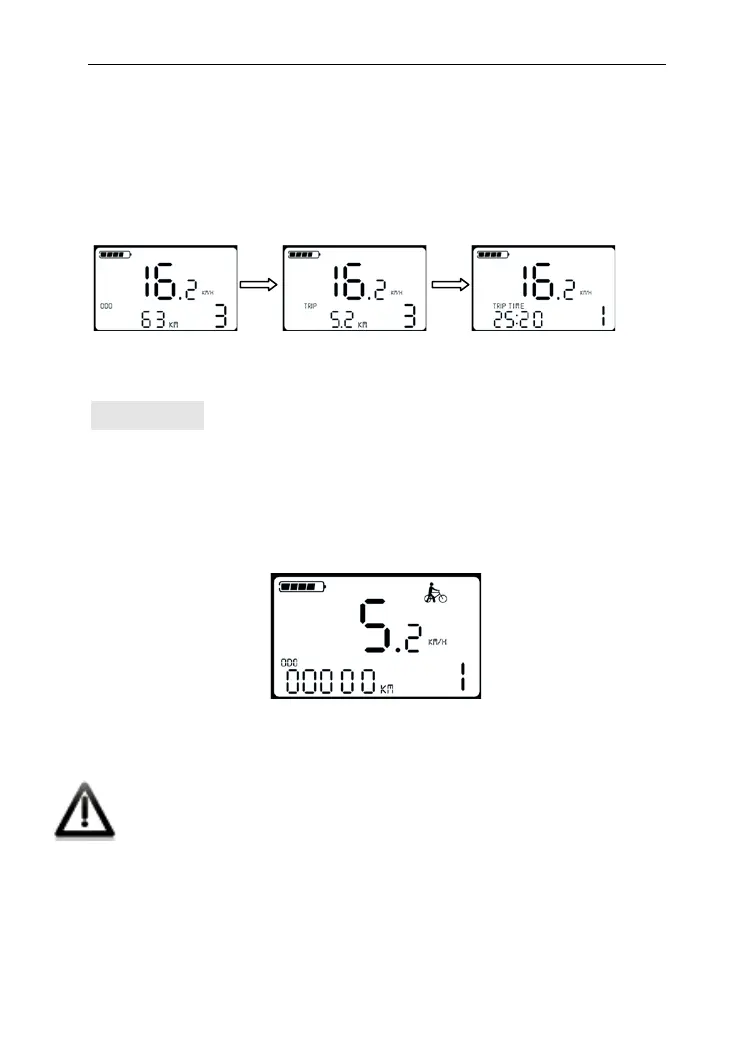
After turning on display, it shows ODO distance (unit KM) .Press
and hold MODE and DOWN together to switch the information,
showing as ODO (unit KM) →single trip distance (unit KM) →single
trip time →ODO (unit KM).
ODO Single trip Single trip time
Walk Assist
Press and hold DOWN to start walk assist status. The bike will keep
at an even speed output 6km/h. Release the button to exit walk
assist status. The screen shows walk mode flashing symbol.
Walk Assist Interface
Walk assist can only be working when you push the bike
and please do not start this function when riding.


 To Next Page
 Loading...