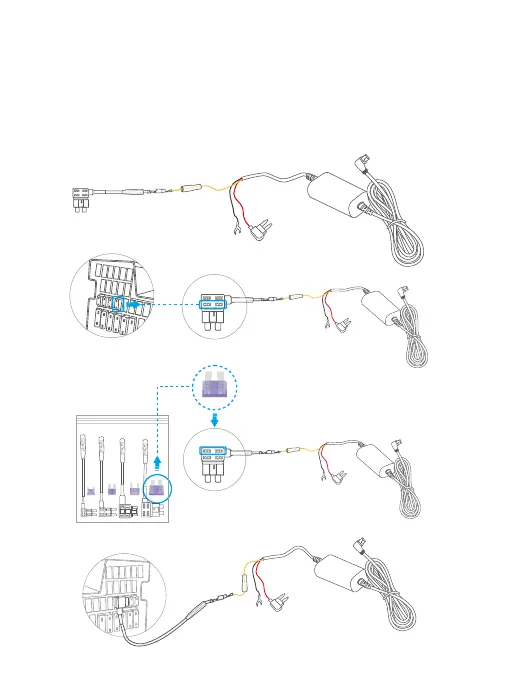
Step 4: Connect the fuse tap: After finding the constant fuse slot, first remove the
original fuse, connect it to the lower part of the connector, then connect the yellow
wire from the hardwire kit to the upper part of the connector. Second, insert yellow
wire into the fuse tap. Lastly, connect the fuse tap to the constant fuse slot.
Tip: You can directly insert the yellow wire into the constant fuse slot after
connecting it to the connector.



 To Next Page