TM
Model 3600M0259-01
9/14 2-25
Machine Operation
SETUP BULK FILL SCALE PACKAGE DISPLAY
1. Press SET-UP button.
2. First setup screen displays and ALARM LEVEL box is
highlighted.
3. Press SELECT button.
4. Press UP or DOWN arrows to change alarm weight level.
Select BACK to save changes.
5. Press UP or DOWN arrows to highlight WEIGHT/ACRE
MODE box. Press SELECT button.
6. Press UP or DOWN arrow buttons to toggle between
weight or acre mode. This selection affects if values are
displayed as pounds or estimated acres of seed remaining.
Press BACK to save changes.
7. Press DOWN arrow to select second set-up screen.
NOTE: CALIBRATION# and SETUP# are automatic and do
not need to be changed.
8. Select
CONTRAST or BACKLIGHT. Use
UP or DOWN arrow
buttons to change levels. Press BACK to save changes.
9. Select BACK to return to main screen.
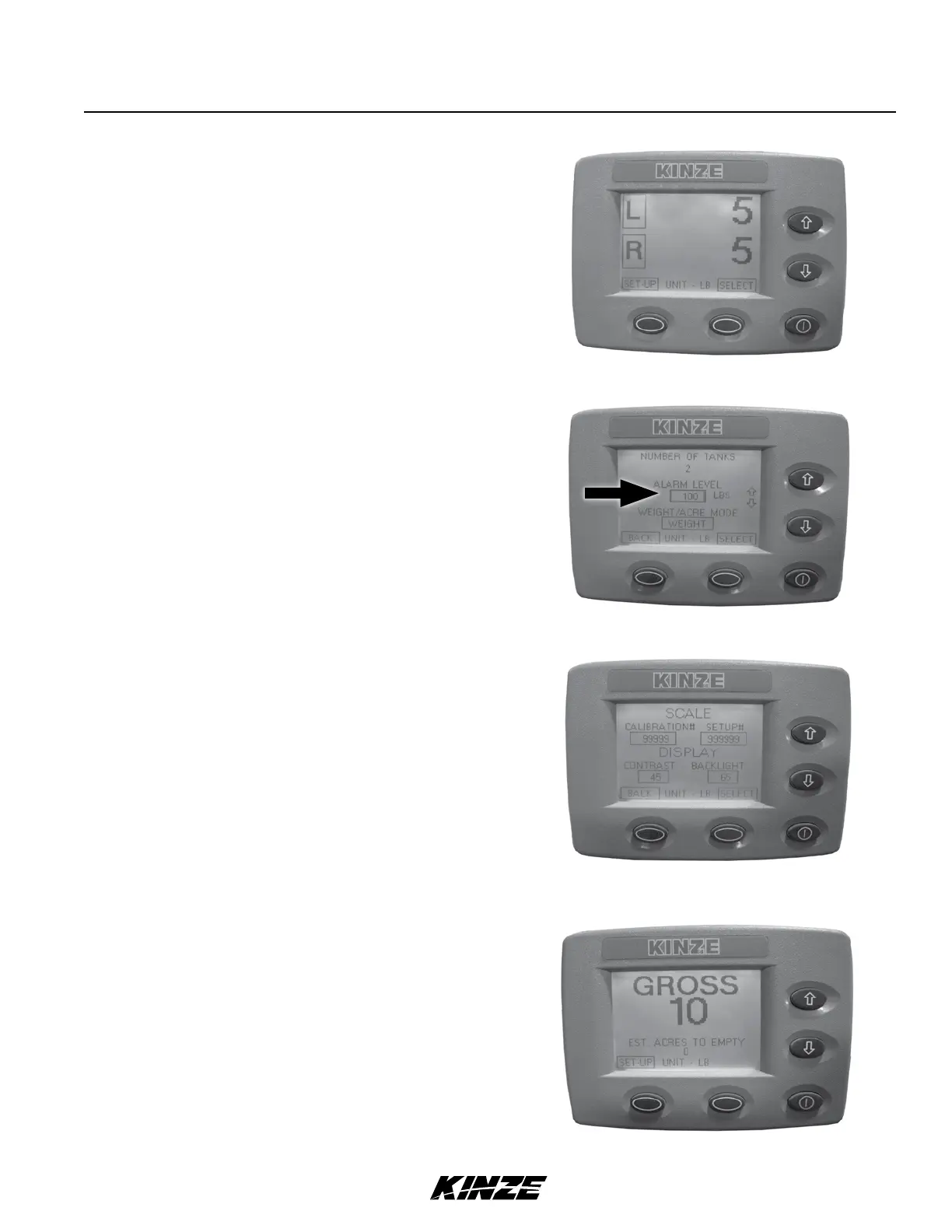
1. Main screen displays information for left and right hoppers.
2. Select either L or R for individual hopper status information.
3. Select BACK to return to main screen.
4. Press down arrow once or twice to display GROSS screen.
Combined status information for both hoppers is shown.
5. Press down arrow again to return to main screen.
MONITOR SEED LEVELS


 To Next Page