Chapter 4 Maintenance 4-2
4. 1 Cleaning
4. 1. 1 Scanner Unit
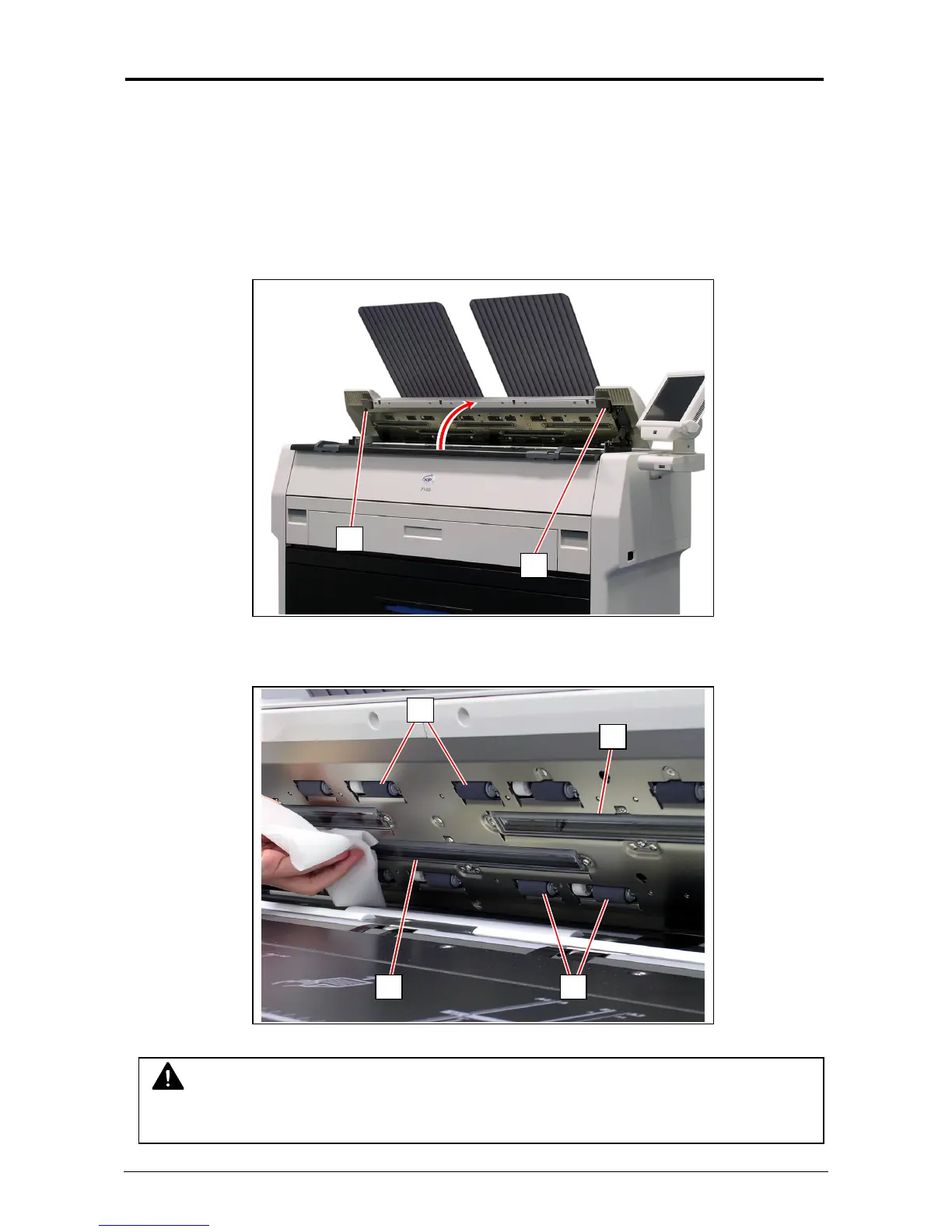
It is recommended to clean each Scan Glass, Feeding Rollers and Guide Plates as the scan/copy
image may become defective if these parts are dirty.
1. Turn off KIP 7100.
2. Press the levers (1) up to unlock the Scanner Unit. Open the Scanner Unit.
3. Wipe each Scan Glass (2), Press Rollers (3) and the inside surface with a soft cloth.
Use equal volume mixture of water and a neutral detergent.
NOTE
Do not use organic solvent, glass cleaner and anti-static spray for the cleaning.
1
1
3
32
2



 To Next Page