Using the Square ONE Dynamics
18 Square ONE Dynamics
Solo bus
You can monitor the side chain during the performance using the dedicated SOLO OUTPUT. To do this,
connect the SOLO OUTPUT to a spare input channel, line return, FX return etc., on your mixing console.
Enabling any SOLO pushbutton will route that processor’s side chain monitor to the SOLO OUTPUT, allowing
monitoring of the side chain filter without interrupting the audio output of the processor. If the solo in place
(SIP) mode is active, the SC SOLO IN PLACE LED will illuminate. In this mode the side chain monitor signal
will replace the audio output when SOLO is enabled.
The rear panel of the Square ONE Dynamics includes a solo bus with input and output XLRs. This allows
multiple units to be linked in series so that a group of units can all apply solo signal to a common solo bus.
The final solo bus output will be taken from the last unit in the chain. Units with SIP enabled do not apply
signal to the solo bus. The signal from the solo bus input XLR to the solo bus output XLR always operates,
even when the unit is in SIP mode.
External key
For most applications, the Square ONE Dynamics is triggered by the level of the incoming signal. Sometimes
it can be useful to use a different signal to trigger the gate; this signal is known as an external key.
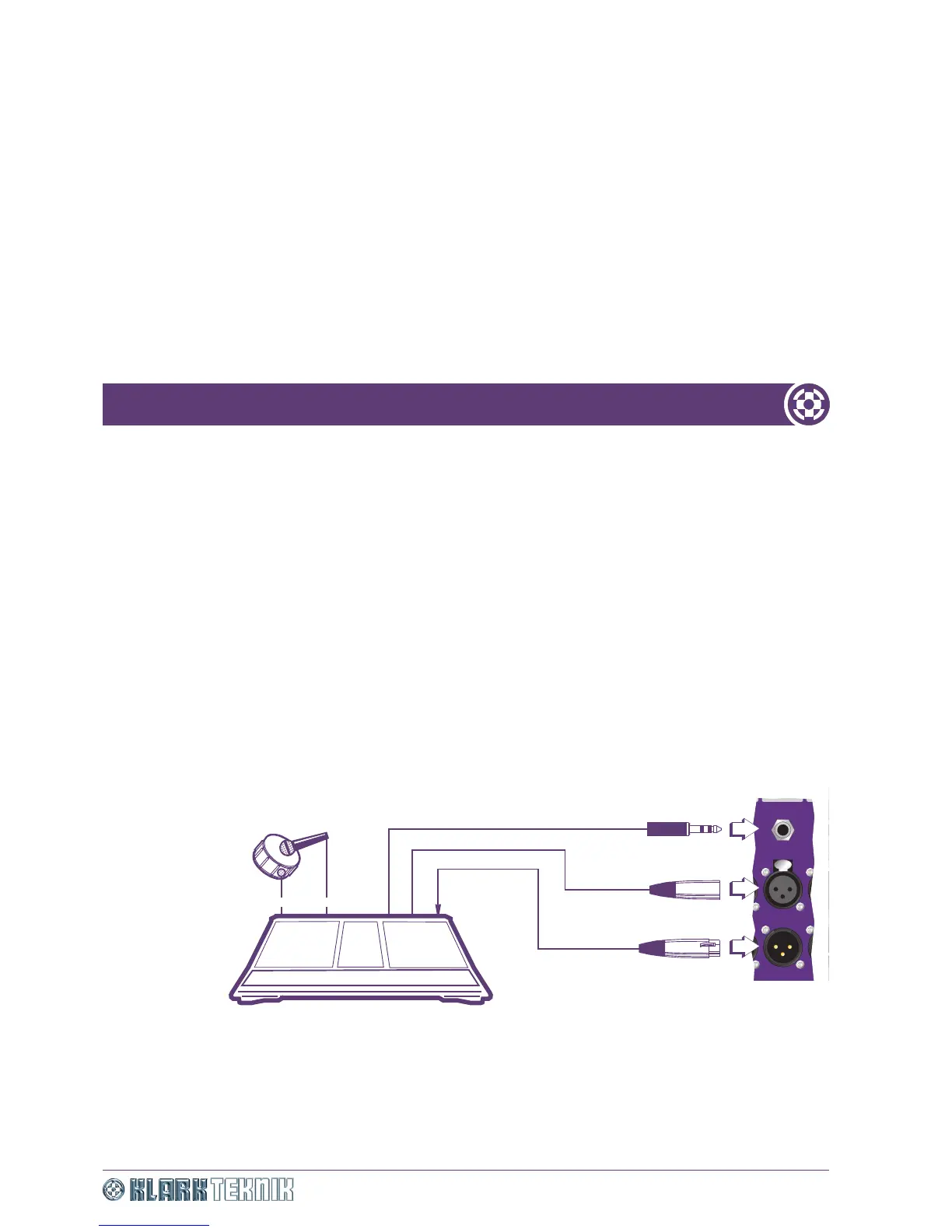
Particularly in the case of drums, a very reliable trigger can be obtained by taping a contact microphone to
the shell of the drum, using the clean signal it produces to trigger the gate. An example of this set up is
shown in Figure 7 “Typical set up for external key operation”.
Figure 7: Typical set up for external key operation
Send
Return
Send
Output
Channel insert point (contact mic)
Input
Contact mic
Snare
Mic
Console
OUTPUT OUTPUT OU


 To Next Page